
API keys and webhooks
Create an admin API key, and add a webhook subscription from the Integrate menu.
Applies to Admin
Integrate can call out with a webhook, and an admin can create an API key. Webhooks are in the menu. API keys are an admin page, not a sidebar item.
The rate field on a new key is labeled as stored and not enforced. Do not treat that number as a limit the product applies.
Add a webhook#
- Open Integrate, then Webhooks. The heading is Webhook Subscriptions.
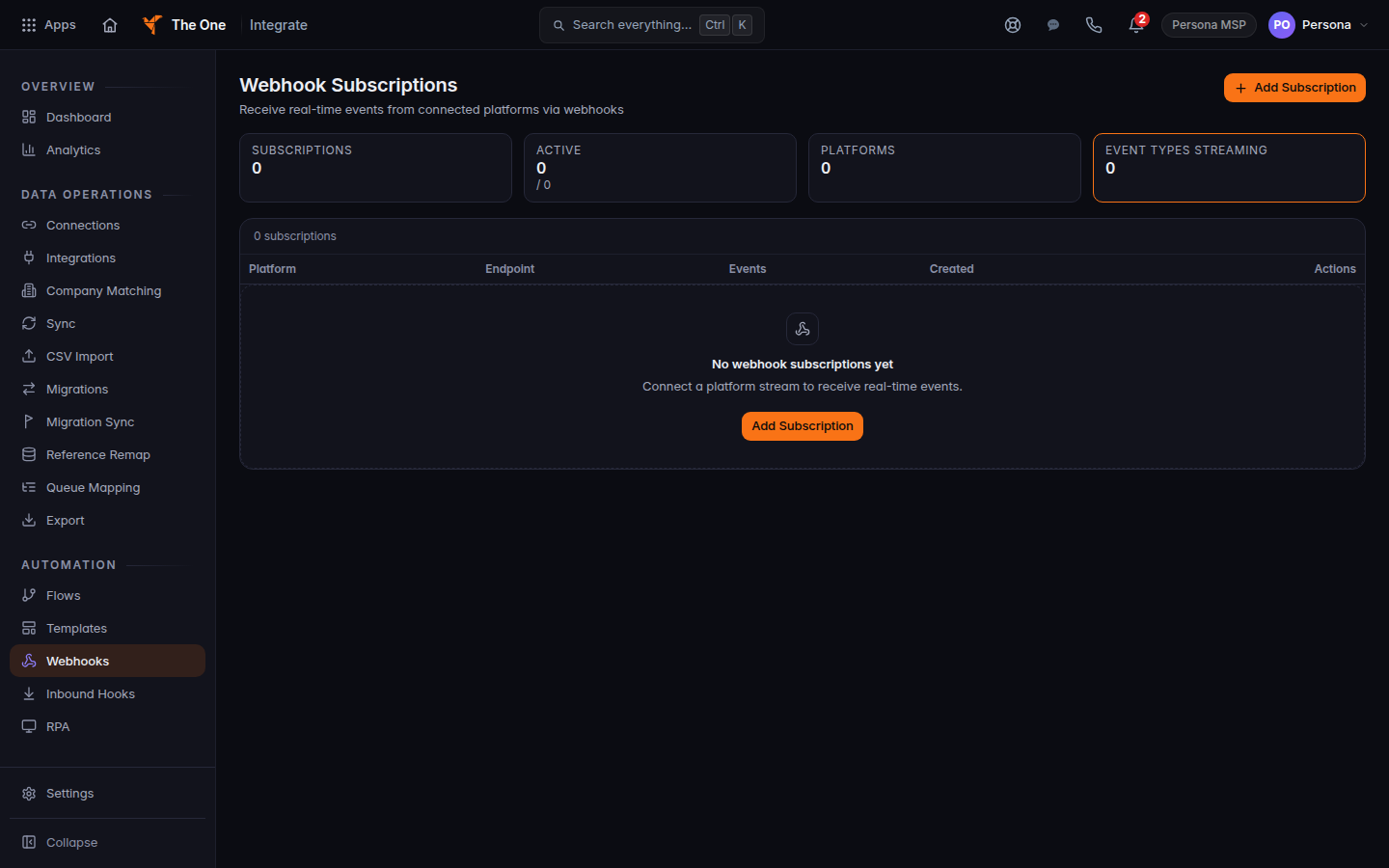
Webhook Subscriptions, with Add Subscription - Choose Add Subscription. The dialog title is New Webhook Subscription.
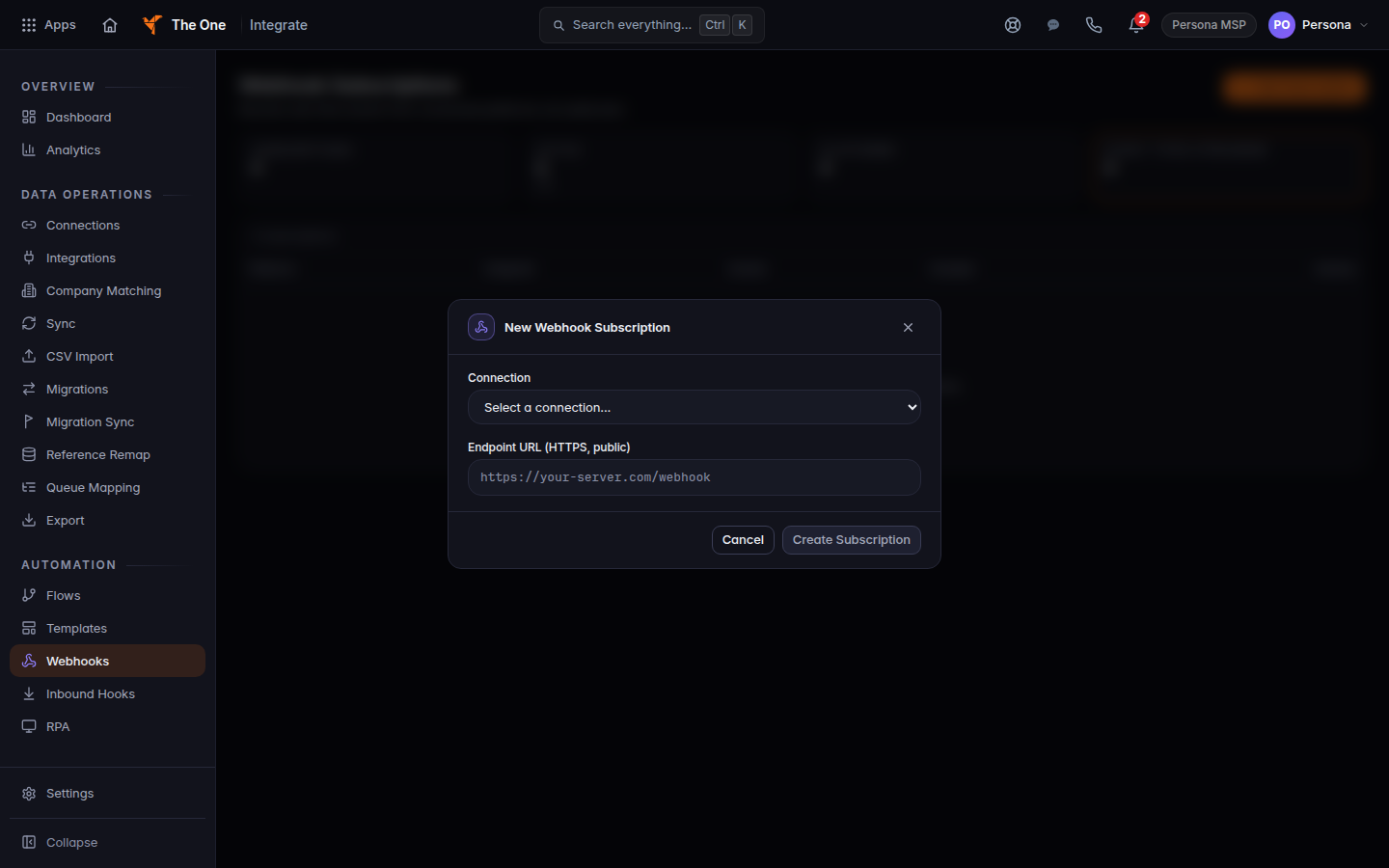
New Webhook Subscription, with Connection and Endpoint URL - Choose a Connection.
- Enter an Endpoint URL. It must be HTTPS and reachable on the public internet.
- Choose the Event Types you want, then save.
Inbound Hooks is a separate menu item for calls coming in. It is not this subscription list.
Create an API key#
- Open API Keys in Integrate. If you cannot find it in the sidebar, you are still an admin and the page title is API Keys. Company API Keys is the per-company list.
- Choose Create Key.
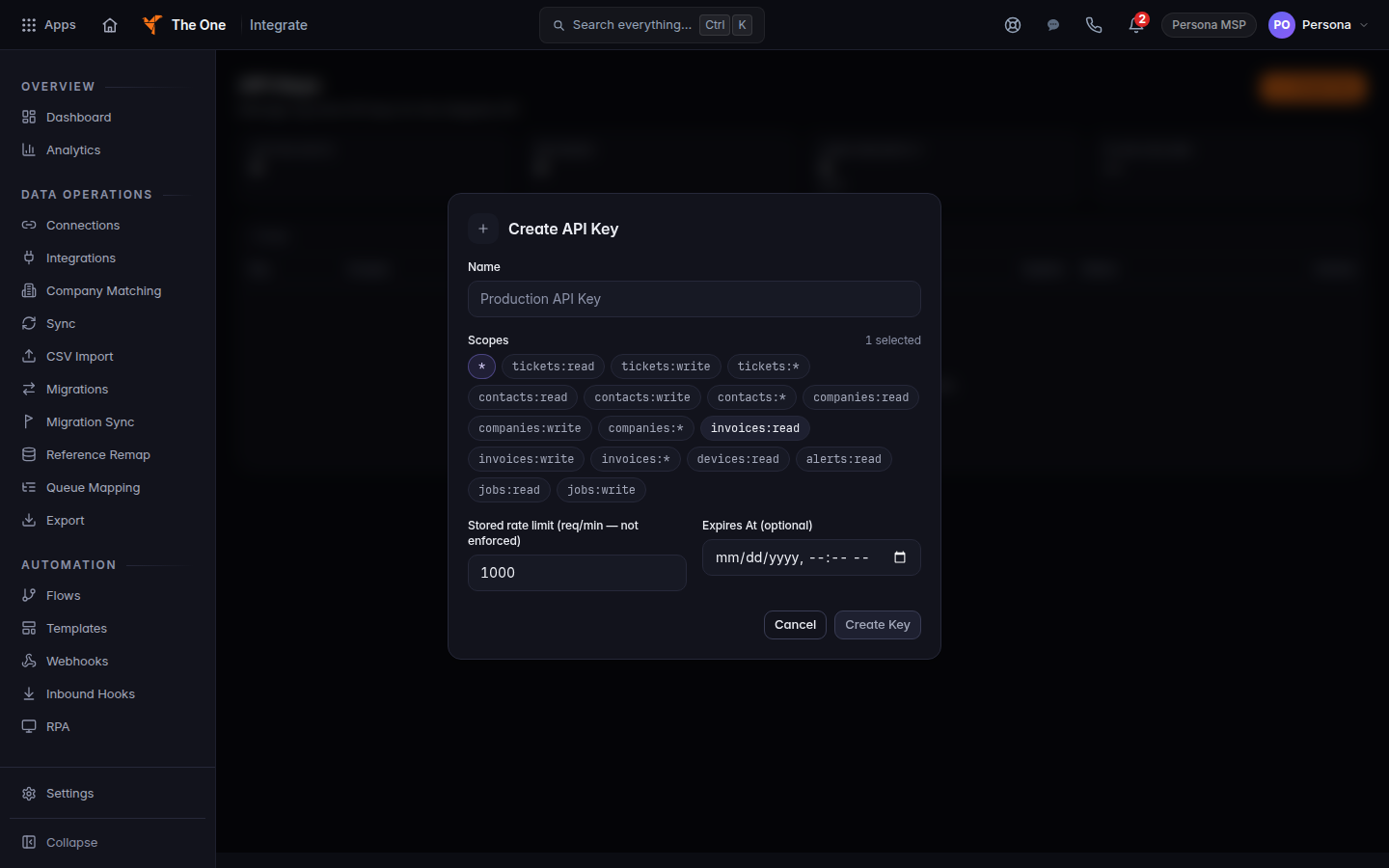
Create API Key, with Name, Scopes, and the stored rate field marked not enforced - Enter a Name and select at least one scope.
- Leave the stored rate field as the page shows it. The label says it is not enforced.
- Choose Create Key. Copy the key from API Key Created. It is shown once.
Rotate key issues a new secret. Revoke turns a key off.
If it goes wrong#
- Access denied. You are not an admin. See Who can use Backups only for Backups roles. For Integrate, ask an admin.
- No webhook subscriptions yet. Add one with Add Subscription. You need a connection first.
- Create Key stays off. Enter a name and select a scope.
What's next#
Was this article helpful?