
Copy Dropbox into Files
Create a Migrate job that copies a Dropbox drive into a company's Files. The Dropbox side is not changed.
Applies to Admin
Migrate's job you can create copies files from Dropbox into Files for one company. Other sources and destinations on the wizard say not available yet. They cannot be chosen.
The Dropbox account is not changed. The page says the files are copied into that company's Files.
Create the job#
- Open Migrate, then Jobs, then New Migration Job.
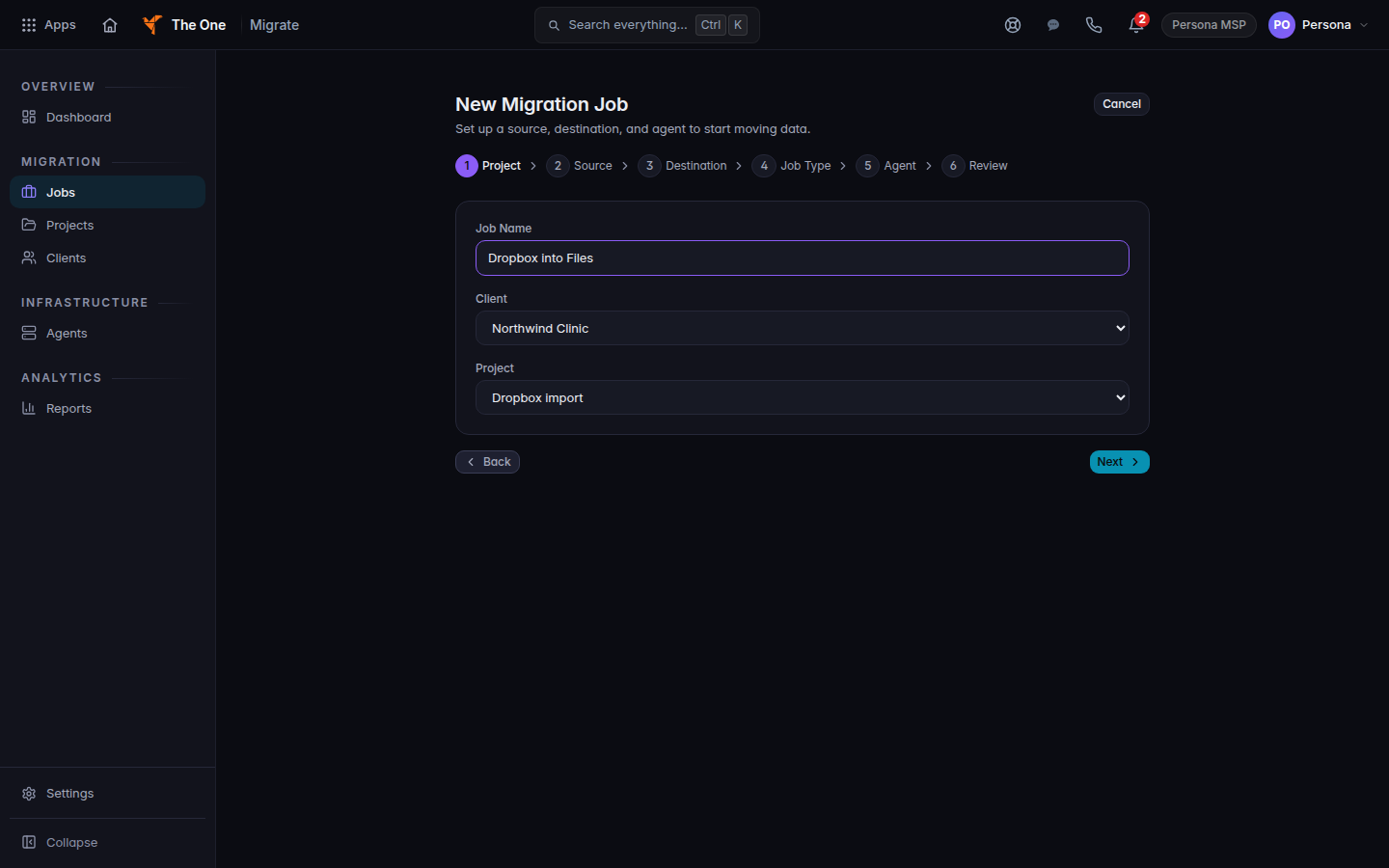
New Migration Job, Project step, with a client and a project - On Project, enter Job Name, choose Client, then Project. Choose Next.
- On Source, set Source Connector to Dropbox. If it asks for a credential, open the settings gear, then Credentials, add Dropbox OAuth, and come back. Choose Next.
- On Destination, set Destination Connector to TOS Files. Choose Target company. Fill Files space only when that company has more than one. The note says the files are copied and the source is not changed.
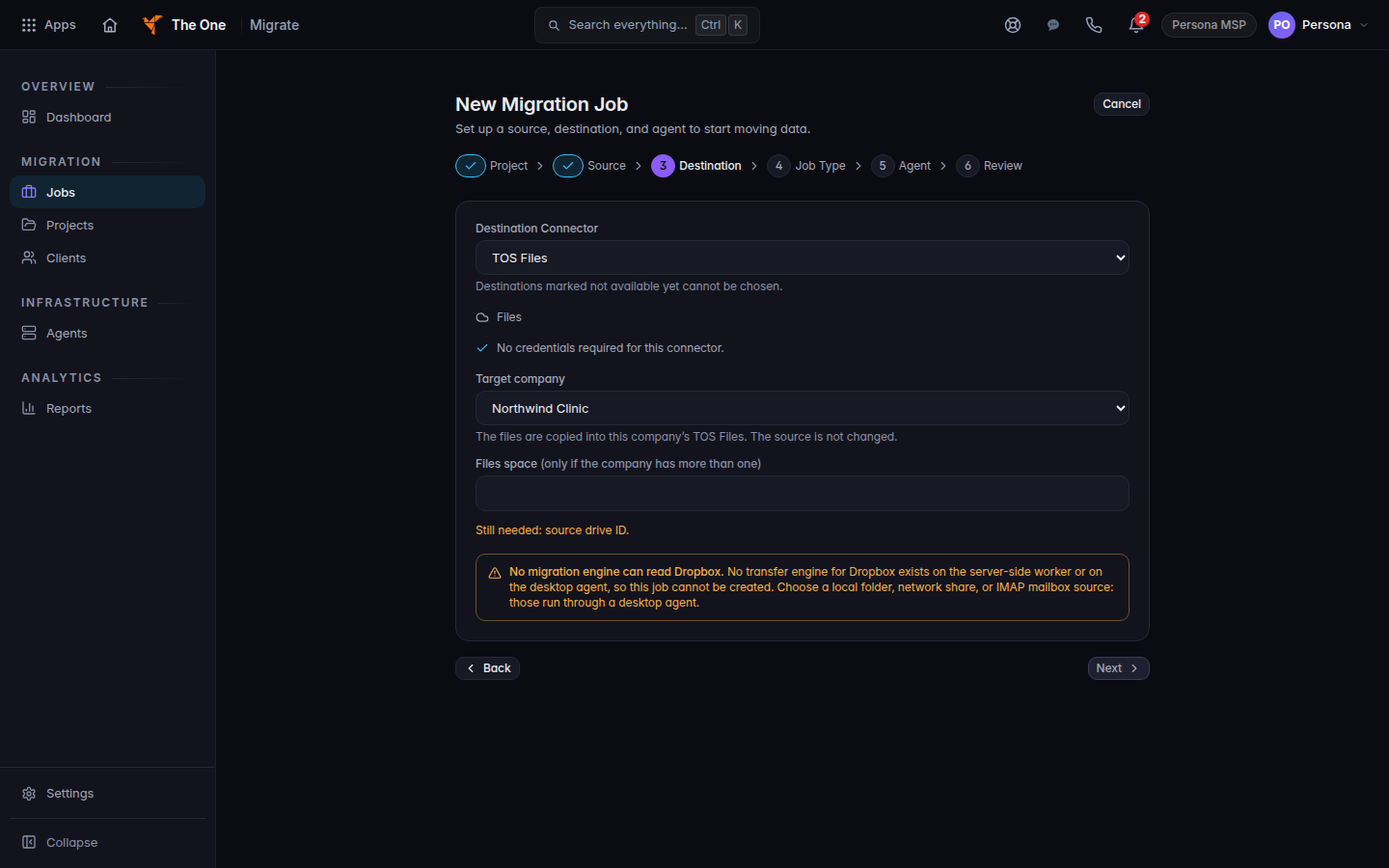
Destination step, TOS Files and Northwind Clinic as the target company - If Next is enabled, continue. On Job Type, choose Migrate Files. On Agent, read that no desktop agent is needed. On Review, confirm Target company, then choose Create Job.
Dropbox's source step has Folder ID, not a Drive ID box. The destination step can still say Still needed: source drive ID. When it does, and Next stays off, you cannot finish the job on this screen.
When the job finishes, open the job. A Files report shows Verified, Needs attention, or Incomplete. The copies are in that company's Files. A client opens Files in the portal.
If it goes wrong#
- No migration engine can read Dropbox. You can still continue when TOS Files is the destination and Next is enabled. If Next stays off, this organization cannot run the copy.
- Destinations marked not available yet cannot be chosen. Pick TOS Files. Any other destination is not this job.
- Still needed: source drive ID or target company. Fill both.
- not available yet on Dropbox itself. The pair is not offered for this organization. Do not pick another source and expect the same result.
What's next#
Was this article helpful?