
Integrations you can connect
The tools on the Integrations page, and which ones only import.
Applies to Admin Technician
The Integrations page lists the tools this organization can connect. A tool that is not on that page is not offered. Cards the catalog marks as not ready are not shown.
Read the label on the card. Read-only import means data comes in only.
Use the list#
- Open Integrate, then Integrations.
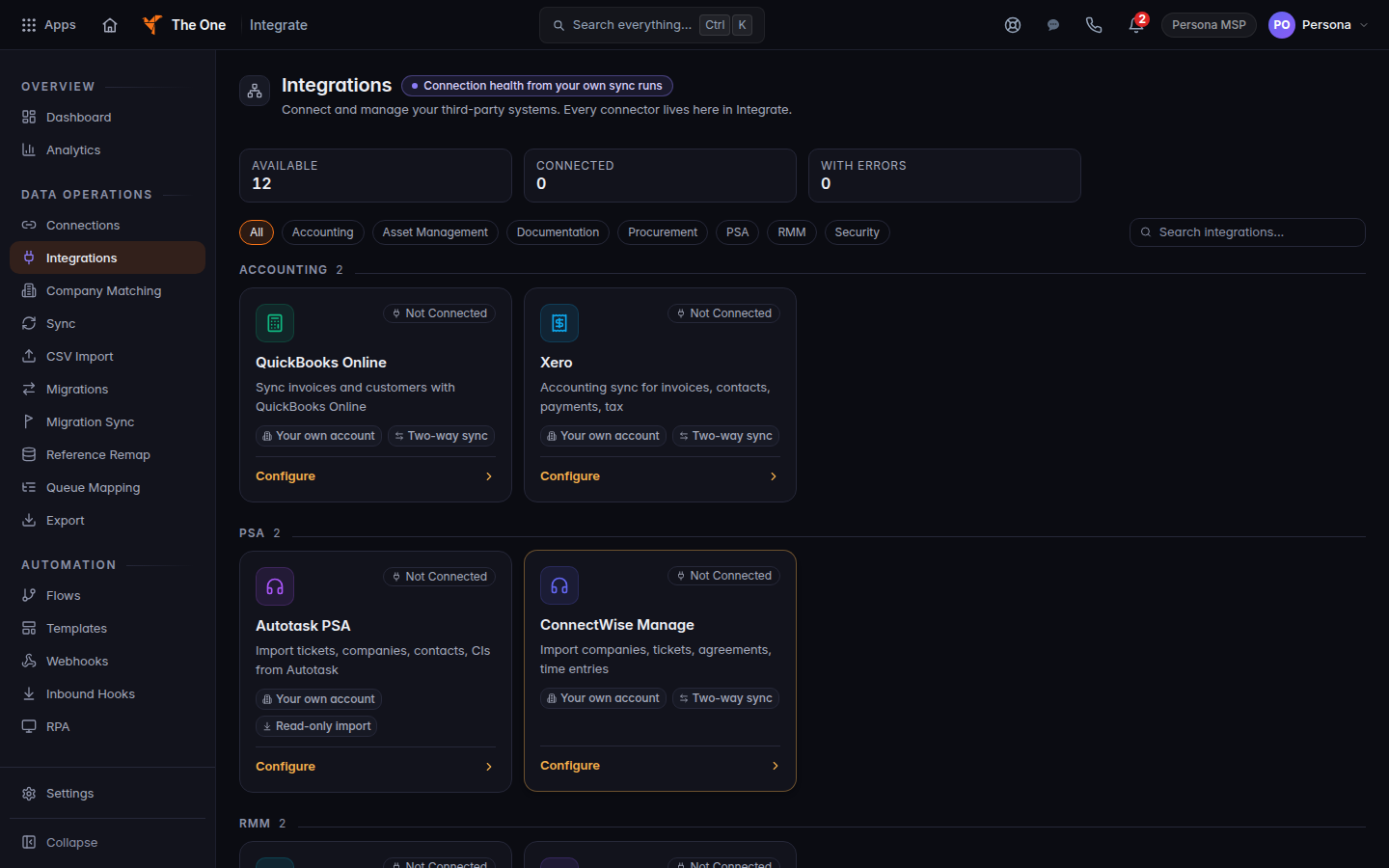
Integrations page, with the tool cards - Use Accounting, PSA, RMM, Documentation, Procurement, Security, or Asset Management to filter. All shows every card.
- Open a card that says Not Connected and follow its connect button.
These are the cards the page can show:
- QuickBooks Online. Invoices go out to QuickBooks. Customers can sync both ways. See Connect QuickBooks Online.
- Xero. You can connect it. Sending an invoice does not push that invoice to Xero. See Connect Xero.
- Autotask PSA. Import tickets, companies, contacts, and configuration items. Read-only.
- ConnectWise Manage. Import companies, tickets, agreements, and time entries.
- Datto RMM and NinjaOne. Device information comes in. They do not write back.
- IT Glue. Import organizations, contacts, configurations, flexible assets, passwords, domains, and SSL certificates. Documents are not part of this import. Nothing is written back.
- Hudu. Documentation, assets, and passwords.
- Snipe-IT. Hardware assets, companies, and users. Read-only.
- Pax8. Subscriptions from your distributor account.
- Microsoft 365. Users, groups, licenses, and devices from one tenant. This is not mailbox backup. Mailbox backup is Connect Microsoft 365 backup.
- Google Workspace. Users, groups, and devices from one tenant. This is not Gmail or Drive backup. See Google Workspace backup.
If it goes wrong#
- The grid is empty or the page fails to load. Refresh. An empty list means the catalog returned nothing, not a hidden set of tools.
- Not Connected stays after you finish the other site's prompt. Open the card and read the error on the connection. Reconnect from that card.
What's next#
Was this article helpful?