
Connect Xero
Connect a Xero organization. Sending an invoice does not push it to Xero.
Applies to Admin
You can connect Xero from Integrations. Use it as a source you authorize. Sending an invoice, or marking it sent, does not push that invoice to Xero.
The page can list invoice and contact mappings. That list is not a button that pushes invoices. There is no Sync Invoices Now on the Xero page.
Connect#
- Open Integrate, then Integrations, then Xero.
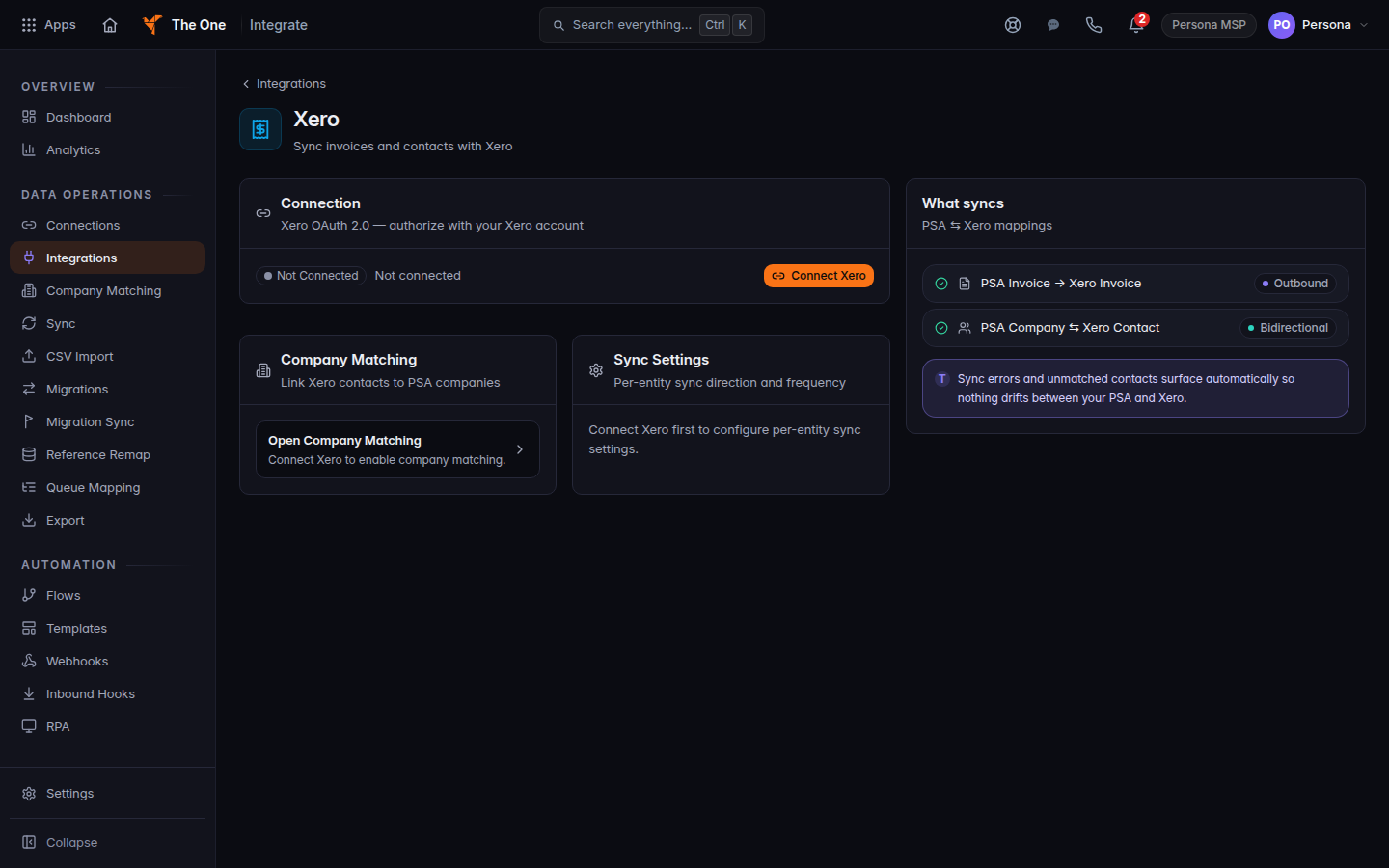
Xero page, with Connect Xero - Choose Connect Xero.
- Enter Client ID and Client Secret.
- Choose Authorize with Xero. The button reads Redirecting to Xero… while it leaves the page.
- Approve access in Xero. The status pill should leave Not connected.
Open Company Matching links Xero contacts to your companies after the connection exists. Manage sync settings is there only after you connect.
If it goes wrong#
- Authorization session expired or invalid. Please try again. Start Connect Xero again.
- Xero returned an authorization URL this portal does not trust. Stop. Do not follow a link that the page refused. Try Authorize with Xero again from this page.
- Connect Xero first to configure per-entity sync settings. You opened sync settings before the connection existed.
- An invoice did not appear in Xero. That is expected. This connection does not push invoices. Use Connect QuickBooks Online when the books that should receive invoices are QuickBooks.
What's next#
Was this article helpful?