
Google Workspace backup
Google Workspace is not on Add Connection. If a Google backup already exists, restore it by download only.
Applies to Admin Technician
Add Connection on SaaS Backup is Microsoft 365 only. You will not see Google Workspace, Gmail, or Drive on that dialog, and you cannot start a new Google backup from this screen.
If a Google connection is already on the account, the restore you can use is a download. It does not write back to Gmail or Drive.
Download an existing Google backup#
- Open Backups, then SaaS Backup, then Browse & Restore.
- If a Google connection is in the list, select it and the user.
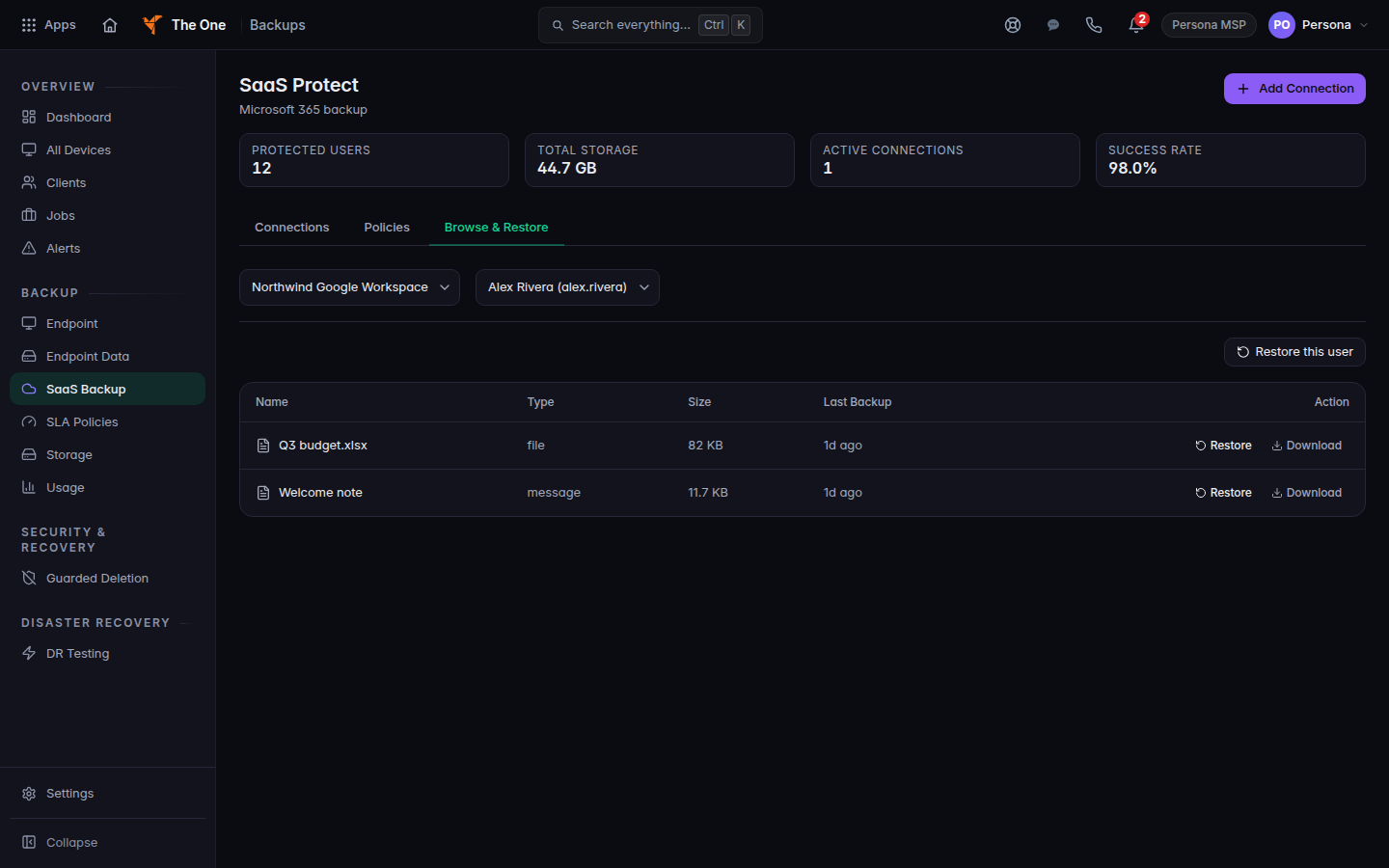
Browse and Restore with an existing Google connection selected - Open the restore wizard and on How choose Download an export.
- Choose Download export.
Gmail in that ZIP is a mail file you can open in a mail app. Nothing is written to the live Google account. Do not use Restore as a copy, Restore missing items only, or Overwrite the original for Google.
If it goes wrong#
- There is no Google connection. You cannot add one here. Use Connect Microsoft 365 backup for Microsoft 365.
- A write restore is offered and then fails. Use Download an export instead.
What's next#
Was this article helpful?