
Download a cloud backup
Download a ZIP of backed-up mail or files. Nothing is written to the live account.
Applies to Admin Technician
A download builds a ZIP. It does not change the live Microsoft 365 account. Use it when you need the files locally, or when a write restore is not available.
Google Workspace, when a connection already exists, is download only. See Google Workspace backup.
Download the ZIP#
- Open Backups, then SaaS Backup, then Browse & Restore.
- Choose the connection and the user, then Restore this user or one item.
- On How, choose Download an export. The summary says a ZIP is built and nothing is written to the live account.
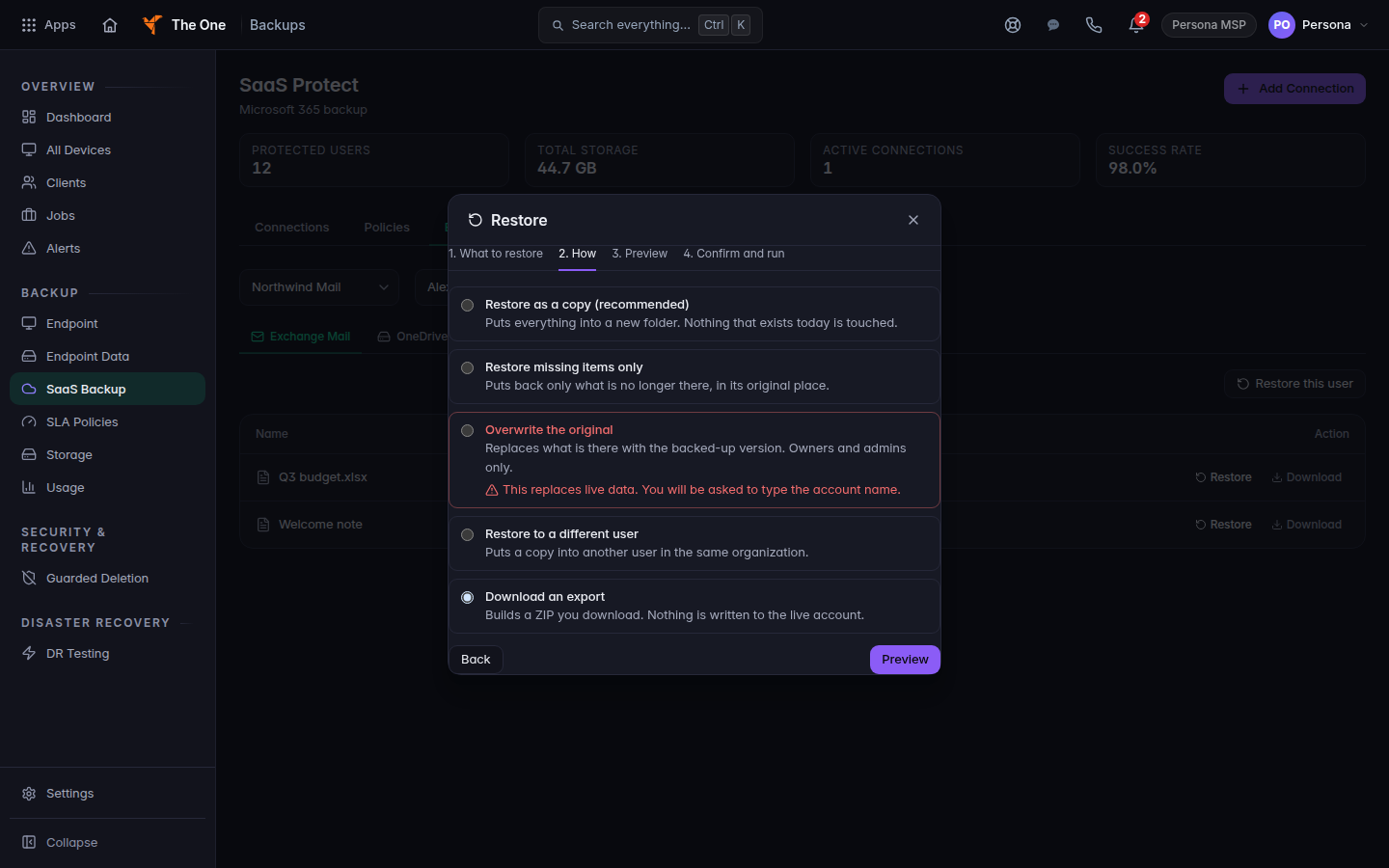
How step, with Download an export selected - Read Preview, then choose Download export.
Mail from Microsoft 365 comes out as message files you can open in Outlook. There is no PST file.
You can also use Download on a single item in the browse list.
If it goes wrong#
- Preview failed or Restore failed. Narrow the selection and preview again.
- The ZIP is empty. That user has no items in the backup for the scope you chose. Check Jobs for a successful run.
What's next#
Was this article helpful?