
Back up files and folders
Choose folders on a computer, then set how often they are copied and how many days to keep.
Applies to Technician Admin
Endpoint backup copies the folders you name. It does not take a full disk image, and this menu has no boot-from-media restore.
The computer needs the endpoint agent. A device enrolled for backup without endpoint security does not start the backup module. See Install the endpoint agent.
Choose folders and a schedule#
- Open Backups, then Endpoint Data. The heading is Endpoint Data Backup.
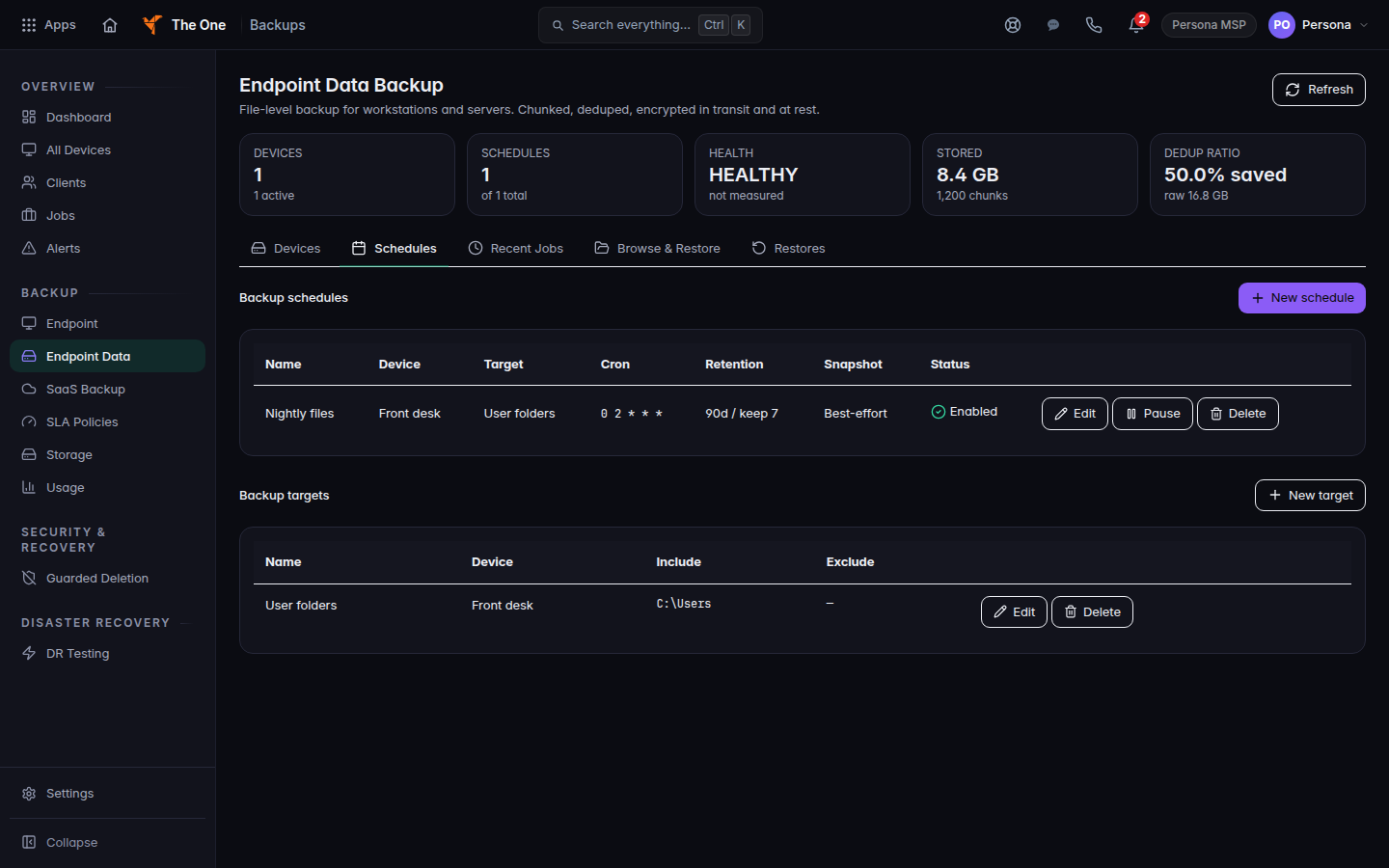
Endpoint Data Backup, Schedules tab - Open Schedules. If you have no target yet, choose New target.
- On New target, pick the Device and a Name. Under Folders to back up, enter one path per line. Paths to skip is optional. Choose Create target.
- Choose New schedule. Pick the Device, the Target, and a Name.
- Under Cron schedule, pick a preset such as Daily at 2:00 AM or Every 6 hours.
- Keep for (days) can stay empty. The hint says that uses your organization default, 90 days unless your MSP set more. Keep at least N versions is the minimum number of copies to hold.
- Choose Create schedule.
If it goes wrong#
- Create a target first. New schedule stays on that label until a target exists.
- Retention must be a whole number of days from 1 to 3650. Enter a whole number, or leave Keep for (days) empty on a new schedule.
- No enabled backup policy or No enabled schedule attached. The device has nothing telling it to run. Finish the target and the schedule.
- No device has ever completed a verified backup. Wait for a successful job, or check that the agent is installed. See Read backup jobs and alerts.
What's next#
Was this article helpful?