
Teams is not backed up
Leave Teams off. Backups does not keep Teams chats, and it cannot put messages back into Teams.
Applies to Admin Technician
Teams is not backed up. Do not tell a client that chats or channel messages are protected.
The Data to Protect form can still show Teams. Leave it off.
What to select instead#
- Open Backups, then SaaS Backup, then Add Connection or Add Policy.
- Under Data to Protect, select Exchange Mail and OneDrive.
- Leave Teams unselected.
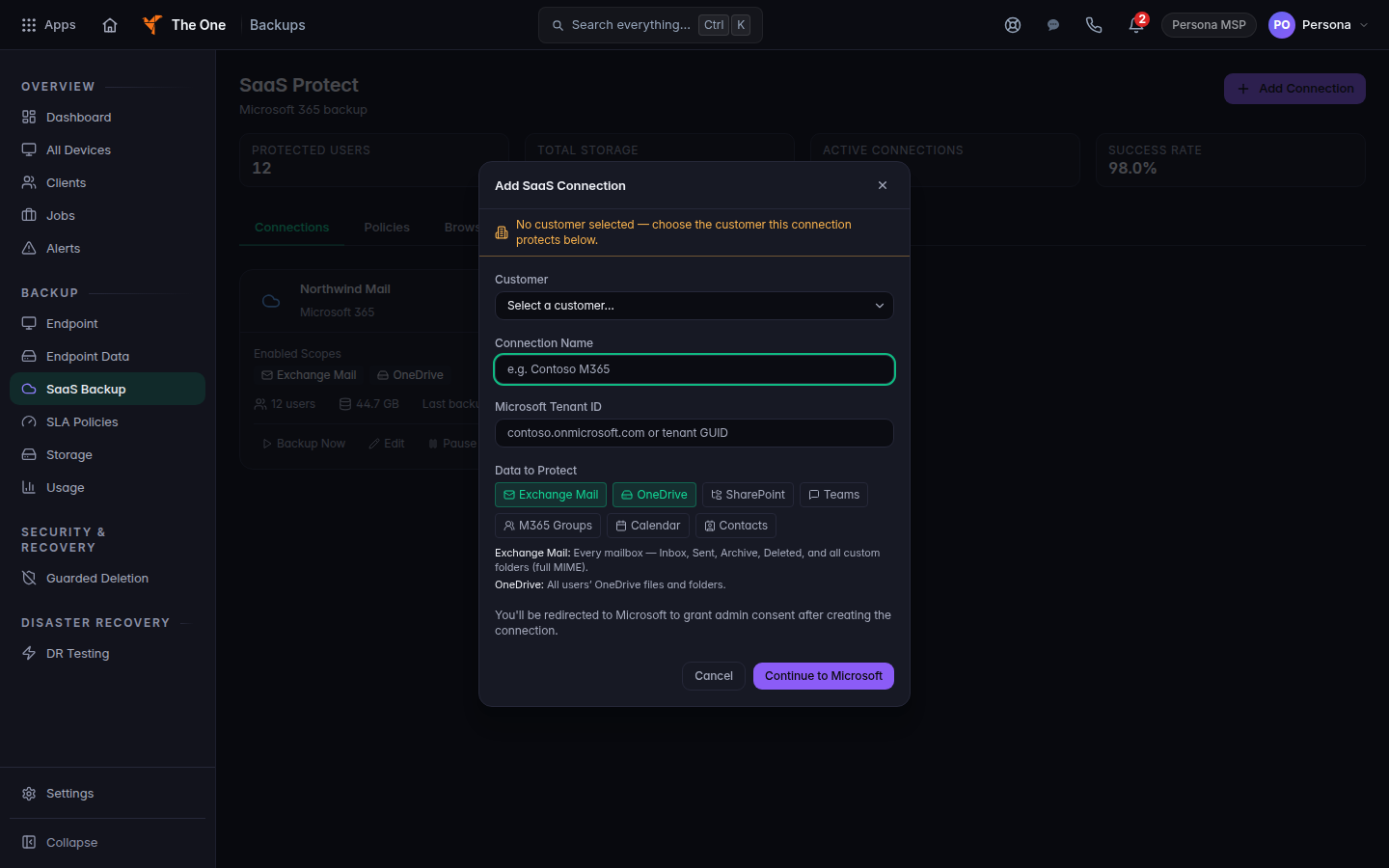
Data to Protect, with Teams left off
Private one-to-one chats and private group chats are not included. A Teams restore cannot post messages back into Teams. Channel files live in SharePoint, which is a separate choice on the form. The proven in-place restore is mail and OneDrive. See Restore mail and OneDrive.
If it goes wrong#
- Someone already selected Teams. Turn it off on the policy. Do not promise a Teams restore.
- A client asks for a chat back. Say Teams is not backed up. Look in mail or OneDrive if the file was saved there.
What's next#
Was this article helpful?