
Restore files and folders
Queue a file restore. The files land in a staging folder on the device, not on top of the live copies.
Applies to Technician Admin
A file restore rebuilds the selected files on a device. They go to a restore staging folder. They do not replace the live files in place.
Use Endpoint Data. A Restore link that leaves that page and opens the dashboard is not the restore path.
Queue the restore#
- Open Backups, then Endpoint Data, then Browse & Restore.
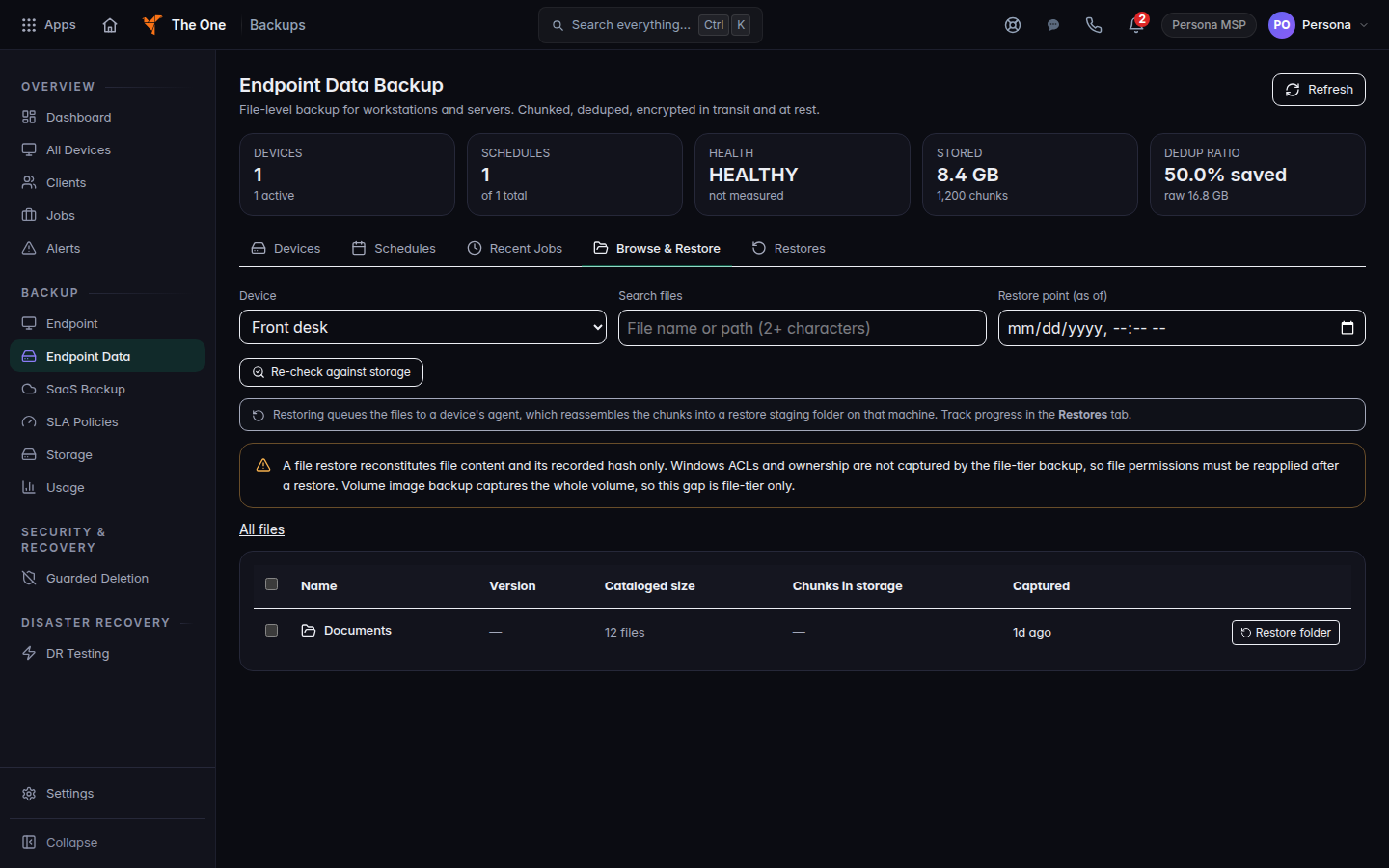
Browse and Restore for a device, with a folder listed - Pick the device. Optionally pick Restore point (as of) and browse to the files or folder.
- Choose Restore selected… or Restore folder.
- In Restore to which device?, pick the device that should receive the files.
- Choose Queue restore.
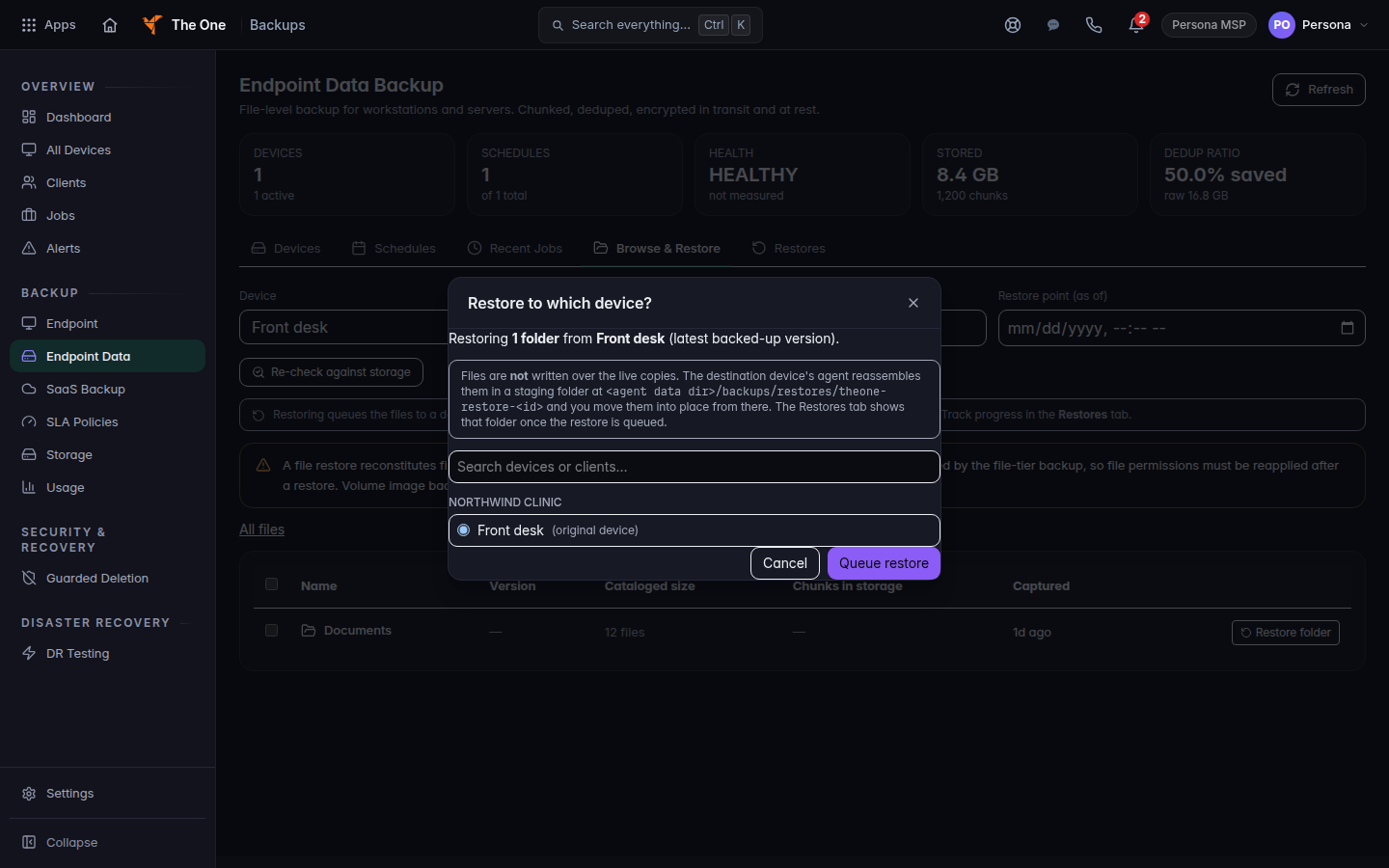
Restore to which device, with Queue restore
The success message is Restore queued. The agent downloads the files into its restore staging folder. Open Restores on the same page to watch progress.
If it goes wrong#
- Restore refused or Restore failed. Read the toast. Confirm you can initiate a restore, then queue it again.
- The files are not where the user left them. They are in the staging folder, not in the original folder. Copy them out from there.
- Restore on a device opens the dashboard. That link is not the file restore. Use Endpoint Data, then Browse & Restore.
What's next#
Was this article helpful?