
Roles and permissions
The five platform roles, what each can open, and where templates fit.
Applies to Owner Admin
Every person has one platform role. It decides Hub settings and billing. Apps have their own permission sets on top of that. Those sets start from templates. See Read role templates.
Owners and admins can open Roles & Permissions. Only an owner can create or change a custom role.
Open roles#
- Open Settings, then Roles. The page title is Roles & Permissions.
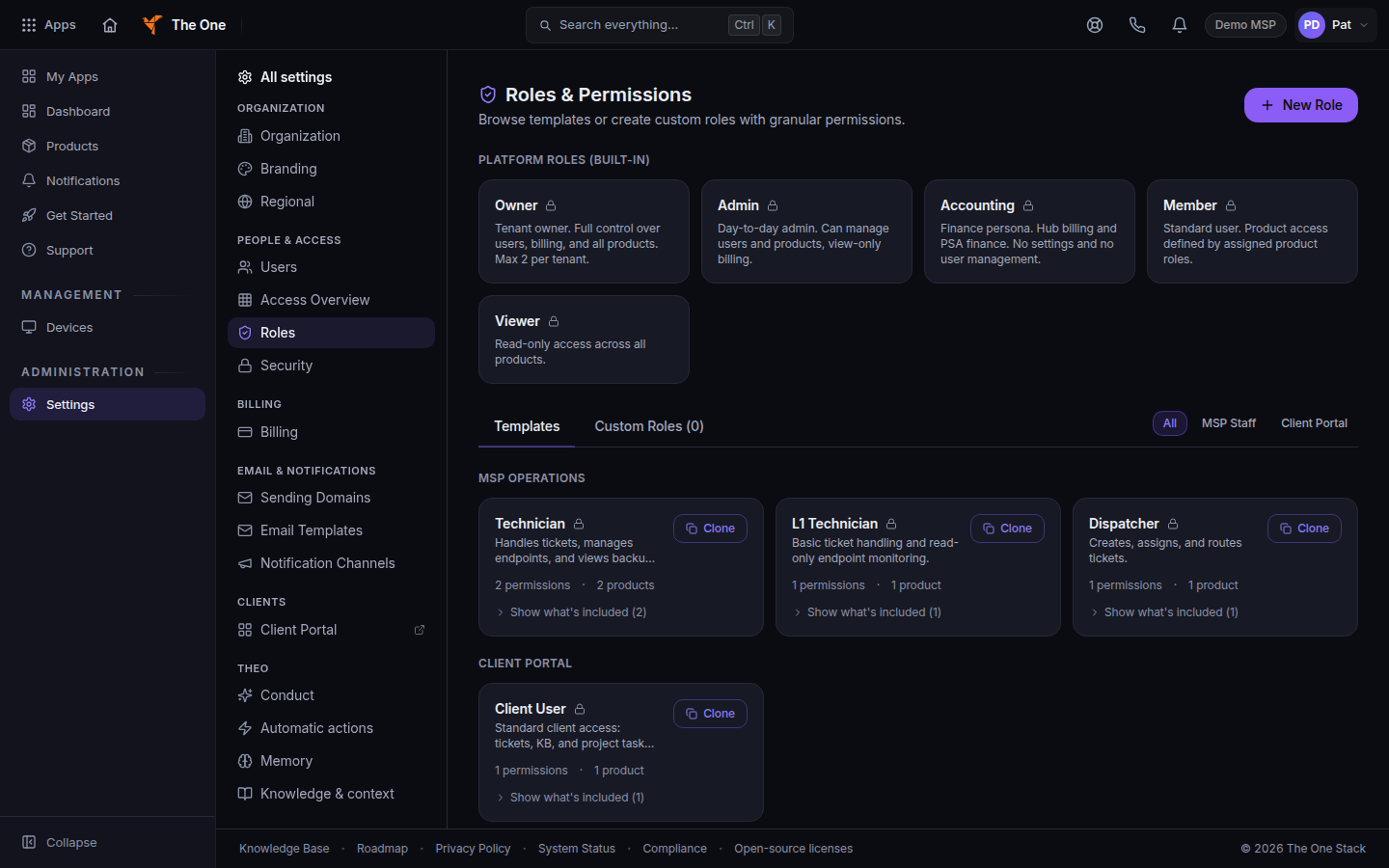
Roles and Permissions, with the five built-in roles - Read Platform Roles (Built-in). Each card is locked. You do not edit these five.
- Open Templates for the app permission sets, or Custom Roles for roles your organization added.
To change a person's platform role, use Team Members, not this page. See Change a person's role.
What each platform role can do#
The words on the card are the role description.
| Role | What the card says | What they can open in Settings |
|---|---|---|
| Owner | Tenant owner. Full control over users, billing, and all products. Max 2 per tenant. | Every settings row, including API Keys, Audit Log, and Data & Privacy. |
| Admin | Day-to-day admin. Can manage users and products, view-only billing. | The same rows as an owner, except API Keys, Audit Log, and Data & Privacy. |
| Accounting | Finance persona. Hub billing (payment methods, invoices, refunds, billing settings) and PSA finance: invoices, contracts, quotes, payments, billing runs, credit memos, tax and finance reports, with read-only tickets and time. No ticket admin, no settings, no user management. | Billing. |
| Member | Standard user. Product access defined by assigned product roles. | No organization settings. The home says organization settings are managed by your admins. |
| Viewer | Read-only access across all products. | No organization settings. Same message as a member. |
An admin can read roles and cannot choose New Role. The custom-role empty state says Your organization owner manages custom roles.
Notification Channels is also visible to someone who has Manage Notification Channels, even when they are not an admin.
Owners and admins reach entitled products without an explicit grant row. Everyone else needs a grant. See See who has access.
If it goes wrong#
- The page says this area is for your organization's owners and admins. You are signed in as a member. Ask an owner.
- You do not see New Role. You can read roles. Only the owner can create one. See Create a custom role.
- A person still cannot open an app. Assign the app on their profile. A platform role does not replace that step. See Invite a teammate.
- Only an owner can assign the owner role. See Change a person's role.
What's next#
Was this article helpful?