
See who has access
Read Access Overview to see each person's explicit app grant.
Applies to Owner Admin
Access Overview is the grid of who has an explicit grant to each app, and where that grant came from. Owners and admins can open it. A dash means no explicit grant is recorded. Owners and admins can still open an entitled product without a row in this grid.
Read the grid#
- Open Settings, then Access Overview. The subtitle is The explicit grant recorded for each person, and where it comes from.
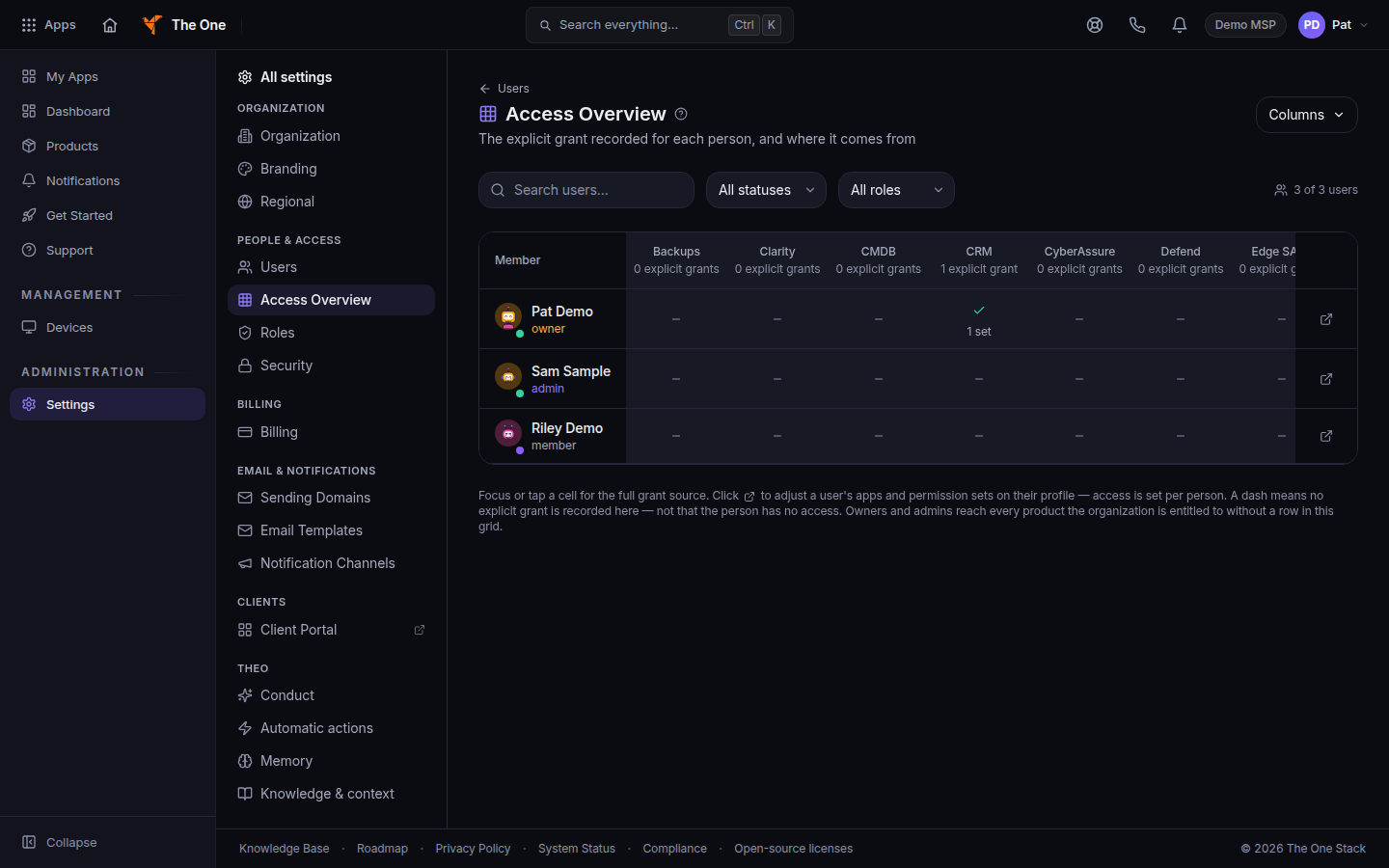
Access Overview, with people and app columns - Search, or filter by status and role. Columns chooses which apps are shown.
- A filled cell shows the permission set name, or No set.
- Open a person to change the grant. The profile tab is Access & Permissions. The line X of Y products enabled is on that tab.
If it goes wrong#
- Only your organization's owners and admins can review who has access to which apps. You are a member or viewer. Ask an owner or admin.
- A person can open an app and the cell is empty. They are an owner or admin, or the product is entitled to the organization without an explicit row. The page footer says the same thing.
- You turned an app on and they still cannot open it. Save the permission set on their profile, and have them refresh.
What's next#
Was this article helpful?