
Set your organization profile
Save the billing address and THEO training consent on Organization.
Applies to Owner Admin
Organization holds the organization name, the billing address, and THEO training consent. Owners and admins can edit the address and the consent. Accounting can see the address and cannot save it.
The organization name itself is changed on Branding. See Set your branding.
Save the address#
- Open Settings, then Organization. The subtitle is Your organization name, billing address and THEO training consent.
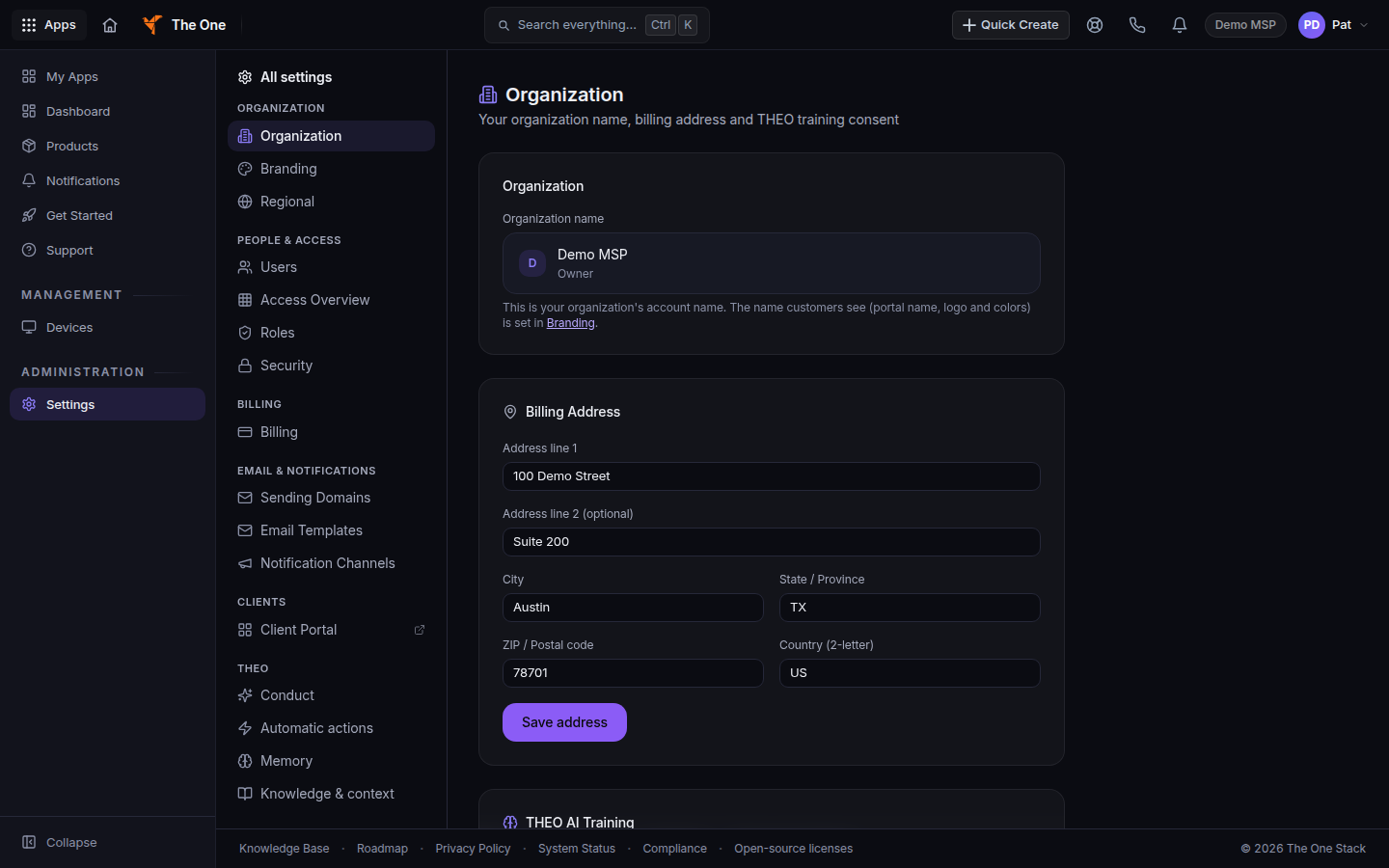
Organization, with the billing address fields - Under Billing Address, fill Address line 1, Address line 2, City, State / Province, ZIP / Postal code, and Country. Country is a 2-letter code.
- Choose Save address.
- Under THEO AI Training, choose Opt in to THEO training or Withdraw consent.
If it goes wrong#
- The billing address is visible to your organization's owners, admins and accounting. You can read it. You cannot save it. Ask an owner or admin.
- Organization settings are managed by your admins. You are a member or viewer. The settings home points you to Your account.
- The name did not change. The name on this page is display-only. Change Company / portal name on Branding.
What's next#
Was this article helpful?