
Run the setup wizard
Walk the first-time wizard, and leave a step open until it really finishes.
Applies to Owner Admin
The setup wizard is the first-time path after you create the account. Progress is saved. You can leave and come back. Skipped steps stay open. The last step is Finish.
There is no product picker in this wizard, and no PSA setup step. PSA has its own setup the first time you open it.
Work the steps#
- Open the wizard. The steps you see depend on your setup. These are the ones that are always there.
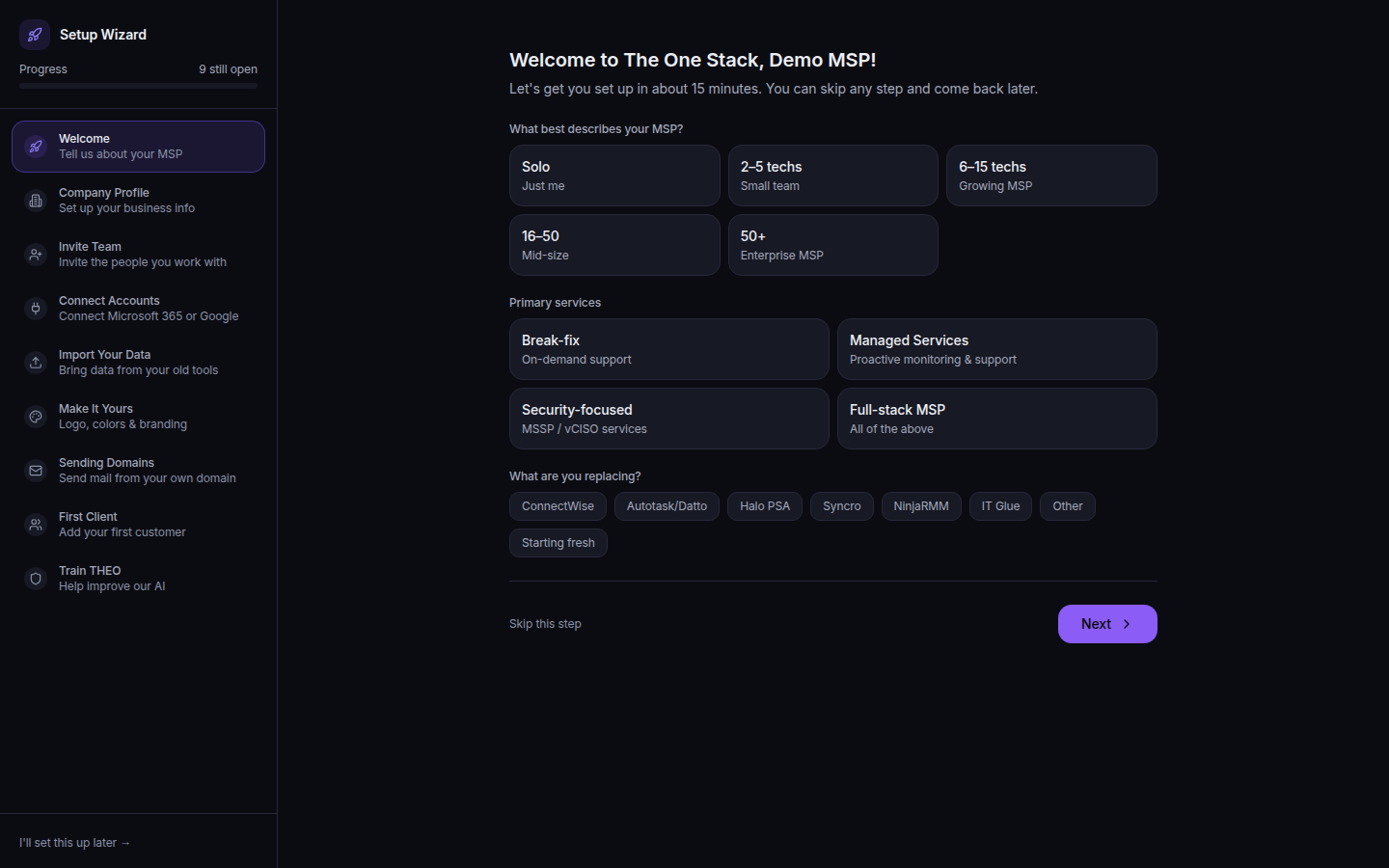
The setup wizard, with the step list - Welcome. Tell us about your MSP.
- Company Profile. Set up your business info. You can edit this later. See Set your organization profile.
- Invite Team. Invite the people you work with. See Invite a teammate.
- Connect Accounts. The description is Connect Microsoft 365 or Google. This step finishes only when a real connection id is saved. The page can say Connect Microsoft 365 to finish this step.
- Import Your Data. Bring data from your old tools. You can do this later.
- Sending Domains. Send mail from your own domain.
- First Client. Add your first customer. The step finishes when a customer is created. See Add a client company.
- Train THEO. Help improve our AI. This is optional consent. You can change it later under Organization.
- Finish. Open steps are listed here. The heading for unfinished work is Setup steps are still open.
These steps appear only when they apply: Make It Yours (logo, colors, and branding), Custom Domain, an endpoints step for the agent, and SMS Notifications only when SMS is turned on, which it is not yet.
If it goes wrong#
- We couldn't load setup. Refresh the page to try again. Refresh. The wizard does not show an empty step list as if you were done.
- Connect Accounts stays open. Opening the integrations page is not enough. Finish the connection so it has a connection id.
- You skipped a step. It stays on Finish until you complete it. Choose it from that list.
- You cannot reset the wizard. Reset is for owners and admins, and it resets the organization.
What's next#
Was this article helpful?