
Work through Get Started
Finish the four setup checklist rows owners and admins see.
Applies to Owner Admin
Get Started is a four-step checklist for owners and admins. It is in the left menu. The card title is Setup checklist. It shows how many of the four steps are complete.
Members and viewers do not see the checklist.
Finish the checklist#
- Open Get Started.
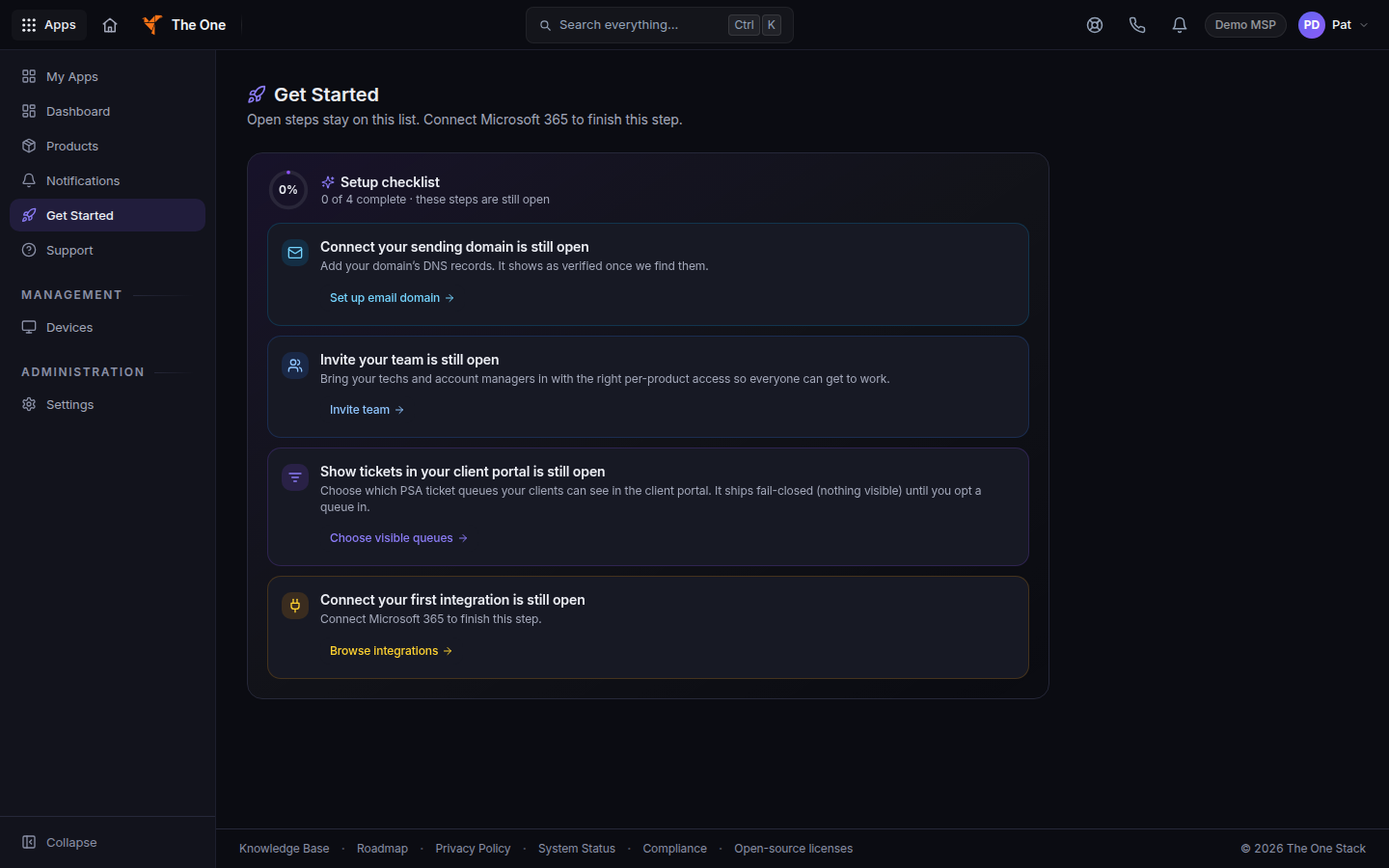
Setup checklist, with the four rows - Connect your sending domain. Choose Set up email domain. This row is complete only when a sending domain reads as verified.
- Invite your team. Choose Invite team. That opens Team Members. See Invite a teammate.
- Show tickets in your client portal. Choose Choose visible queues. That opens ticket visibility under Defaults for all customers. See Set up your client portal.
- Connect your first integration. Choose Browse integrations. The open row says Connect Microsoft 365 to finish this step. The row completes when a real connection exists. See Connect a tool with Bridge.
Hide for now dismisses the card. The hint says you can reopen it from Settings, then Get Started. The left menu item stays.
If it goes wrong#
- We couldn't load your setup steps. Refresh the page to try again. Refresh. The checklist does not mark itself done when the read fails.
- A row you finished is still open. A sending domain counts only when it is verified. An integration counts only when a connection id exists. Opening the integrations page is not enough.
- You do not see the card. You are signed in as a member or viewer. Ask an owner or admin.
What's next#
Was this article helpful?