
Set your notification preferences
The personal notification page saves choices that no product reads yet.
Applies to Owner Admin Technician
Notifications under your account is a personal page. The switches are Email, Push, and In-App. Saving them stores the choices on your account.
Those choices do not decide what gets sent today. Read the warning on the page before you rely on a switch.
Open the page#
- Open the user menu and choose Profile.
- Choose Notification Preferences. The page title is Notifications. The section heading is My Notification Preferences.
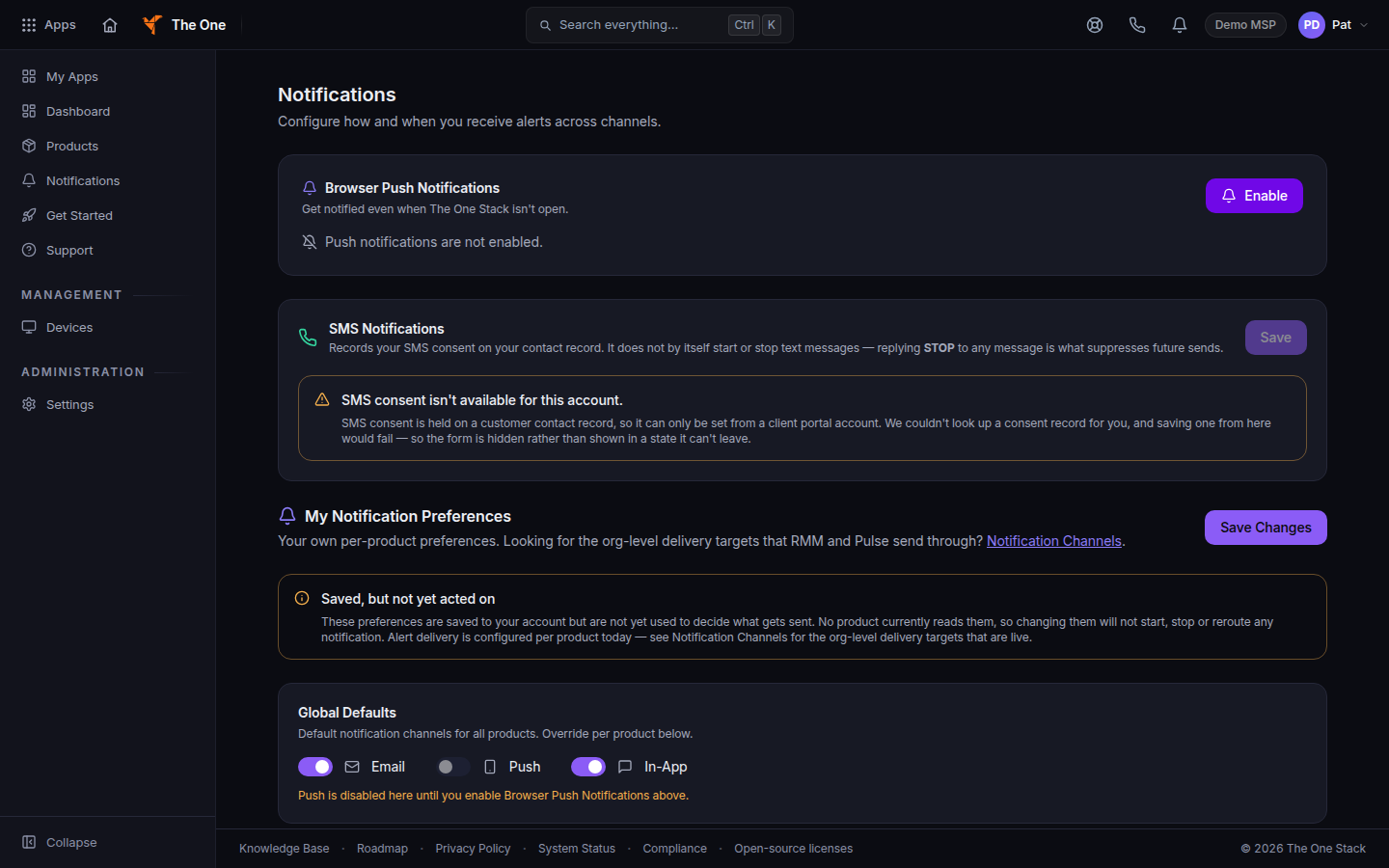
My Notification Preferences, with the warning above the switches - Read the warning before you change Global Defaults or a product row.
- Choose Save Changes if you still want the choices stored. The button reads Saved after it stores them.
The left menu item Notifications and the bell are your alert inbox. They are separate from this page.
Staff accounts see SMS consent isn't available for this account. SMS consent is set on a client portal account, not here. The switches on this page are Email, Push, and In-App.
If it goes wrong#
- You turned Email off and mail still arrives. The stored switches are not read by products yet. Change the live destination under Notification Channels, or the setting inside the product that sends the alert.
- Push is disabled here because this browser does not support web push. Use another browser, or use Email and In-App once a product reads these preferences.
- You need a destination for the whole team. That is Notification Channels, not this page. See Add a notification channel.
What's next#
Was this article helpful?