
What E-Sign is
E-Sign sends a document for someone to sign. Staff work in CRM. A client can send from the portal, and a signer uses the link in email.
Applies to Technician Admin Client
E-Sign is how you send a document and collect signatures. Staff open it inside CRM. There is no separate E-Sign tile. An older E-Sign address opens CRM.
A person who signs does not need a staff login. They open the link they are sent. A client company can also send its own documents from the portal when that app is on. That portal list is not the same as the envelopes your staff send in CRM.
For MSP staff#
- Open CRM, then E-Sign.
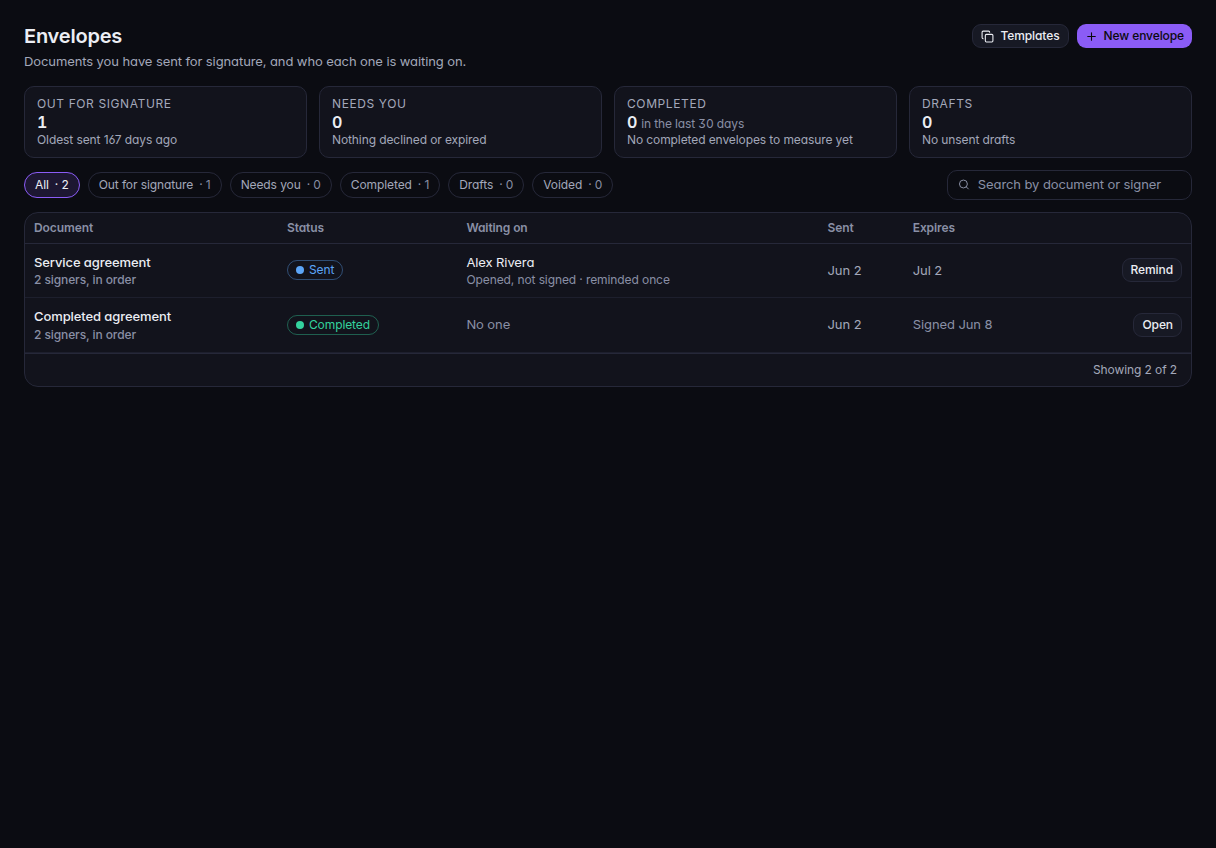
Envelopes, with New envelope and the status counts - The section lists Envelopes, Templates, Documents, and Signing Analytics.
Envelopes is the work in progress. Documents is the signed archive. Templates is what you reuse. Signing Analytics is the counts.
For a client#
Open E-Sign in the portal when your company has it. The page lists documents your company sent. Sending, reminding, and canceling need a company administrator.
For the person who signs#
Use the link in the email. The page uses your name and the sender's name. You agree to sign electronically, fill the fields, and finish. You can decline.
If it goes wrong#
- E-Sign is not in the CRM menu. The organization does not include E-Sign. Ask an owner.
- The portal has no E-Sign. Your company has not been given that app. Ask your provider.
What's next#
Was this article helpful?