
Change Messaging settings
An admin sets the default notification level, how long messages are kept, and can unarchive a channel.
Applies to Admin
Messaging Settings is for admins. The subtitle is Defaults for notifications and message retention. Everyone else's own alerts are on Preferences. See Set your message preferences.
Change the defaults#
- Open Messaging settings.
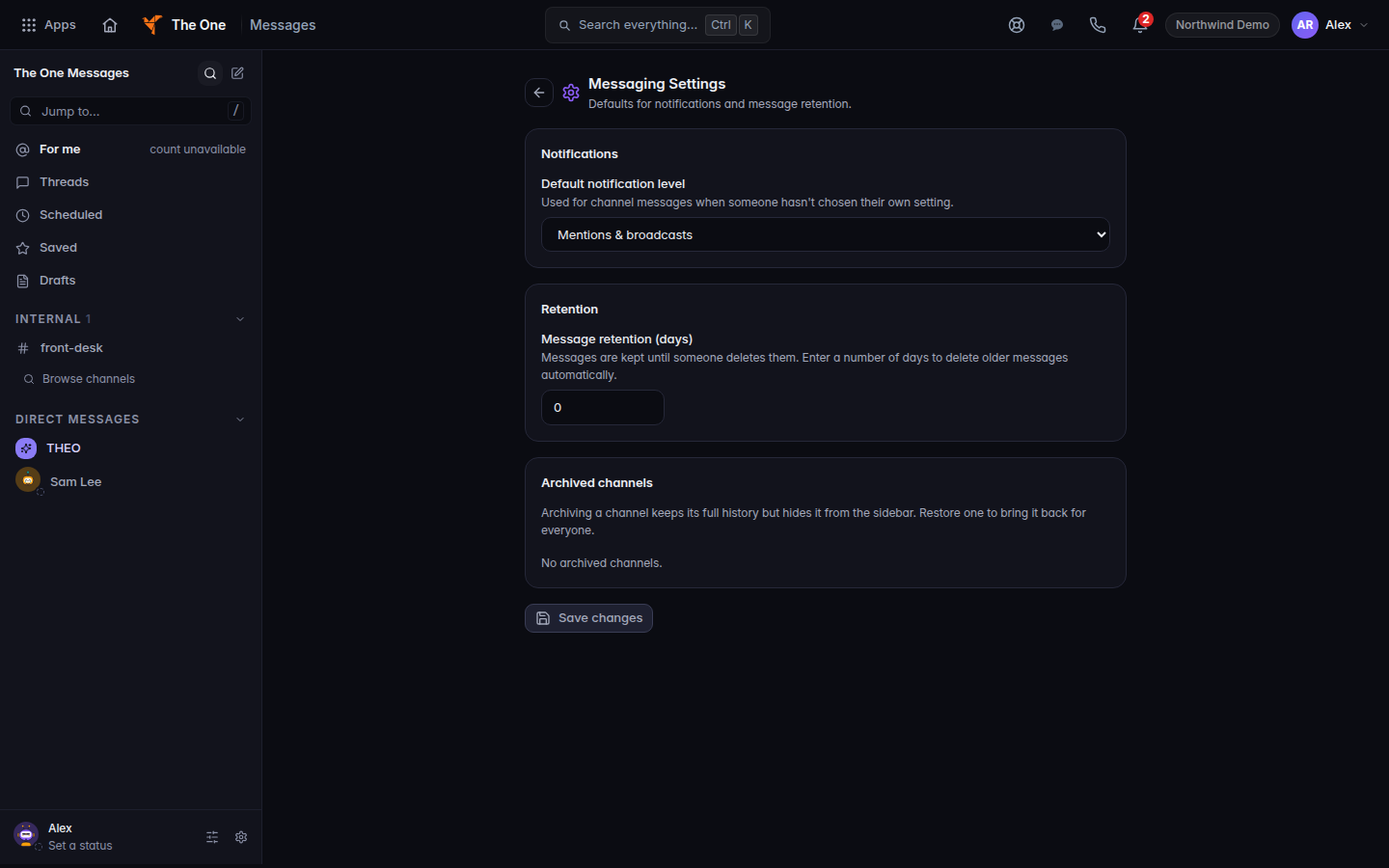
Messaging Settings, with notifications and retention - Under Notifications, set Default notification level. The hint says it is used for channel messages when someone has not chosen their own setting. The choices are All messages, Mentions & broadcasts, and Muted.
- Under Retention, set Message retention (days). A number above zero deletes messages older than that many days, along with their files. Messages on legal hold are kept. A channel can set its own limit. Zero means messages are kept until someone deletes them. If the hint says Not turned on yet, choose Save changes to start that deletion. Until you save, nothing is deleted by this field.
- Under Archived channels, choose Unarchive to bring a channel back. Archiving keeps the history and hides the channel from the list.
- Choose Save changes. The page says Saved when the server has it. Unsaved changes means you have not saved.
If it goes wrong#
- You don't have permission to change these settings. You are not a messaging admin. The page may also send you back to Messages.
- Settings didn't load. Reload the page to try again. Do not guess at the numbers and save.
- Archived channels didn't load. Do not treat an empty list as proof nothing is archived until the list actually loads.
- Save changes stays disabled. There is nothing new to save, or the settings did not load.
What's next#
Was this article helpful?