
Approve an action THEO holds
Confirm a held step on a ticket, approve or deny it in Tier Zero, and see when a second person is required.
Applies to Technician Admin
THEO can prepare a step and stop. A draft, a confirmation, and a finished action are three different things. A confirmation is a review step, not a guarantee that the action finished. Check the record after you approve.
Confirm on the ticket#
- Open the ticket and the THEO tab.
- When the panel says Waiting for your confirmation, read the summary.Screenshot coming
A held THEO action with Confirm and Dismiss - Choose Confirm to run it, or Dismiss to drop it. Nothing runs until you choose Confirm.
Approve in Tier Zero#
- Open RMM, then Automation, then Agentic Automation, then Approvals.
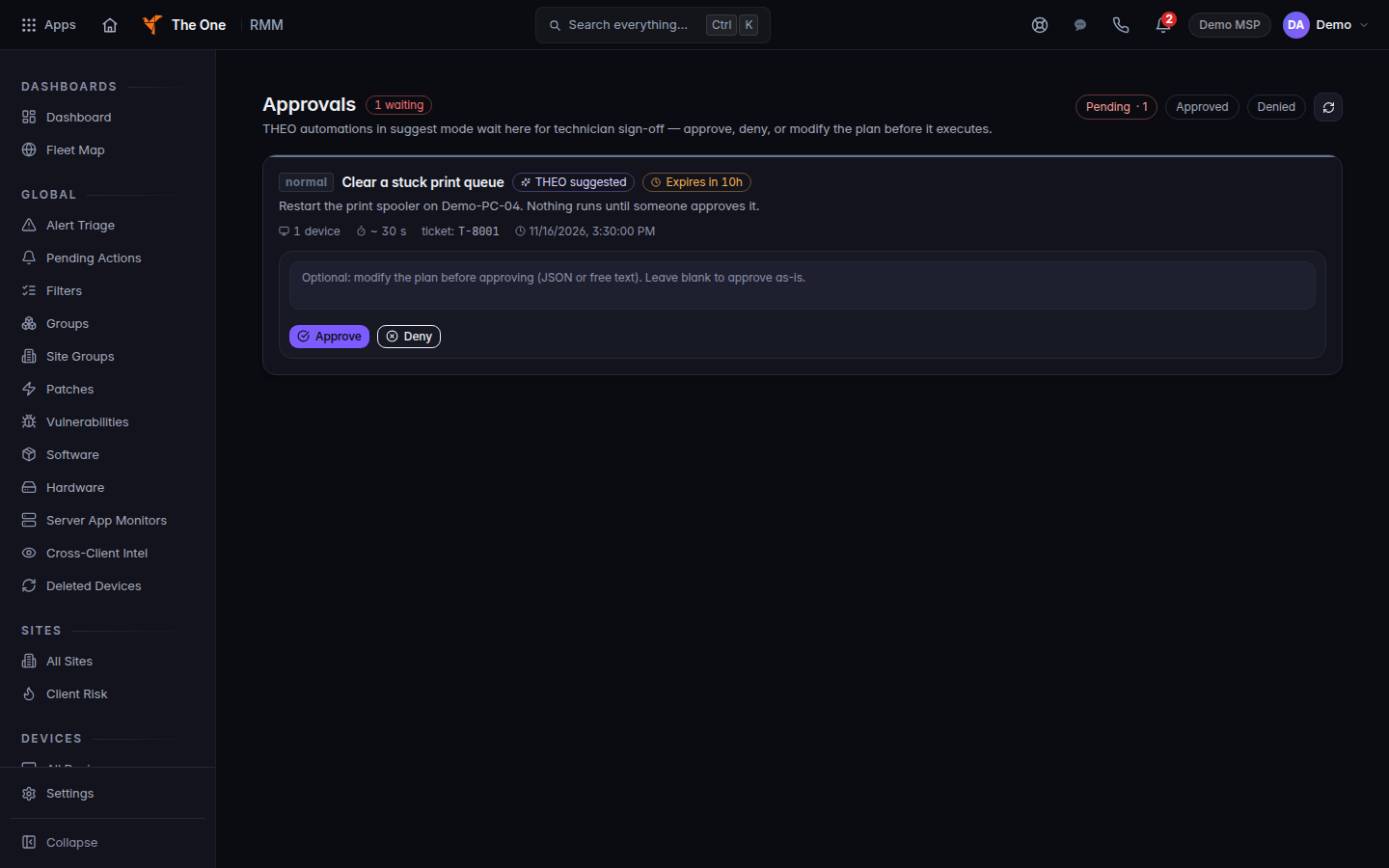
The Approvals list, with Approve and Deny - For a pending item, choose Approve, or Modify + Approve when that button is shown.
- To refuse it, choose Deny, write the reason, and choose Confirm Deny.
Email to a client and Closing a ticket are set under Settings, then THEO, then Conduct, on Approval steps. Each is Not allowed or Allowed, with approval. A message is never sent until a person approves it. A ticket stays open until a person approves the close. See Set how THEO behaves.
Destructive actions and a second person#
On RMM settings, Scripts & Automation, the card Enforced on every run says Destructive actions need a human. Alert- and monitor-triggered remediation does not auto-run a destructive action. Reboots, raw commands, and scripts flagged destructive wait in Pending Actions until someone with the right role approves them.
Second person for script runs is off by default. The switch is Script runs wait for a second person. When it is on, every script run waits until a different owner or admin approves it. The person who started the run cannot approve it. Owners and admins change this switch.
THEO does not get that shortcut. It does not run anything on a client device by itself. See THEO limitations and safe use.
If it goes wrong#
- You cannot see Approvals. Your role cannot open it. Ask an admin.
- The action still looks unfinished after Approve. Open the destination record. Approval is not proof that it completed.
- Could not load this setting on the script switch. Reload the page. Nothing was saved.
What's next#
Was this article helpful?