
Read the THEO audit log
Review THEO requests for your organization, filter them, and export a CSV.
Applies to Owner Admin
The Audit Log in THEO is the history of AI requests for your organization. Entries are kept indefinitely. Nothing removes them on a schedule. It is not the organization audit log under Settings.
Read it#
- Open THEO Bots, then Settings, then Audit Log.
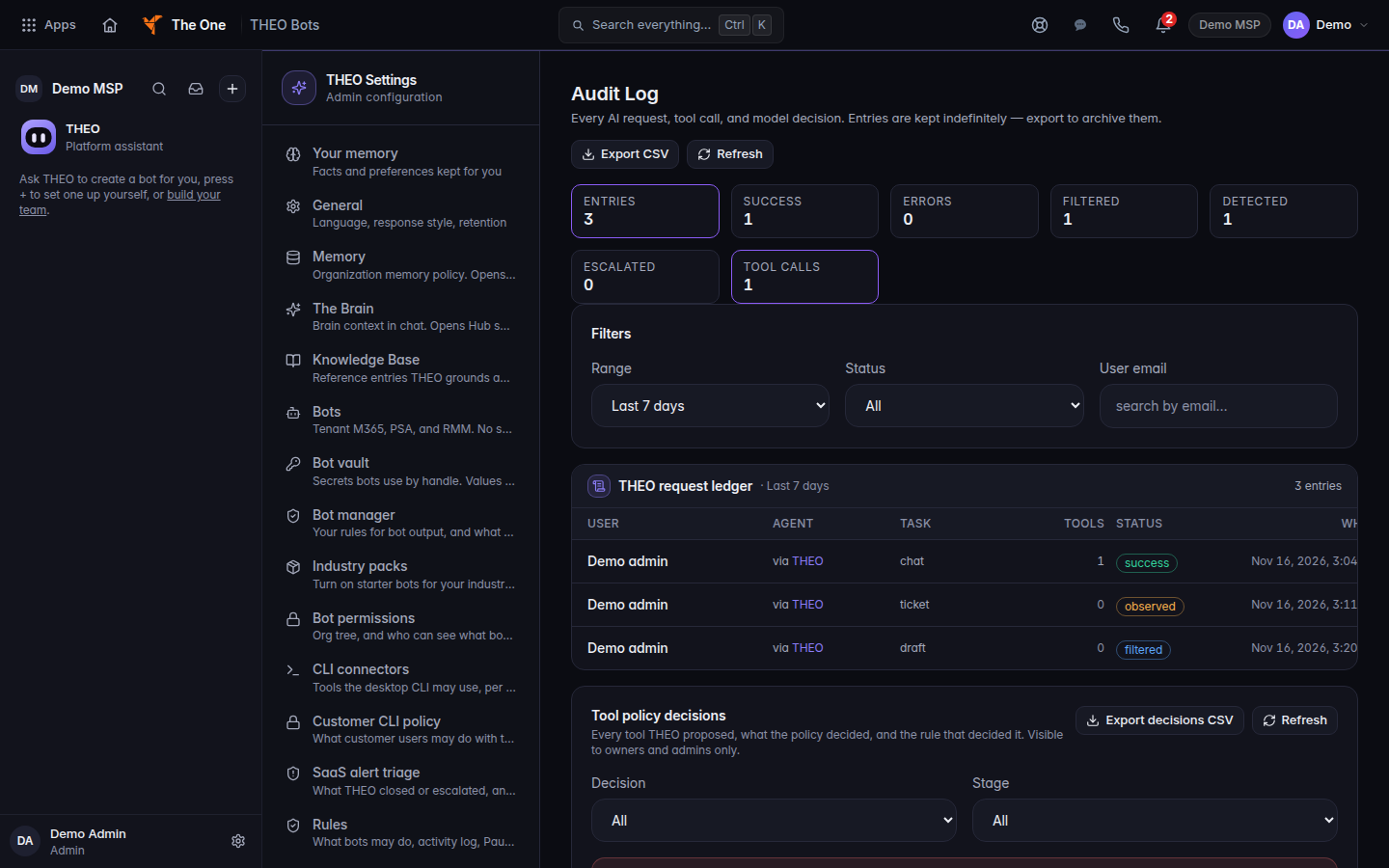
THEO Audit Log, with the status filter and three demo rows - Set Range to Last 24 hours, Last 7 days, Last 30 days, or Last 90 days.
- Set Status to All, Success, Error, Response suppressed, Detected, not suppressed, or Escalated. Detected, not suppressed means the request was recorded and the reply was not blocked.
- Choose Export CSV to download the rows you are looking at. Use it to keep a copy. The log itself is not deleted when old conversations are.
Export Private activity appears only when your account is allowed to export it. If you do not see it, you cannot export that activity.
Conversation retention is separate. Audit records are kept when old conversations are deleted. See How THEO handles your data.
A company activity log for bots, when that product is open, is a different list. See Bots in THEO.
If it goes wrong#
- Settings sends you away. You are not an owner or an admin, so the organization settings are not shown.
- All clear — no audit entries. The filter matched nothing. Widen the range before you treat the log as empty.
- Export failed. Try Export CSV again. The log itself was not changed.
What's next#
Was this article helpful?