
How THEO handles your data
Training collection is on until an owner withdraws it. Memory and transcript retention are separate switches.
Applies to Owner Admin
Three controls are separate. Training collection, what THEO remembers, and how long chat transcripts are kept. This page states what those screens do. The legal terms are the Privacy Policy.
Training collection#
- Open Settings, then Organization. The section is THEO AI Training. The same control is on AI training consent.
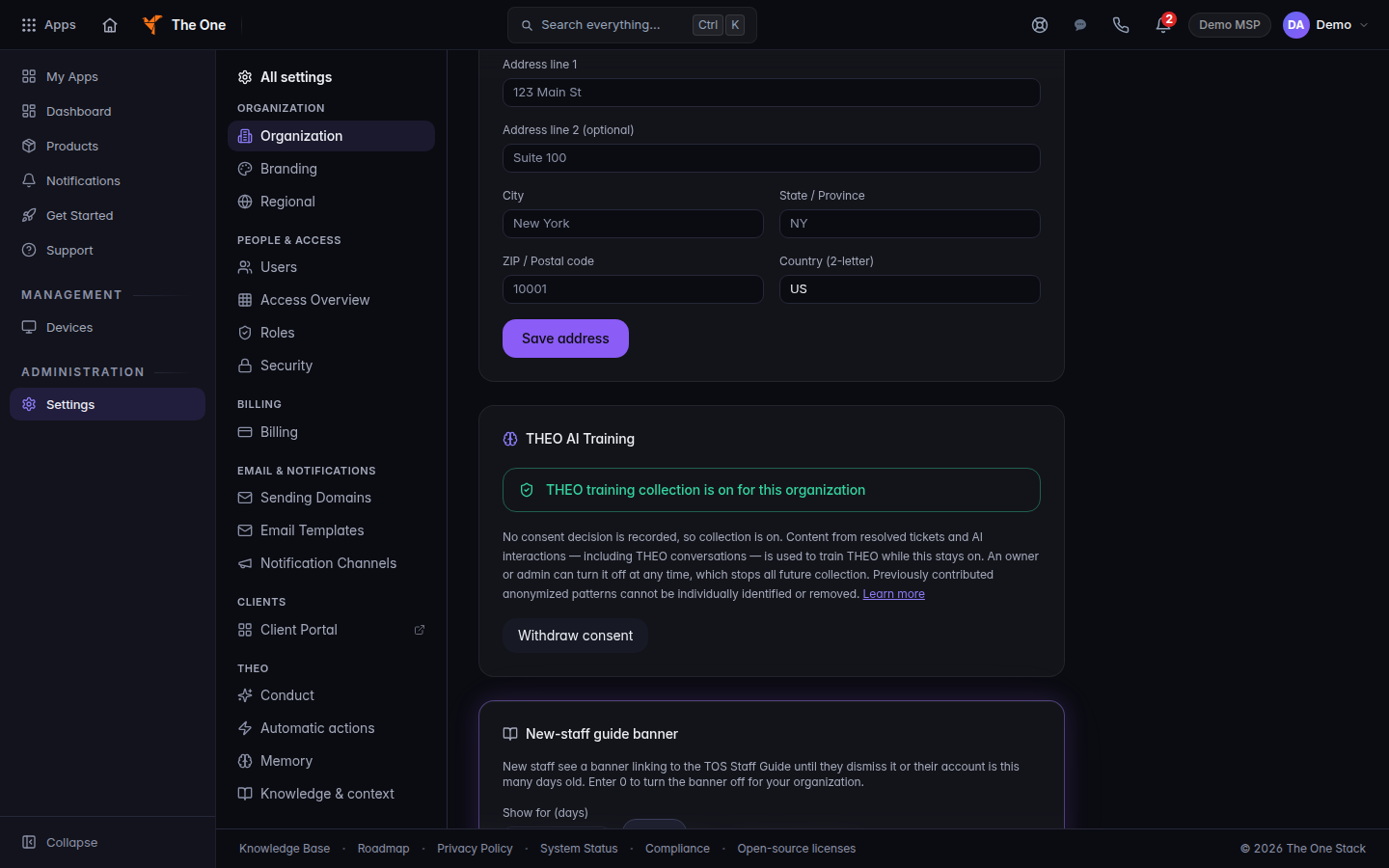
Organization settings, with THEO AI Training collection on - Read the headline. If nobody has chosen, it reads THEO training collection is on for this organization, and the note says no one has changed this setting. Collection is on in that case.
- While collection is on, content from resolved tickets and AI interactions, including THEO conversations, is used to train THEO. A scrubber removes the identifier classes it can match: addresses, emails, phone numbers, serial numbers, and card and SSN patterns. It does not detect personal or company names, so those are not removed. Health-care data is excluded.
- Choose Withdraw consent to stop future collection. Withdrawal applies from the moment it is recorded. It does not delete records already collected. There is no self-service deletion for those records. For erasure, use Data & privacy or email [email protected].
- Choose Opt in to THEO training only when you want collection on again. The toast reads Opted in to THEO training.
If the page says it could not read the current state, you can still withdraw. A failed read is not "off".
Only an owner or an admin can change this. Anyone else sees the live state and is told to ask an owner or admin.
Memory#
- Open Settings, then THEO, then Memory.
- Enable long-term memory. Off stops stored memory from being read into chats. It does not delete entries. Turning it back on restores them. It covers your organization, including your customers in the portal.
- Include organization profile. Org name, subscribed products, and plan. It is skipped for customer-side callers.
- Include user profile. Name, email, role, and what that person saved on their own memory page.
- PII scrubbing. When active, it redacts email addresses, phone numbers, US Social Security numbers, credit-card numbers, and dates of birth before a long-term entry is stored. It does not detect names, postal addresses, or free-form personal details.
- Choose Save memory settings.
Clear this organization’s memory is under Danger zone. It deletes this organization's own long-term memory rows. It does not delete a managed customer's rows. Learned graph memories are a separate store and are not removed. This cannot be undone.
Transcript retention#
- Open THEO Bots, then Settings, then General.
- Under Data Retention, set Conversation Retention to 30 days, 60 days, 90 days, 180 days, 1 year, or Keep forever.
- Save. Changes apply to the whole organization.
For any choice except Keep forever, conversations with no activity for that long are deleted automatically each night. Audit records are kept. Nothing is deleted while a legal hold applies to your organization. Keep forever means transcripts stay until someone deletes them.
If it goes wrong#
- You cannot change training consent. You are not an owner or an admin.
- A withdrawal did not change the headline. Reload Organization. If it still shows collection on, withdraw again. Do not assume a failed save took effect.
- Clear this organization’s memory removed less than you expected. Customer rows and graph memories are not part of that button.
What's next#
Was this article helpful?