
Use Tier Zero runbooks
Open runbooks in RMM and see whether Tier Zero only watches, drafts, waits, or acts.
Applies to Technician Admin
Tier Zero is the automation that sits with THEO. It is not its own app. You open it from RMM, under Automation, then Agentic Automation.
Autopilot is the only mode that may act without asking, and only inside the limits on that page. Assist still waits for approval. Watch only observes. Suggest only drafts. A change to a device or an account also needs Live actions on. While that switch is off, the change is previewed only. Nothing on the device or account changes.
See the mode#
- Open RMM.
- Open Automation, then Agentic Automation, then Mode & Adoption. The pill on the page reads THEO Tier Zero.
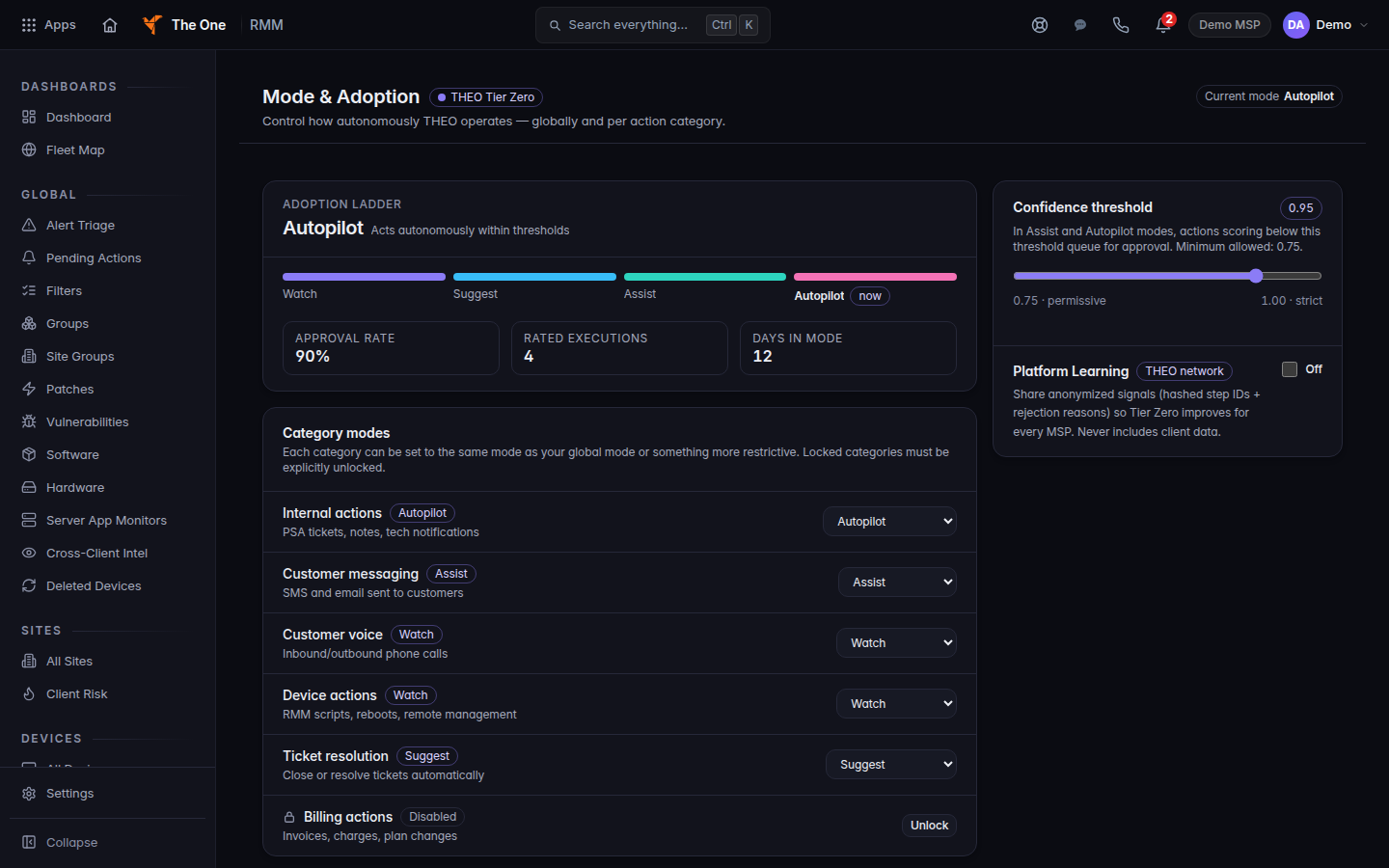
Mode and Adoption, with Autopilot as the current mode - Read Current mode. The four modes are:
- watch — Observing only. No actions taken.
- suggest — Drafts actions for your review.
- assist — Acts with approval gates.
- autopilot — Acts autonomously within thresholds.
The first time, the page is Welcome to Tier Zero. It starts in a watch period. For the first 7 days it shows what it would have done. No actions, no messages, and no changes. Choose Begin Watch Period only when you want that. A 90% approval rate is one signal on this page. Moving to Suggest, Assist, or Autopilot is your choice. Choose Advance to only when you mean to.
Open a runbook#
- Under Agentic Automation, choose Runbooks.
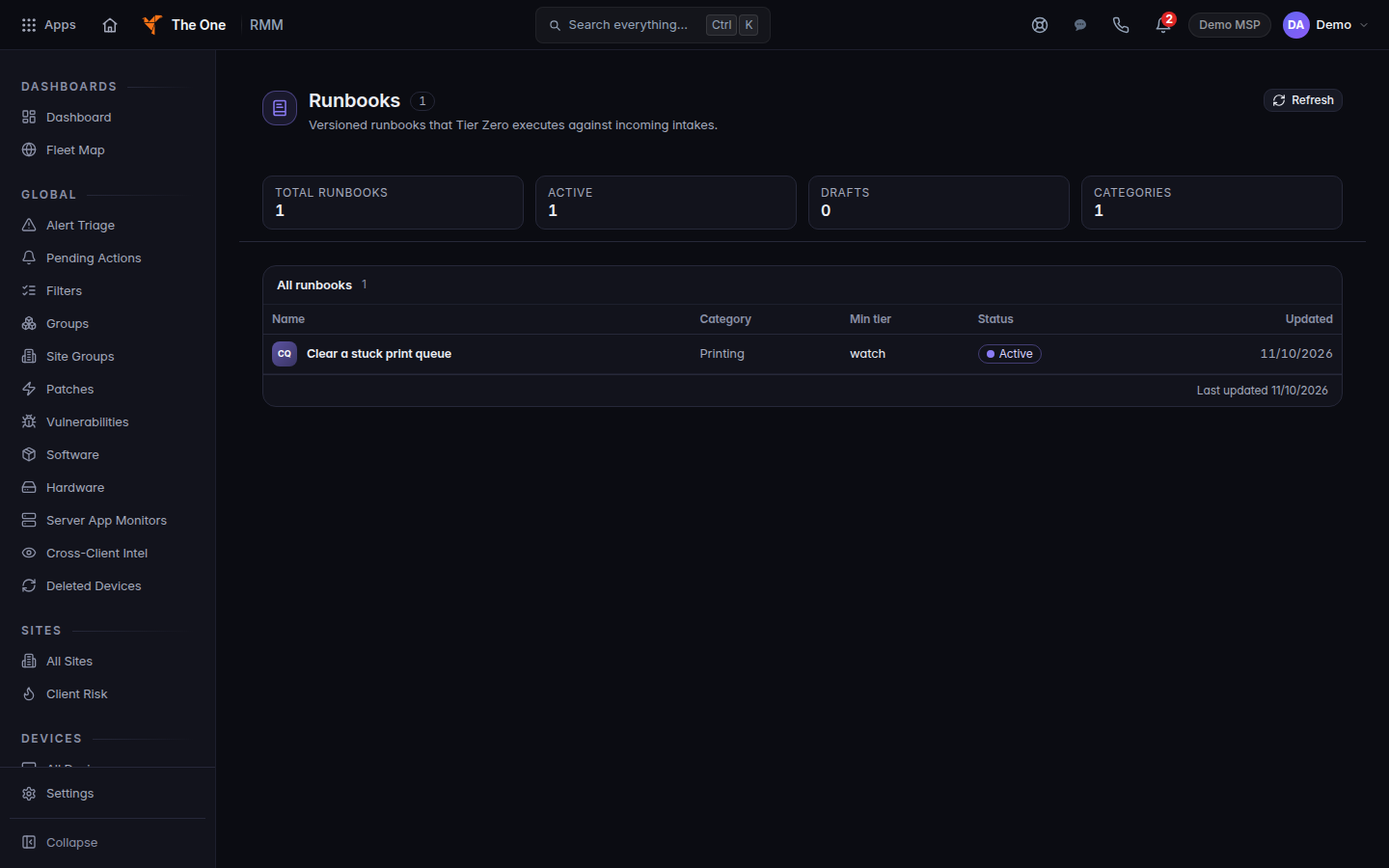
The runbook list in Agentic Automation - Open the runbook you want to read. A runbook that is not in this list is not one Tier Zero can use.
- On a ticket, Dispatch Tier Zero lists automations that are already on. If none are on, the menu says No active automations.
- Open Agentic Automation, then Settings, then Live actions. The status pill is On or Off. While it is off, every change is previewed only. If the page says Live actions are not yet available for this organization, you cannot turn it on. Your account team turns that on.
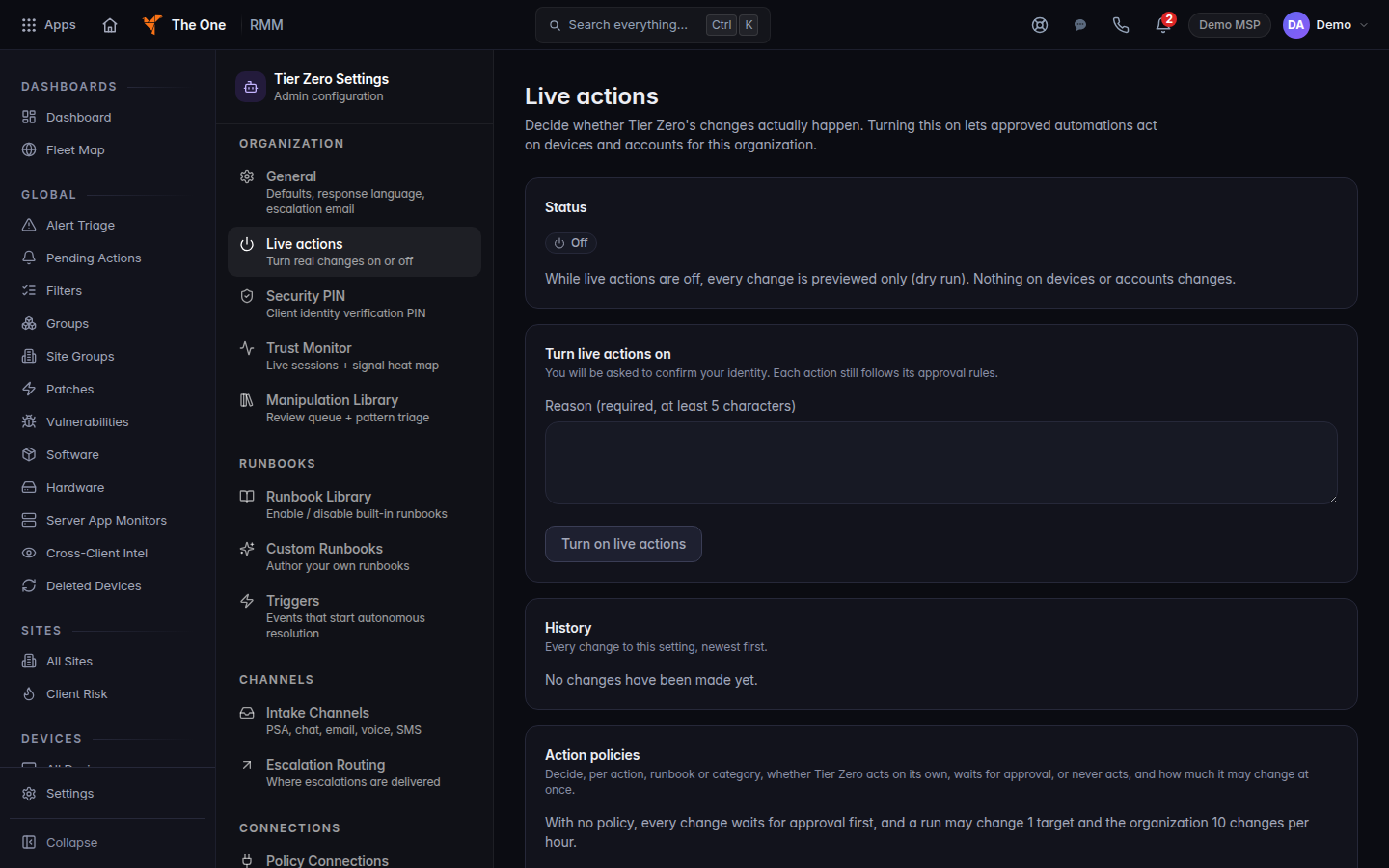
Live actions set to Off, so changes are previewed only
A confirmation on a ticket stays on that ticket until you choose Confirm. Items a technician must sign off are under Approvals. See Approve an action THEO holds.
If it goes wrong#
- Agentic Automation is missing. Your role cannot open RMM automation. Ask an admin.
- Activation failed — please try again. The watch period did not start. Nothing was changed. Try Begin Watch Period again.
- You expected a fix to run and it did not. The mode is not Autopilot, Live actions is off, or the fix is not in a runbook. Ask in Ask THEO about a ticket or hand it to a person.
What's next#
Was this article helpful?