
Draft reports with THEO
Ask THEO in Chat to draft a report narrative, then review it before anyone sends it.
Applies to Technician Admin
There is no separate report button. You ask in Chat, and THEO drafts wording from what it can read. The draft is not an approved client message, and it is not sent.
Draft it#
- Choose New chat.
- Name the client, the period, the audience, and the questions the draft should answer.
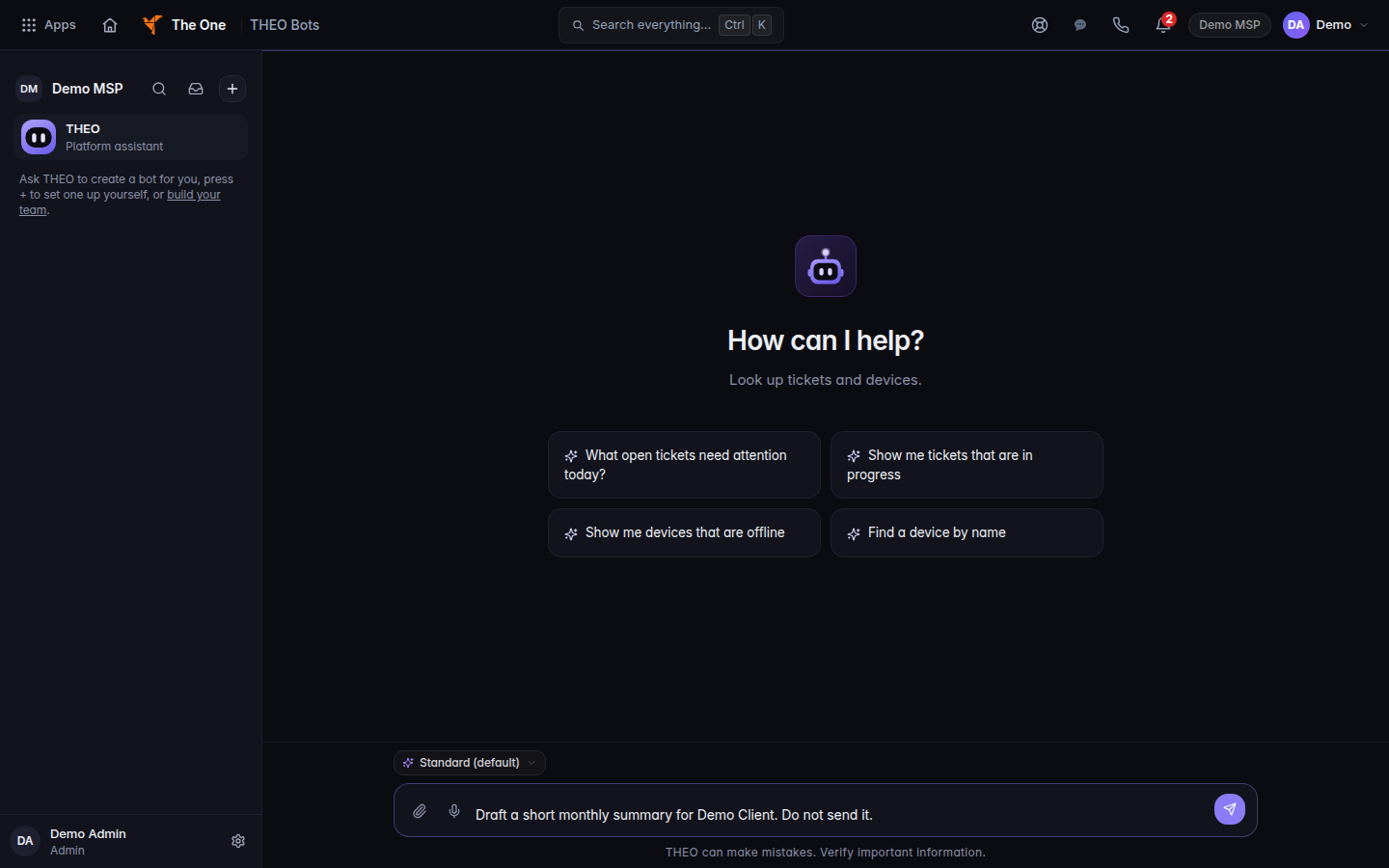
A report request typed in THEO Chat, not yet sent - Ask THEO to separate completed work from open work.
- Check counts, dates, and the client name against the source systems. A failed read is not a zero.
- Copy the wording you accept into the channel you normally use to send it. Do not treat the chat as the send.
THEO will not promise a service level, a price, or a delivery date in that draft. See THEO limitations and safe use.
If it goes wrong#
- A number looks too clean. Open the source. Synced data can lag.
- THEO could not read a system. Say that in the draft. Do not imply the report covers it.
- You wanted a scheduled draft. That is Bots in THEO, and it is not available yet.
What's next#
Was this article helpful?