
Set how THEO behaves
Set tone, approvals, automatic actions, memory, and knowledge for the whole organization.
Applies to Owner Admin
Organization settings for THEO live under Settings, then THEO. They apply to every technician and every client of your organization. A technician does not see this section.
Open the THEO settings#
- Open Settings.
- Open THEO. The four pages are Conduct, Automatic actions, Memory, and Knowledge & context.
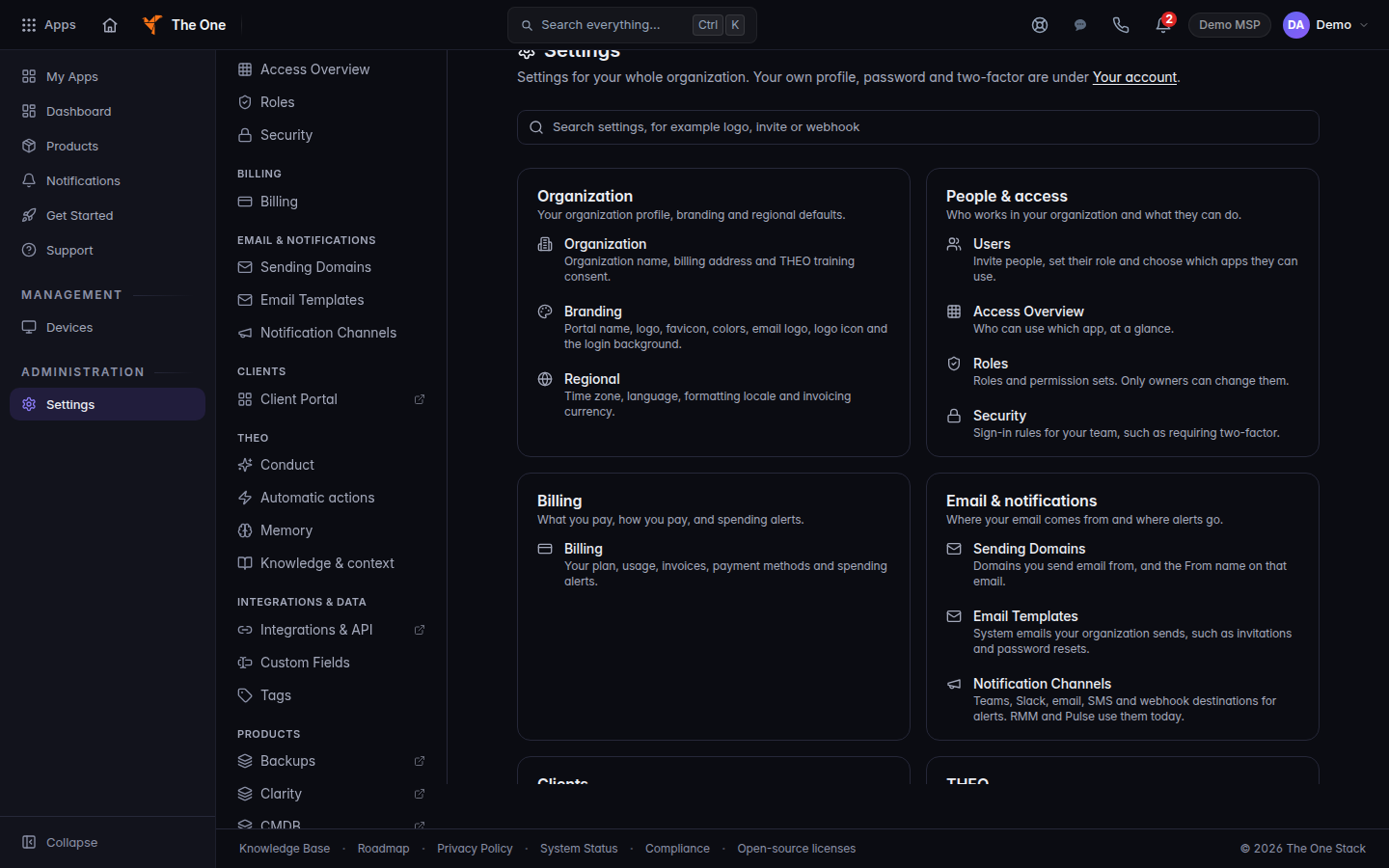
Settings, with the THEO section in the menu
Conduct#
Conduct is how THEO speaks and which steps need a person.
- Open Conduct. The title is THEO conduct.
- Read the rules at the top. Nothing on this page can change them. See THEO limitations and safe use.
- Under Approval steps, set Email to a client and Closing a ticket to Not allowed or Allowed, with approval.
- Under Tone, set Style to Casual, Balanced, or Formal, and Length to Short and direct, Balanced, or Thorough.
- Add Additional guidance if you need a line about how to refer to clients. It cannot override the rules at the top.
- Save. If the pill says Customized, Reset to default returns the recommended settings.
Hand-off by request type is Hand a request to a person.
Automatic actions#
Automatic actions are things THEO does without asking. Each switch can only restrict THEO. Turning one back on asks you first, because THEO will act on its own again, inside the platform's limits.
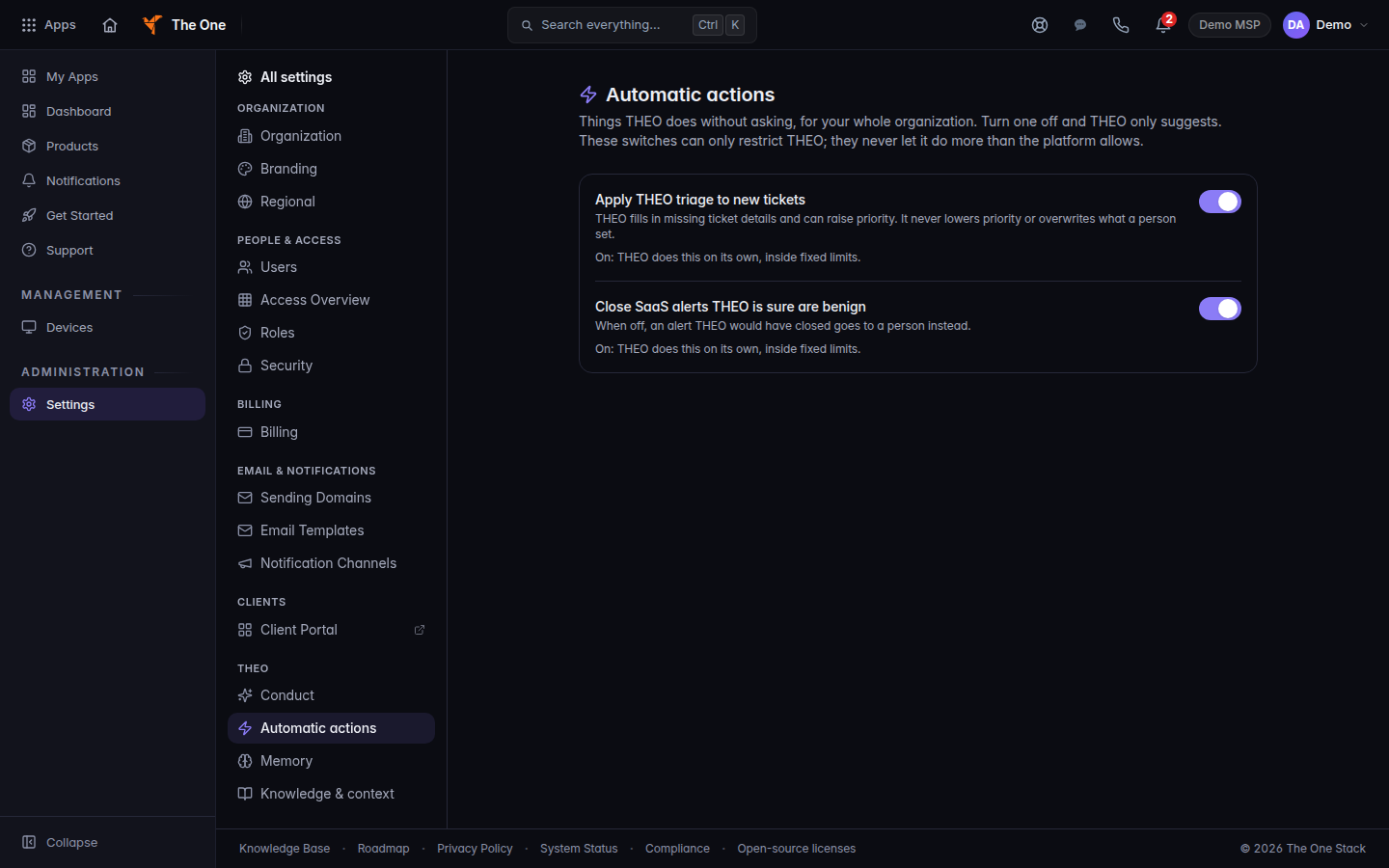
- Apply THEO triage to new tickets. On: THEO fills in missing ticket details and can raise priority. It never lowers priority or overwrites what a person set. Off: THEO only suggests. A person decides.
- Close SaaS alerts THEO is sure are benign. Off: an alert THEO would have closed goes to a person instead.
If a row says Off at platform level. THEO only suggests, and this can't be turned on here, you cannot turn that row on.
Memory and knowledge#
Memory controls what THEO reads back later. See How THEO handles your data.
Knowledge & context is whether THEO uses the Brain for context in chat.
Per-person facts are Your memory, inside THEO Bots, then Settings, and only while that door is on. It is not the organization policy on this page.
If it goes wrong#
- You do not see THEO under Settings. You are not an owner or an admin.
- Not saved. Read the message and try again. The previous value is still in effect.
- Couldn't load this setting. The switch did not change. Retry from the page.
What's next#
Was this article helpful?