
Read device health
Read Online, Offline, and the health words on All Devices.
Applies to Technician Admin
Health on All Devices is two signals. The dot says whether the agent is checking in. The badge says whether the last check-in looked healthy.
Read the row#
- Open RMM, then All Devices.
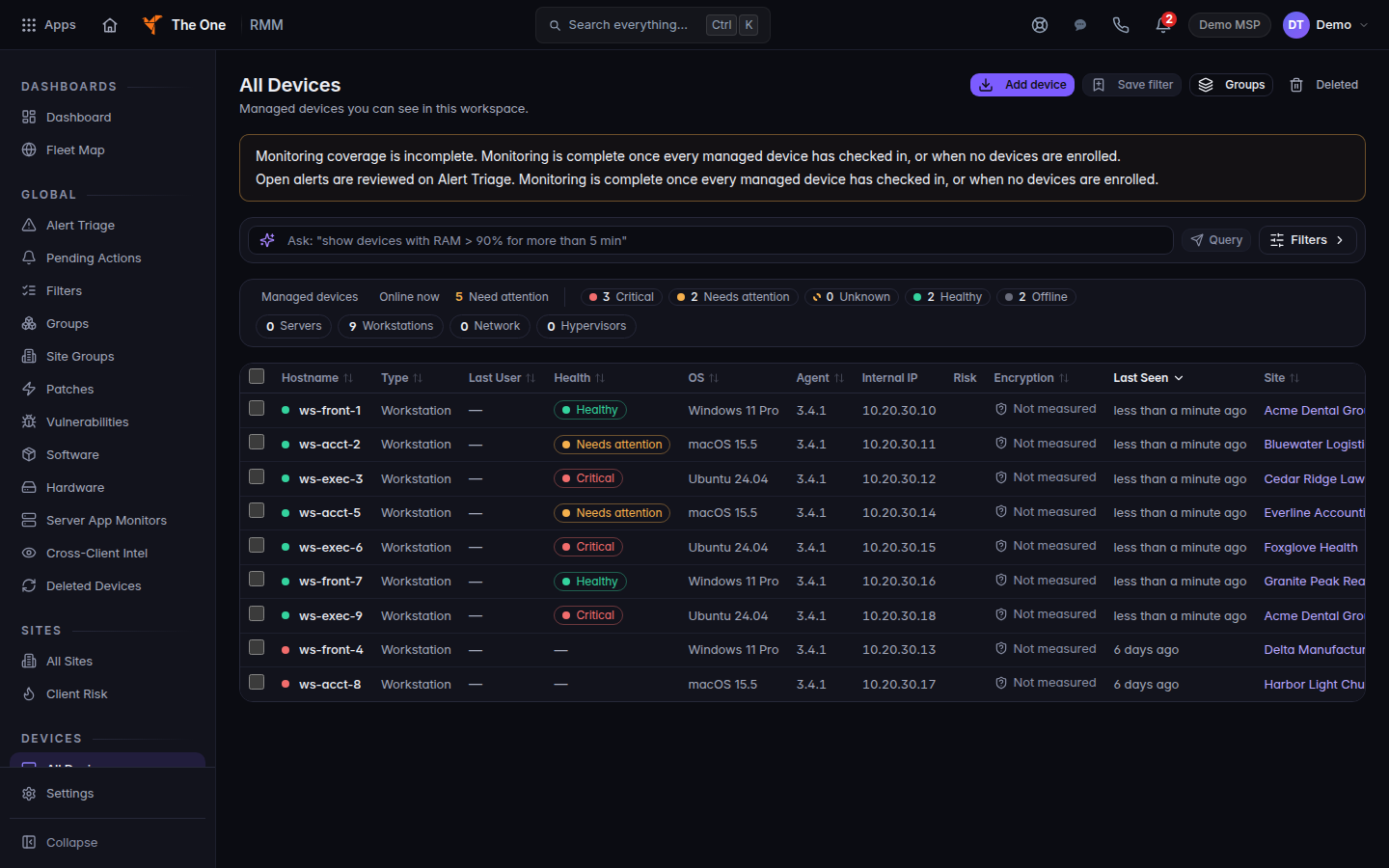
All Devices, with Healthy, Needs attention, Critical, and Offline
Health sits on each row. A green dot is online. A red dot is offline.
- Read the dot. Online, last seen means a recent check-in. Offline since means the check-in stopped. No check-in yet means an enroll stamp is not Online.
- Read the Health badge. The words are Healthy, Needs attention, Critical, Offline, and Unknown.
- An offline row shows a dash. The tip says Health is not measured while the device is offline. A reason of no heartbeat in 15+ minutes is how that column marks a stale check-in.
The RMM home page has a Device Health tile and a Devices Online tile. If the health mix fails to load, the tile says the read failed and that this is not a healthy result. Retry. Do not treat a failed read as a clean fleet.
If it goes wrong#
- The badge is Unknown. The platform does not have a fresh health reading. Open the device and check Last Seen.
- The dot is Offline and you just installed. Give the agent time to check in, then refresh. See Install the endpoint agent.
- You need the alert, not the badge. Open Alert Triage. See Work device alerts.
What's next#
Was this article helpful?