
Turn a module on for one device
Use the Agent Modules tab. RMM and Connect are already on.
Applies to Technician Admin
A module runs on a computer only when the organization has the product and the module is on for that computer. RMM and Connect start on. Connect cannot be turned off. Everything else is off until you turn it on.
The server wins after the first check-in. A setting you change on the device before that check-in does not stay.
Turn one module on#
- Open the device. See Open a device.
- Open Agent Modules.
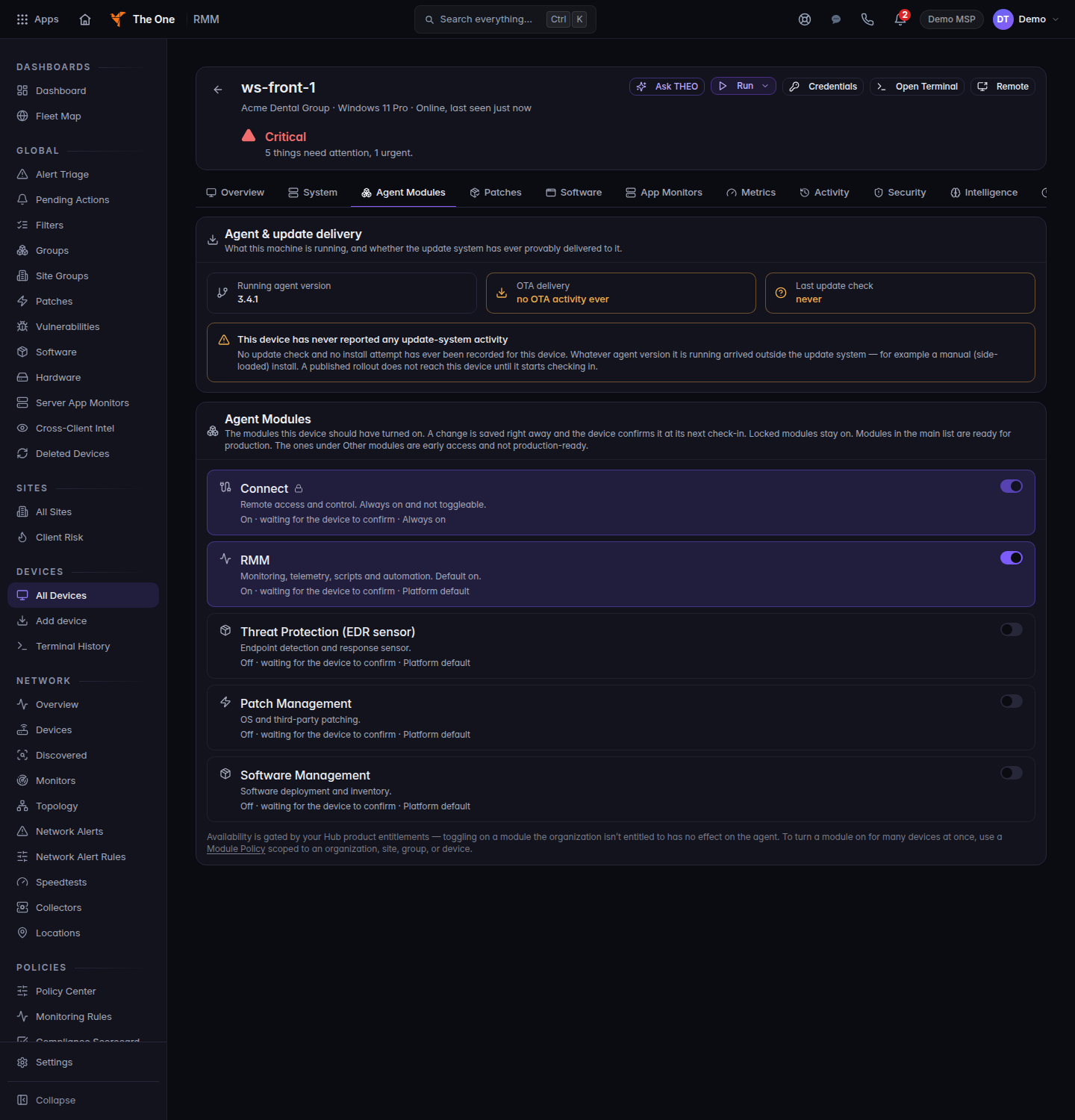
Agent Modules, with the module switches
Agent Modules on one device. Connect and RMM are on. Threat Protection, Patch Management, and Software Management are off.
- Find the row. The switch says Turn on or Turn off.
- Turn it on. Wait until the line reads On · confirmed. On · waiting for the device to confirm means the device has not answered yet.
A row can also say On · waiting for the device to start it, Off · waiting for the device to confirm, or Off · waiting for the device to stop it.
Not available yet and Held back. This module does not run yet. mean the platform will not run that module. Edge SASE is held back. Turning the switch does not start a tunnel.
Early access. Not supported for production use. means the row is visible and is not ready for production. Do not treat that module as done.
always on is RMM or Connect. Leave them on.
To set the same module for many computers, use a module policy. See Set a module policy.
If it goes wrong#
- Could not update module — try again. Turn it once more after the device is online.
- Module catalog unavailable. The list of modules did not load. Refresh the device page.
- The line stays waiting. The device is offline or has not checked in. See When a device will not check in.
- You turned on Threat Protection and expected events in Defend. Turning the module on does not mean those events have arrived. See Endpoint agent modules.
What's next#
Was this article helpful?