
Read patch compliance
Read the Patch Compliance page, including when it has not been measured.
Applies to Technician Admin
Patch Compliance is the org-wide reading of how many managed devices have reportable patch state. A missing number is not zero.
Read it#
- Open RMM, then Patches, then Compliance. The title is Patch Compliance.
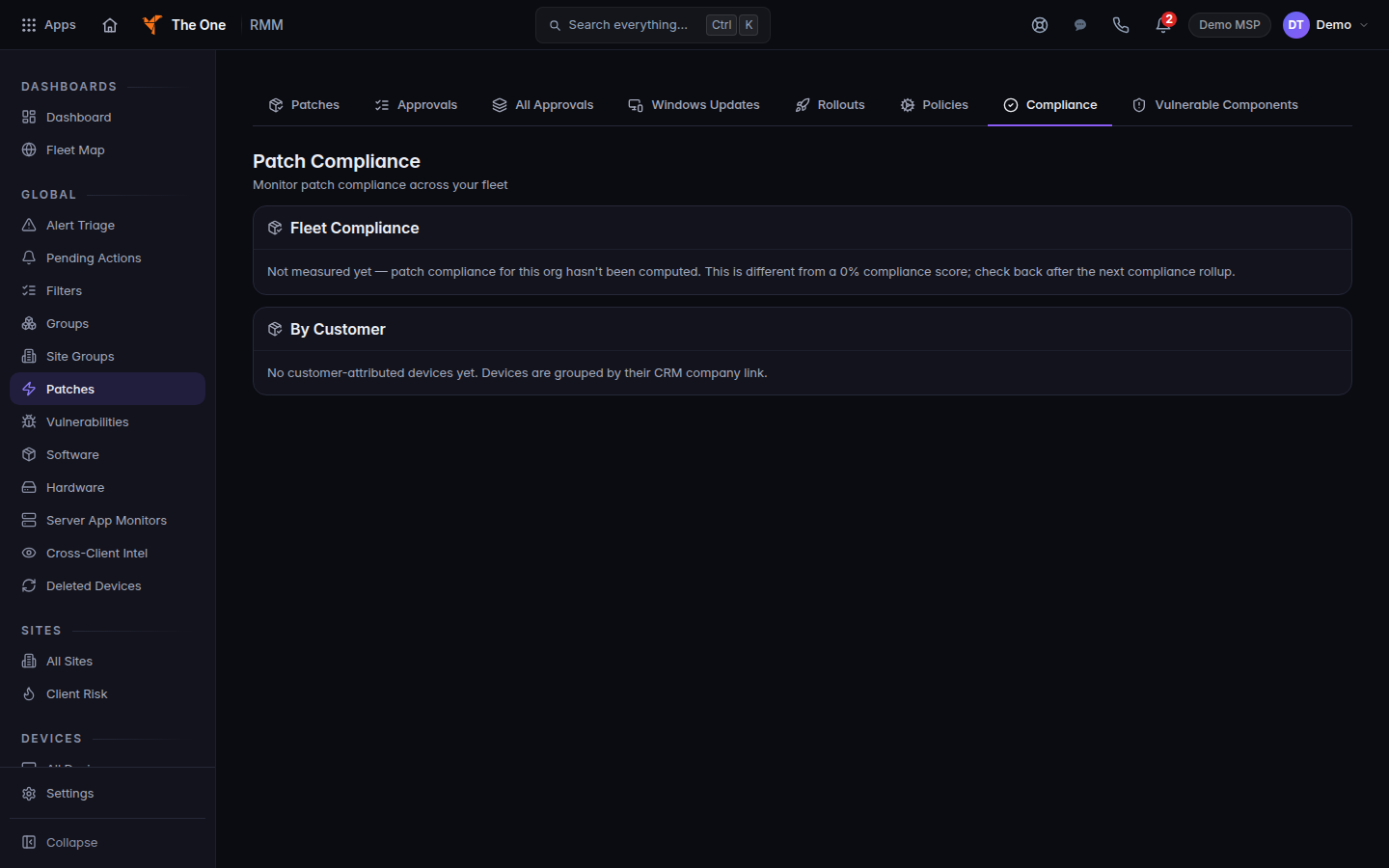
Patch Compliance, with the not-measured state
Patch Compliance before a score has been computed. The page says this is not a 0% score.
- If the page says Not measured yet — patch compliance for this org hasn't been computed., there is no percentage to report. Do not tell a client the fleet is compliant.
- When a rate is shown, read the line under it. It says either no device has reportable patch state yet or of N assessed managed device(s).
Rollouts (title Patch Rollouts) lists installs that were sent. Show all (incl. completed) includes finished ones. An empty list can say nothing has been rolled out. That is an empty history, not a promise that every device is patched.
Vulnerable Components is a list of components, with KEV-listed only. It is not the compliance percentage.
If it goes wrong#
- Couldn't load patch compliance. Retry. A failed read is not a score.
- Failed to load rollouts. or Failed to load vulnerabilities. Retry that page.
- You expected a number and the page says not measured. Wait until devices with Patch Management on have reported, then open the page again.
What's next#
Was this article helpful?