
Set remote access
Choose attended or unattended Connect for the organization, a customer, or one device.
Applies to Admin Owner
Attended means the person at the computer must approve the session. Unattended means Connect starts without that prompt and shows an on-screen indicator.
The order is the compliance switch, then the device, then the customer, then the organization default. A compliance switch that forces attended cannot be weakened by a customer or a device.
Set the organization default#
- Open RMM settings, then Remote Control. The title is Remote Control.
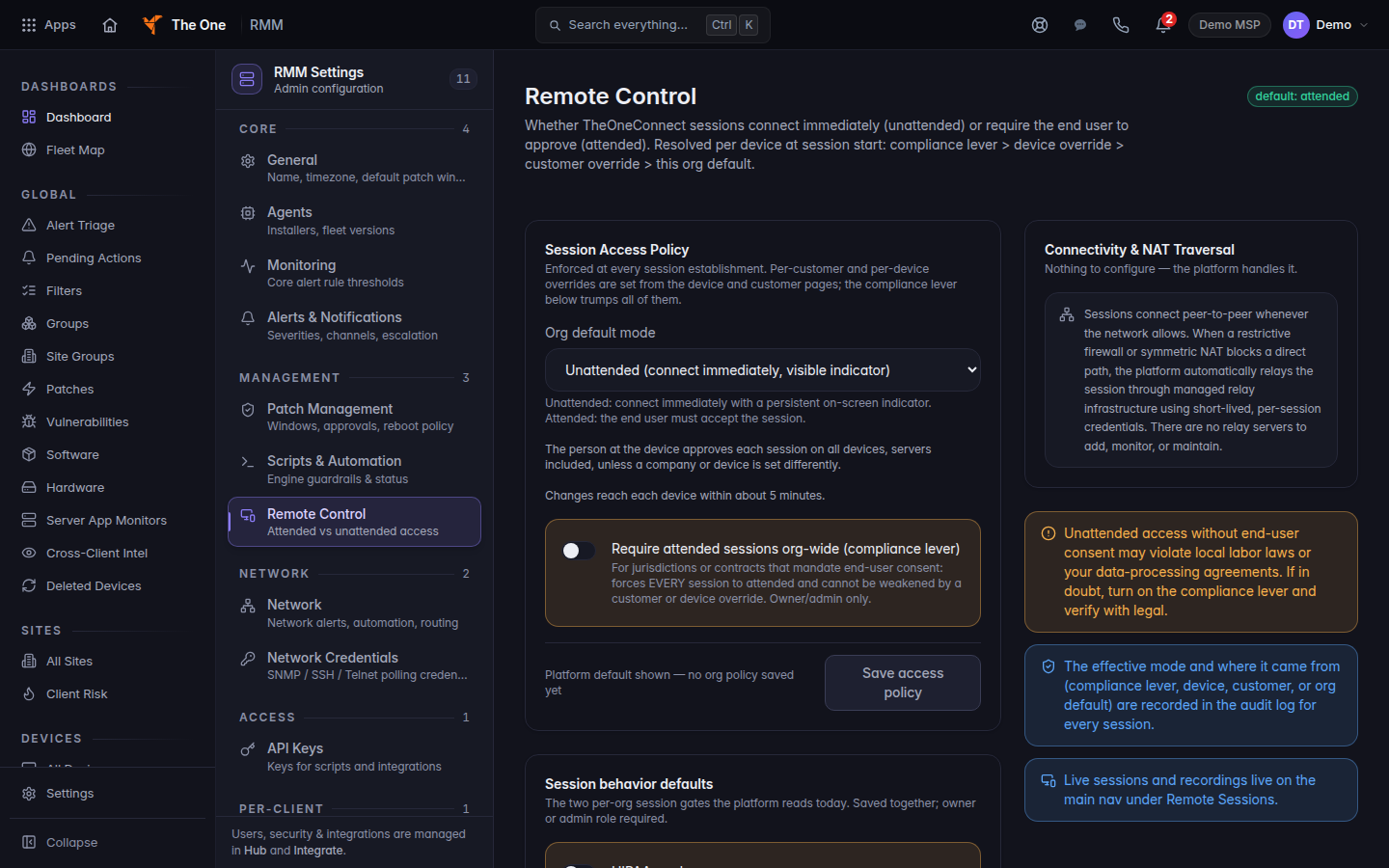
Remote Control settings, with the access policy
Remote Control settings. The org default mode is Unattended, and the compliance lever can force attended sessions.
- Under Session Access Policy, choose Unattended (connect immediately, visible indicator) or Attended (end user must approve each session).
- Turn on Require attended sessions org-wide (compliance lever) only when every session must ask. Per-device overrides are then disabled.
- Choose Save access policy. The footer says Unsaved changes until you save, then Applies to the next session.
- Allow about 5 minutes. The page says changes reach each device within about 5 minutes.
Set one customer or one device#
- For one customer, open the customer in RMM and set Remote access mode to inherit, unattended, or attended.
- For one device, open the Remote tab and find Remote Access Mode.
- Under This device, choose Inherit (use customer / org policy), Unattended — connect without approval, or Attended — require approval at the device.
The pill names the source: Forced by org compliance policy, Set on this device, Inherited from this customer's policy, Inherited from the org default, or Platform default.
If it goes wrong#
- Unable to load Remote Control settings. Choose Retry.
- The change could not be saved. on secure desktop control. Save again. Secure desktop control is Windows only and is a separate card on the same page.
- A technician still connects without a prompt. The device has not picked up the policy yet, or a narrower setting still says unattended. Read the pill on Remote Access Mode.
- Your organization requires attended (end-user consent) sessions. Per-device overrides are disabled. The compliance lever is on. Change it here, not on the device.
What's next#
Was this article helpful?