
Open a configuration item
Pick a customer in CMDB and open Configuration Items.
Applies to Technician Admin
A configuration item is the record of something the customer owns. RMM is where the agent reports. CMDB is where you keep the record. They are separate apps. CMDB is included with The One Stack.
You pick the customer first. The rest of the menu is for that customer.
Open it#
- Open CMDB. If you have not picked a customer, the menu is All Customers.
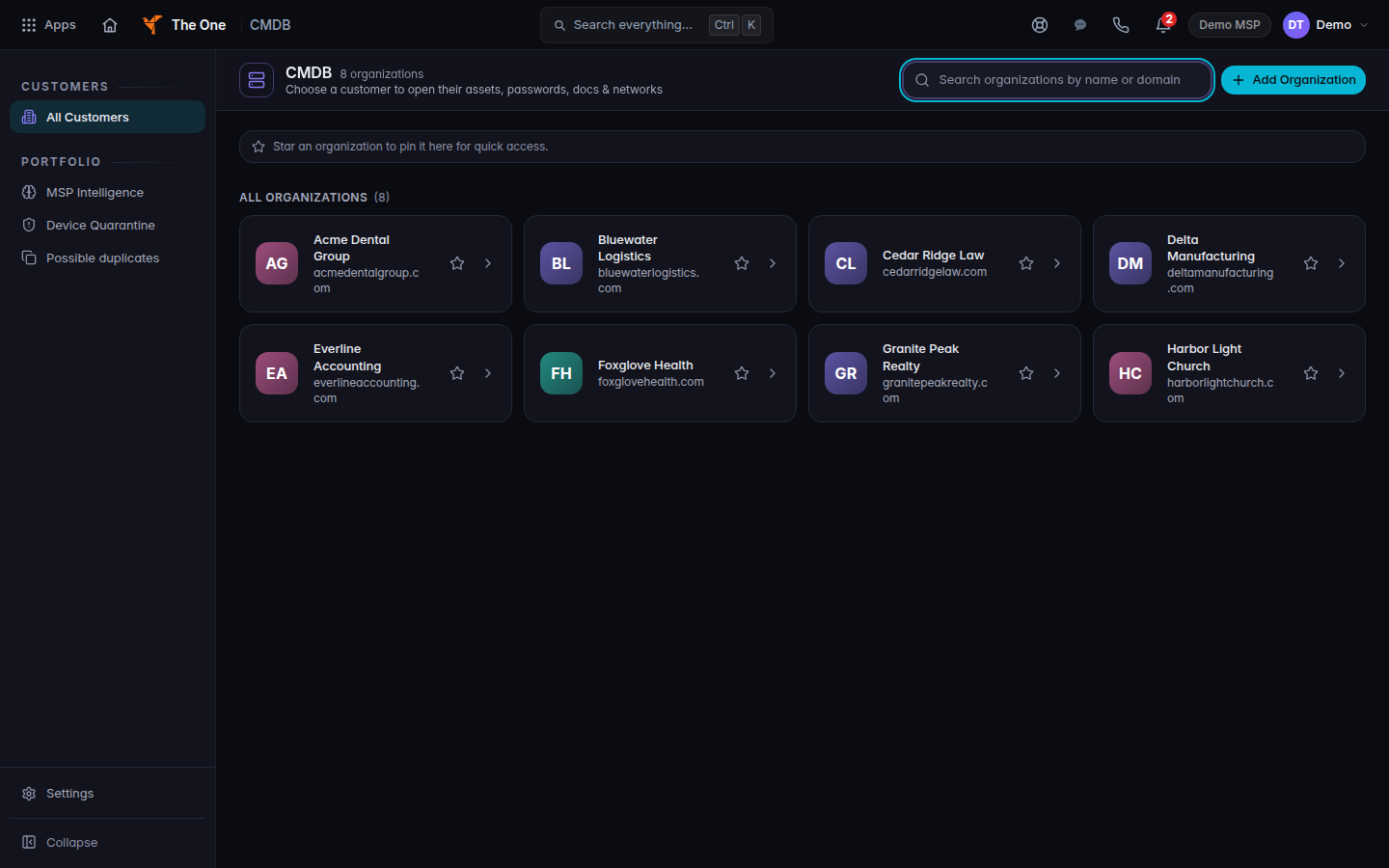
CMDB, All Customers
CMDB opens on All Customers. Pick one organization before you open its records.
- Choose the customer. The heading on the list is All Organizations.
- Open Config Items. The page title is Configuration Items.
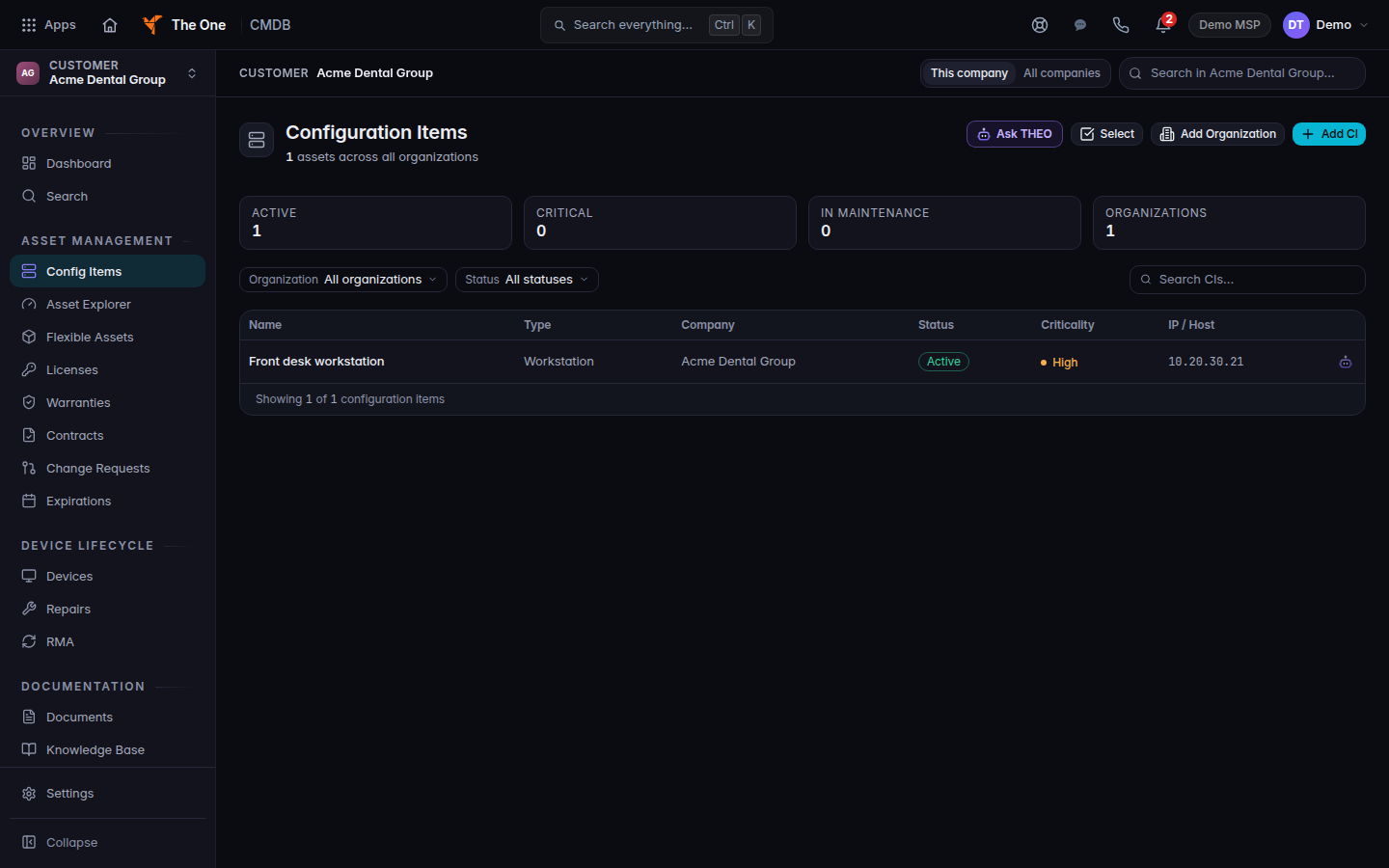
Configuration Items for one customer
Configuration Items for the customer you picked.
- Open a row to read it. Add CI starts a new one. See Add a configuration item.
On the item, No RMM device linked means this record is not tied to a computer in RMM. Linking does not install an agent.
Password Vault is a different page. The page says credentials are encrypted at rest, every reveal requires checkout, and the reveal is recorded in the audit trail. The platform holds the keys. Do not tell a client that only they can read a stored secret.
Import and export of records is not a button inside CMDB. The menu item leaves CMDB for the integrations hub.
If it goes wrong#
- CMDB is missing. Ask an admin to check your role. See Roles and permissions.
- You only see All Customers. Pick a customer. The other pages appear after that.
- You expected the live computer. Open it in RMM. See Open a device.
What's next#
Was this article helpful?