
Add a vehicle
Add a vehicle from Fleet, then Vehicles.
Applies to Technician Admin
Add a vehicle when you want it on the Fleet roster. You do not need a GPS device. The computer agent is a different install. See Install the endpoint agent.
Add it#
- Open Fleet, then Vehicles.
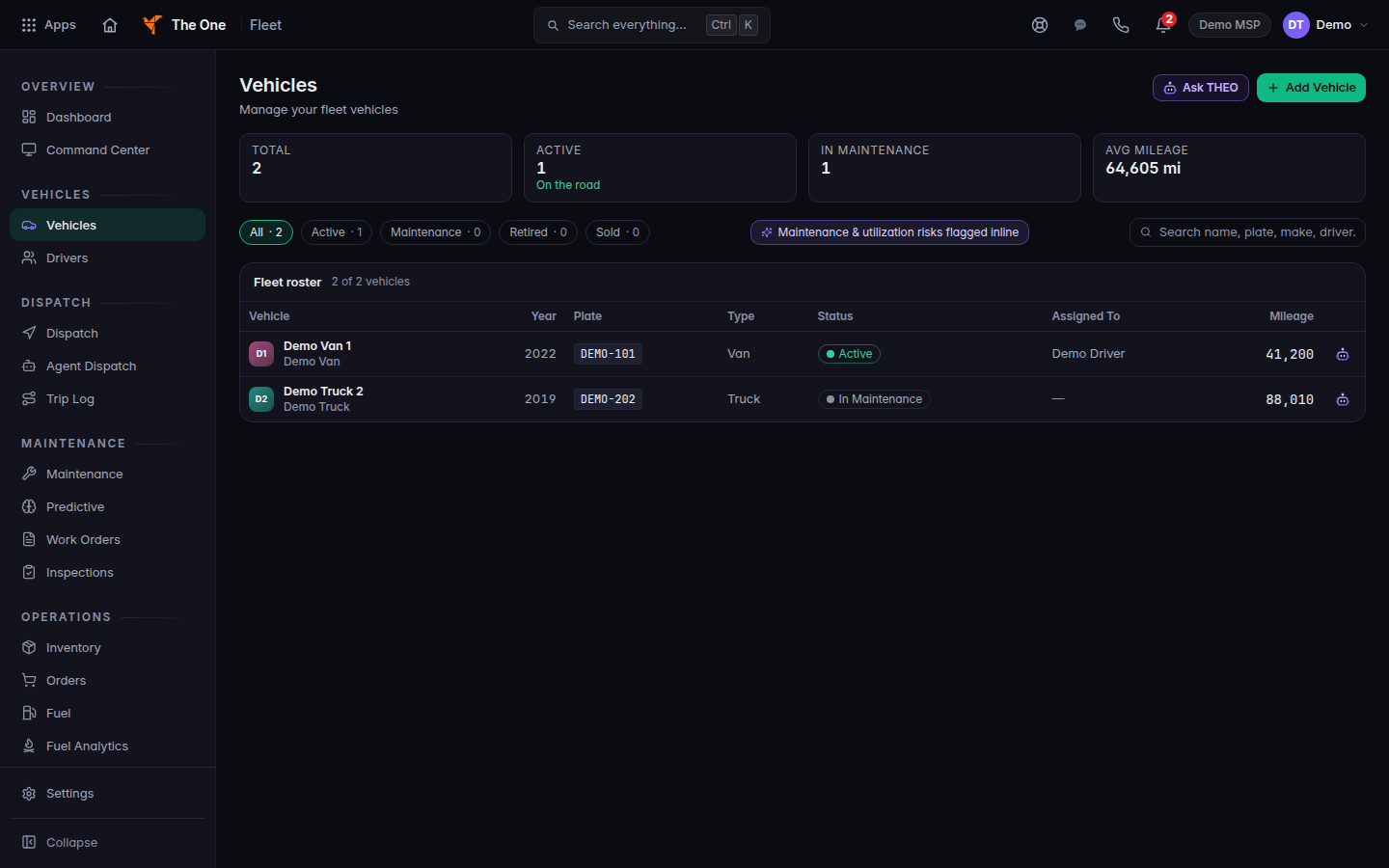
Vehicles, with Add Vehicle
Vehicles, with Add Vehicle. One demo van is active and one demo truck is in maintenance.
- Choose Add Vehicle. An empty roster uses the same button and says Add your first vehicle.
- Enter Vehicle Name. Make, model, year, VIN, and license plate are optional. Client is optional. Leave it blank for a vehicle your own organization owns. The hint says that.
- Choose Add Vehicle. Cancel asks Discard this vehicle? if you typed anything.
Search on the roster is Search vehicles. The placeholder is Search name, plate, make, driver…. Choose a row to open that vehicle.
If it goes wrong#
- A VIN is 17 characters, A-Z (no I, O or Q) and 0-9. Fix the VIN or clear it. Letters are stored in capitals as you type.
- Failed to create vehicle. Nothing was saved. Read the message and try again.
- Avg Mileage shows a dash. Mileage is not measured for that figure yet. It is not zero.
What's next#
Was this article helpful?