
Add a configuration item
Create a configuration item for the customer you already picked in CMDB.
Applies to Technician Admin
Add a configuration item when you need a record that is not created by the agent. A computer with an agent still has its live page in RMM.
Create it#
- Open Config Items. The title is Configuration Items.
- Choose Add CI.
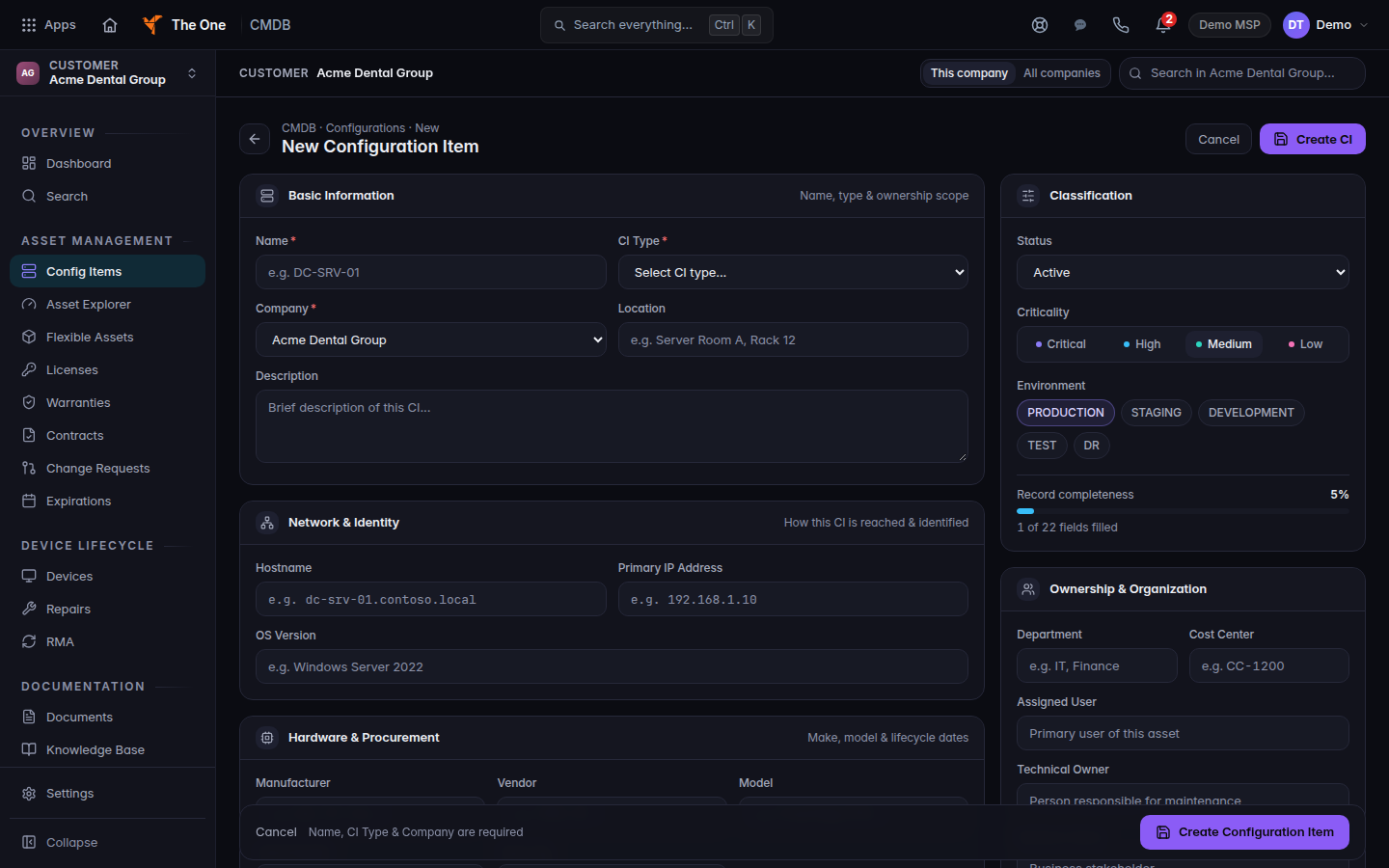
New Configuration Item
New Configuration Item for one demo customer. Name, CI Type, and Company are required.
The list after you save is Configuration Items.
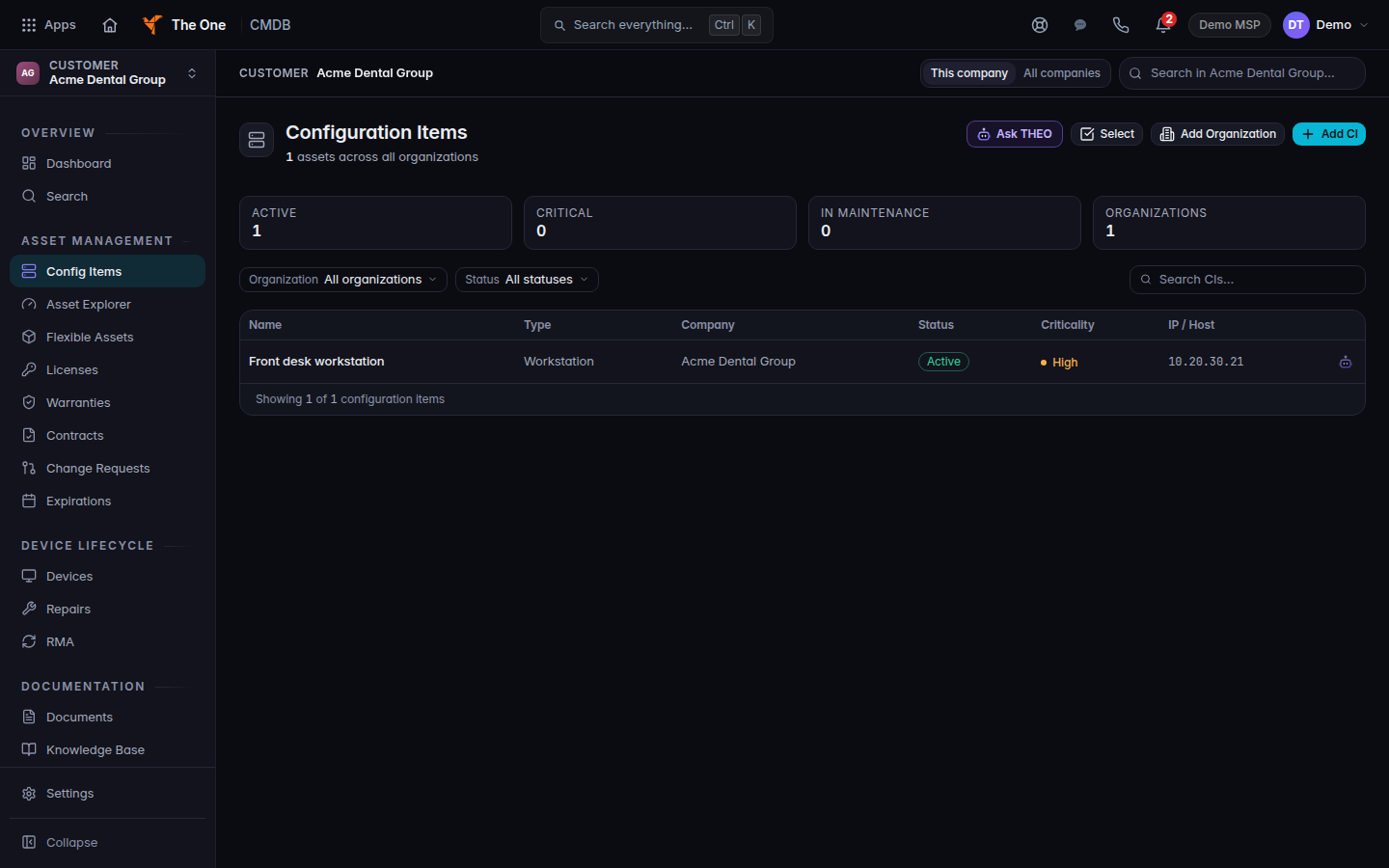
Configuration Items for the same customer, with one workstation record.
- The heading is New Configuration Item. Fill in the name and the type.
- Choose Create CI or Create Configuration Item. Editing an existing item uses Save Changes.
Cancel returns to the list without saving.
If it goes wrong#
- Couldn't load this form. Choose Retry.
- The new item is under the wrong customer. You picked the customer before you opened Config Items. Go back to All Customers and pick the right one.
- You wanted the agent on a computer. That is Add device in RMM, not this form. See Install the endpoint agent.
What's next#
Was this article helpful?