
Find a company
Search CRM Companies and add one when the record is not there.
Applies to Technician Admin
A company is the client record the rest of the product reads. Search before you add a second copy.
This list is for MSP staff. A client does not open it.
Find or add one#
- Open CRM, then Companies.
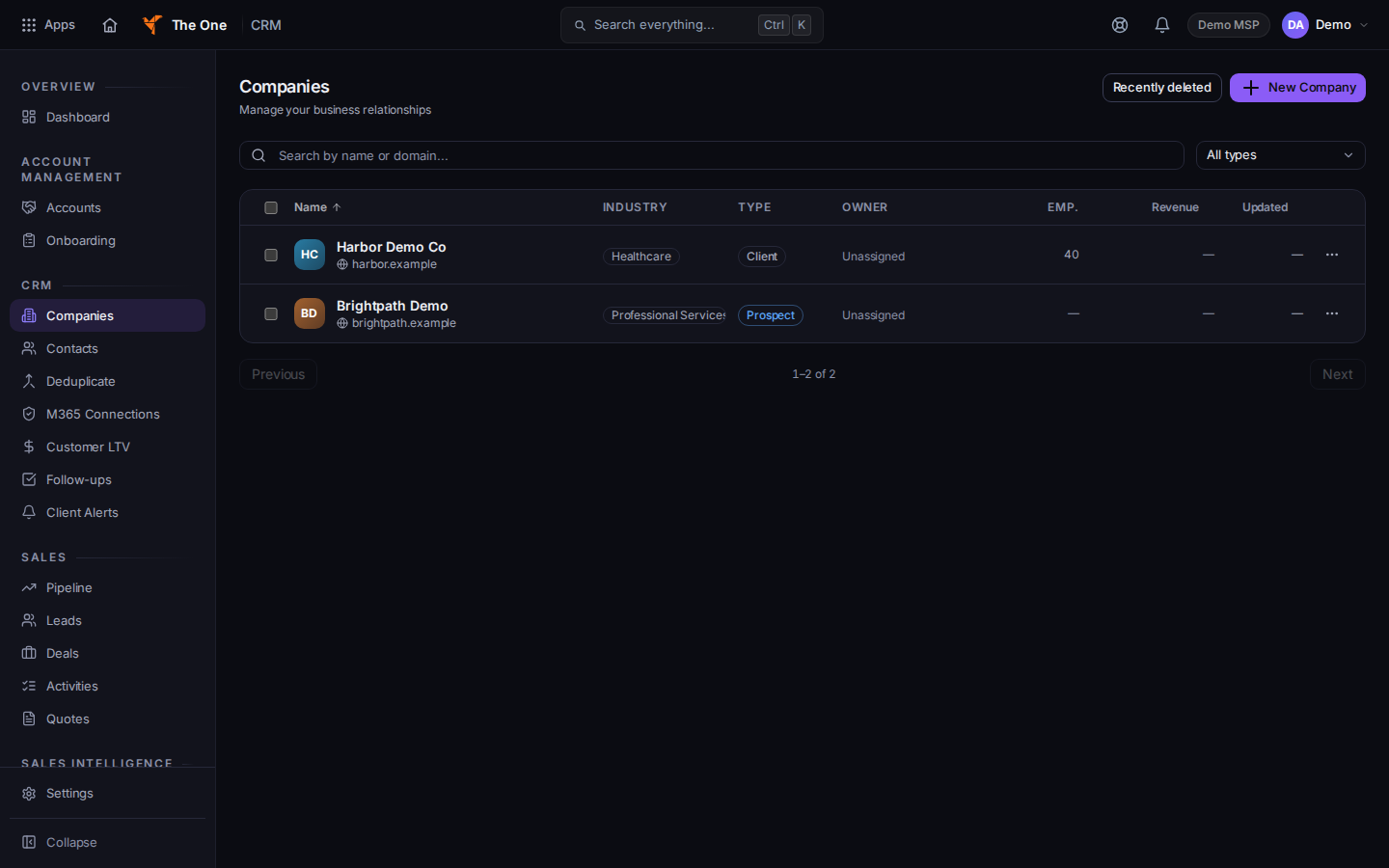
Companies, with search and New Company
Sample records for Demo MSP.
- Search with Search by name or domain... and open the row.
- If it is not there, choose New Company. The dialog title is New Company.
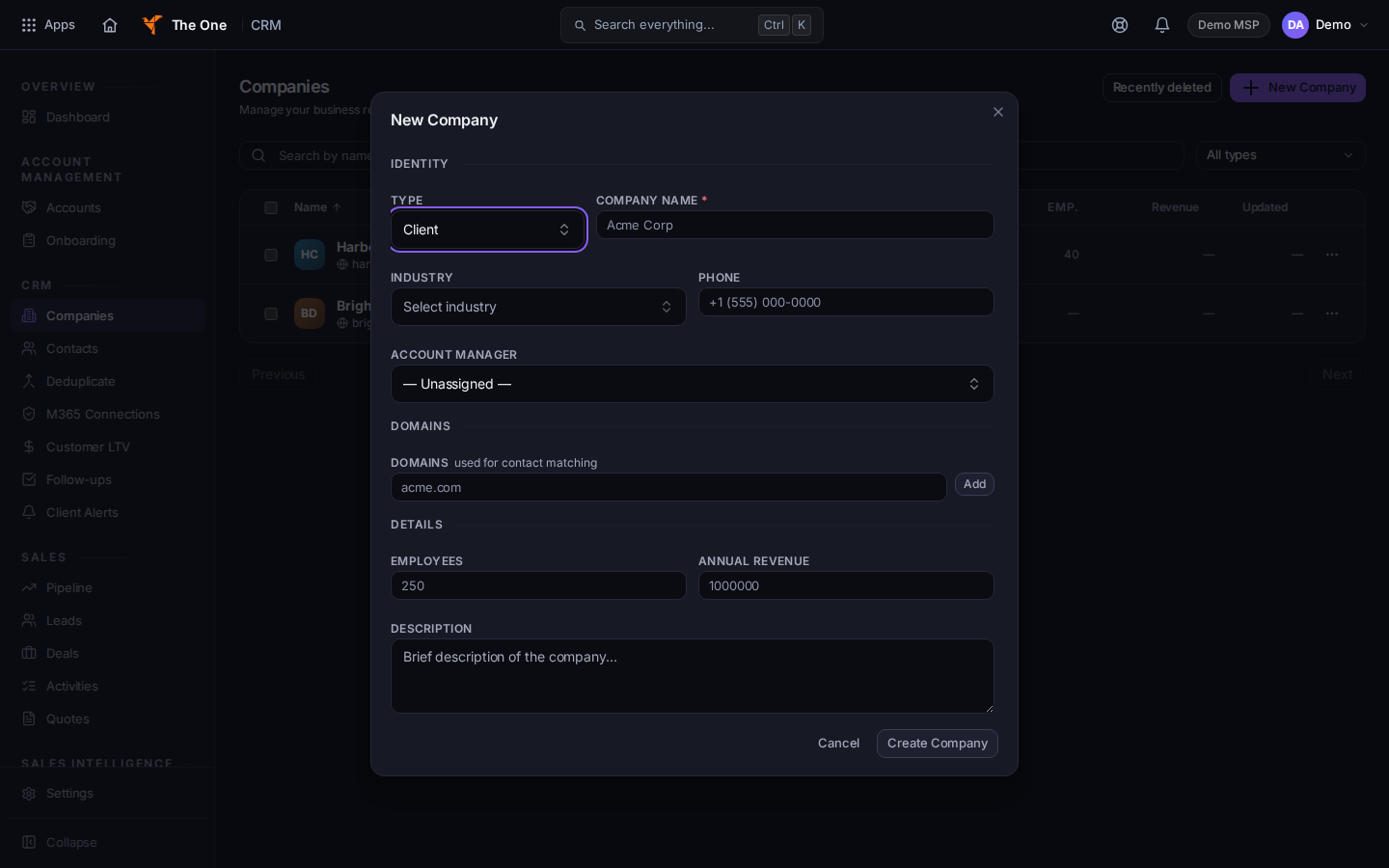
New Company, with Type and Company Name
Sample records for Demo MSP.
- Set Type to Client, Prospect, Vendor, or Partner. Company Name is required.
- Add Industry, Phone, Account Manager, and Domains when you have them. Domains is used for contact matching. Choose Add after each domain.
- Choose Create Company.
Only a Client company can sign in to the client portal. For any other type the dialog says Contacts at this company will not be able to sign in to the client portal, and Only Client companies can sign in to the client portal.
If the name matches a company you already have, the dialog becomes Potential Duplicates Found. Choose View to open the existing row, or Create Anyway to keep the new one.
If it goes wrong#
- Name is required. Fill Company Name.
- That does not look like a phone. The phone line says to leave it blank if you do not have one. Phone is optional.
- No companies found. Clear the search. The empty list says Add your first company to get started when the organization has none.
- CRM is missing. Your organization does not include CRM, or your role cannot open it. Ask an admin.
What's next#
Was this article helpful?