
Log an activity
Record a call, email, meeting, note, or task on Sales Activities.
Applies to Technician Admin
An activity is a note of a conversation or a task. Log one so the next person sees what already happened.
The list is under Sales. The settings page of the same name only sets types and durations. Do not use settings to log a call.
Log it#
- Open CRM, then Sales, then Activities.
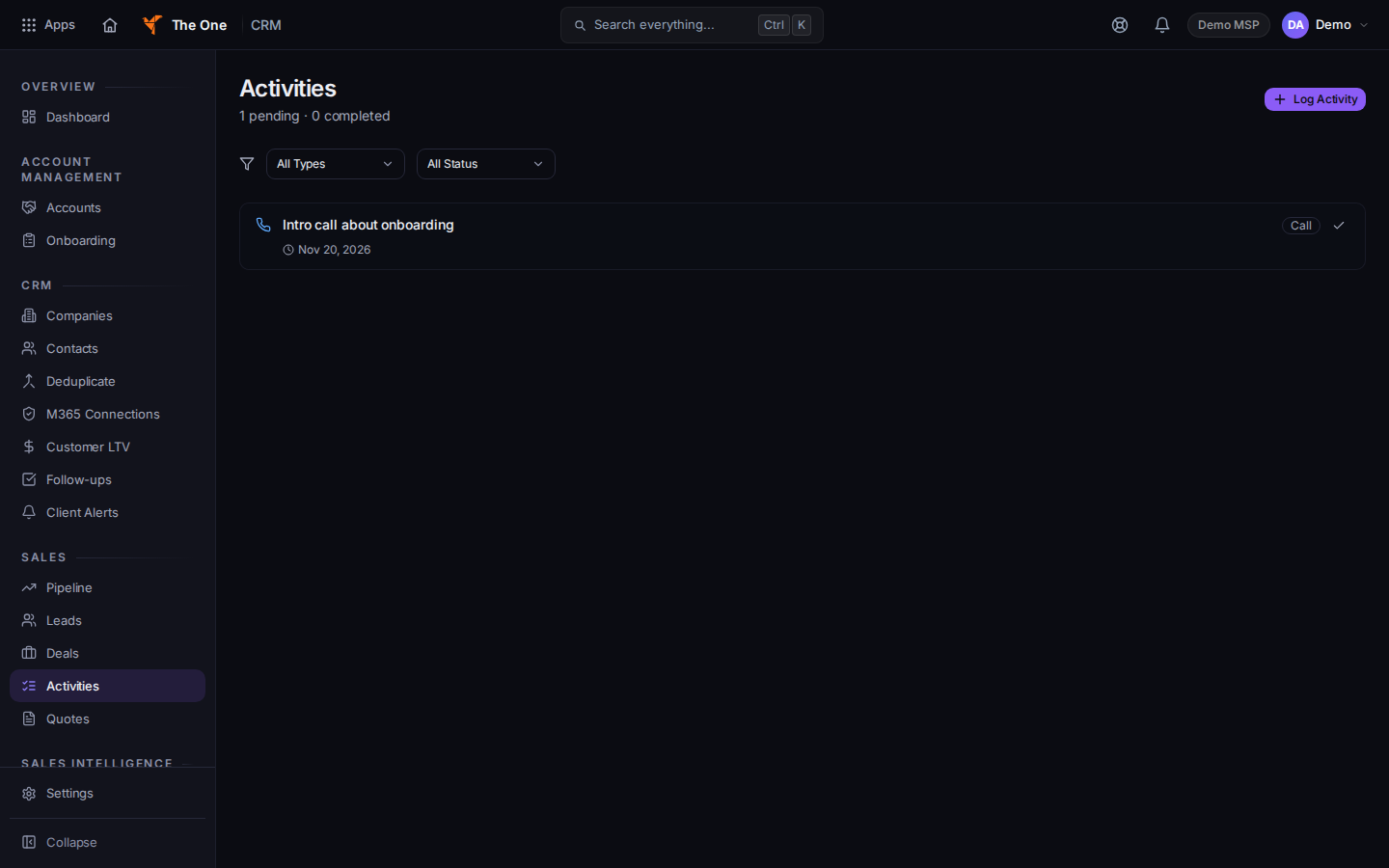
Activities, with Log Activity
Sample records for Demo MSP.
- Choose Log Activity. The dialog title is Log Activity.
- Set Type to Call, Email, Meeting, Note, or Task. Subject is required. Due Date, Notes, and Company are optional.
- Choose Log Activity. While it saves, the button says Saving....
- To finish an open item, choose Mark complete on that row.
You can also log from a company or a contact. Open the record, then Log Activity.
If it goes wrong#
- Log Activity stays disabled. Subject is empty. The placeholder is What happened?.
- You opened Settings, then Activities. That page sets types and default durations. Return to Sales, then Activities.
- You cannot see Activities. Your role cannot open CRM Sales. Ask an admin.
What's next#
Was this article helpful?