
Move a deal on the pipeline
Use the Sales Pipeline board to see deals by stage and start a new one.
Applies to Technician Admin
Pipeline is the board of open deals. Deals is the list. Stages and win or loss reasons are set in settings, not on this board. See Set deal stages.
Use the board#
- Open CRM, then Sales, then Pipeline.
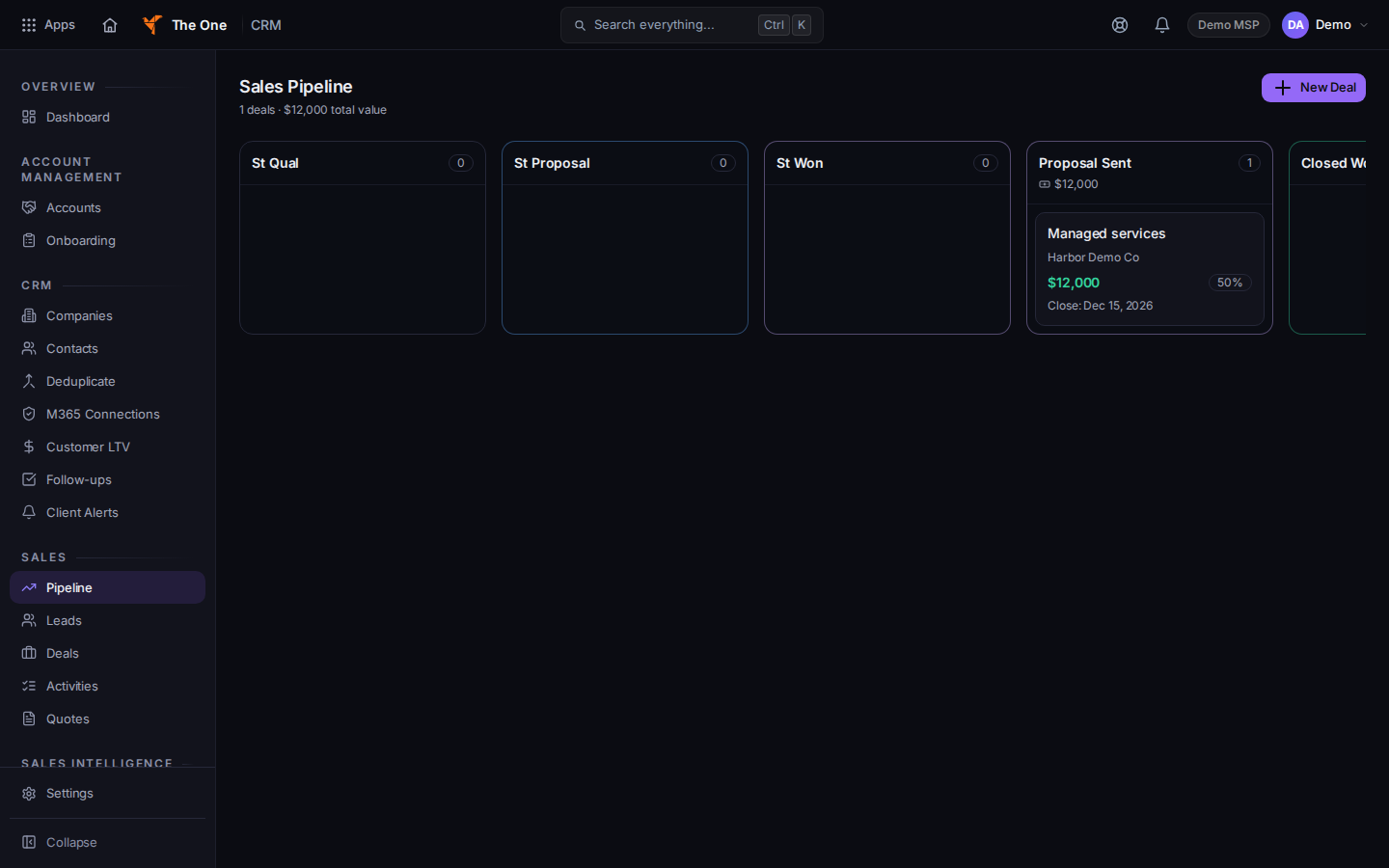
Sales Pipeline board
Sample records for Demo MSP.
- The page title is Sales Pipeline when the board has loaded. Each column is a stage.
- Open a card to work the deal. Drag is how a card changes stage when the board offers it.
- Choose New Deal to add one from this page. The dialog is the same New Deal as on Deals.
- An empty board says No deals yet and offers New Deal.
If it goes wrong#
- Couldn't load pipeline. Retry on that message.
- A column you expected is missing. Stages come from Pipeline in settings, plus any stage already on a deal. Ask an admin to add the stage. See Set deal stages.
- The amount looks unset. The card says so when no value is stored. Open the deal and set Value and Currency together.
What's next#
Was this article helpful?