
Open CRM settings
Use the settings gear for pipeline, fields, tags, workflows, mailbox sync, and portal permission sets.
Applies to Admin Owner
CRM settings are for admins and owners. The sidebar does not list Settings. The Hub gear at the bottom of the CRM sidebar is the only entry.
Open it#
- Open CRM.
- Choose the settings gear.
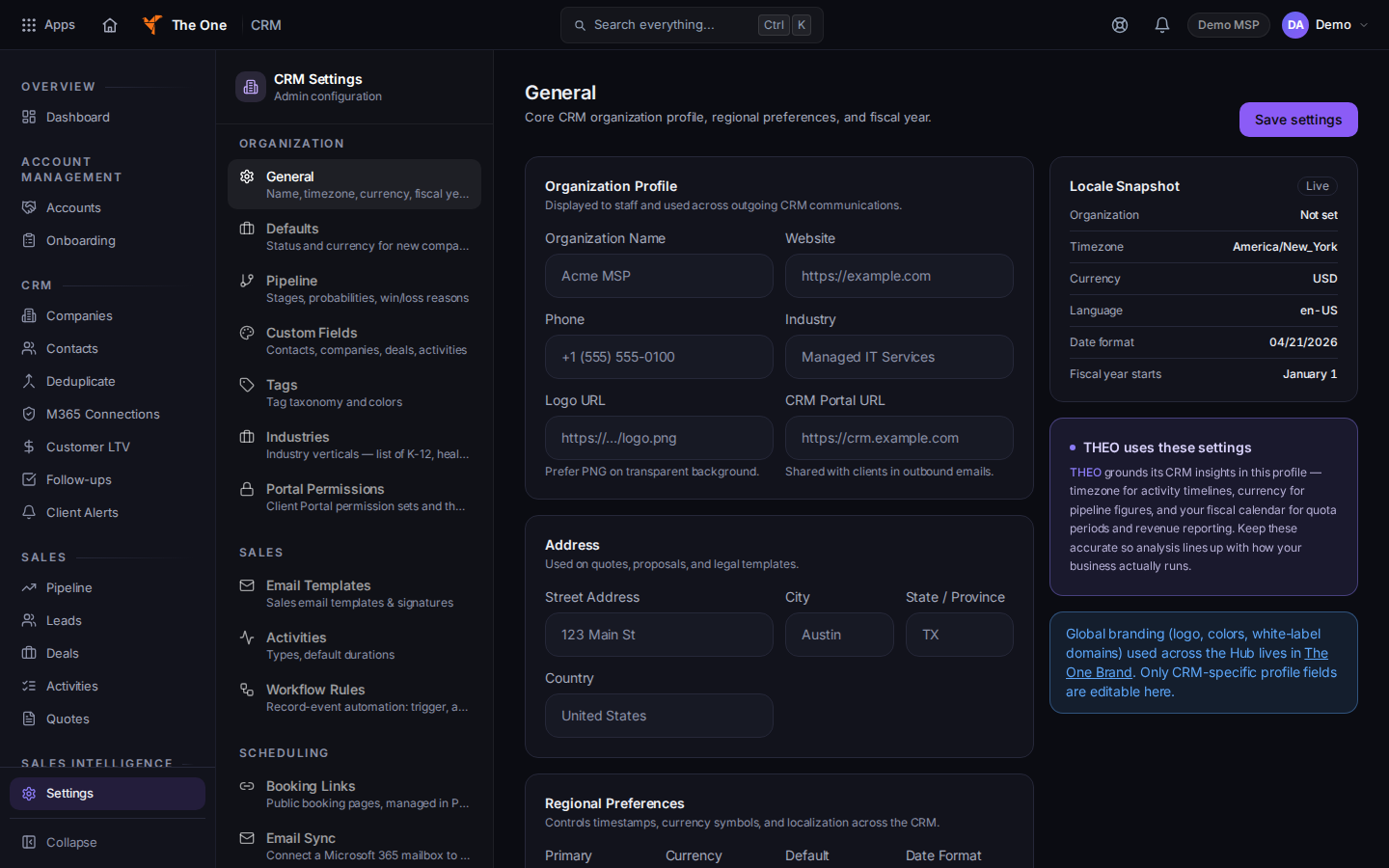
CRM Settings, with General selected
Sample records for Demo MSP.
- The heading is CRM Settings. The line under it is Admin configuration.
- Use the group that matches the job.
- Organization: General, Defaults, Pipeline, Custom Fields, Tags, Industries, Portal Permissions.
- Sales: Email Templates, Activities, Workflow Rules.
- Scheduling: Email Sync.
- Data: Import / Export.
- General is name, timezone, currency, and fiscal year. Defaults is the status and currency for new companies.
A technician who opens the address sees You don't have access to CRM Settings.
If it goes wrong#
- The gear is missing. You are not an admin or owner for this organization. Ask an owner.
- A bookmark lands on General. An old settings address redirects there. Use the list on the left for the page you wanted.
- There is no Goals page and no Calendar page. Those settings are not offered. Booking links are not available yet.
What's next#
Was this article helpful?