
Connect a mailbox
Connect a Microsoft 365 mailbox so email is logged on company and contact timelines.
Applies to Admin Owner
Email sync logs messages from a Microsoft 365 mailbox onto the company and contact timeline. It does not import contacts from that mailbox.
Connect it#
- Open the settings gear, then Email Sync. The page title is Email Sync.
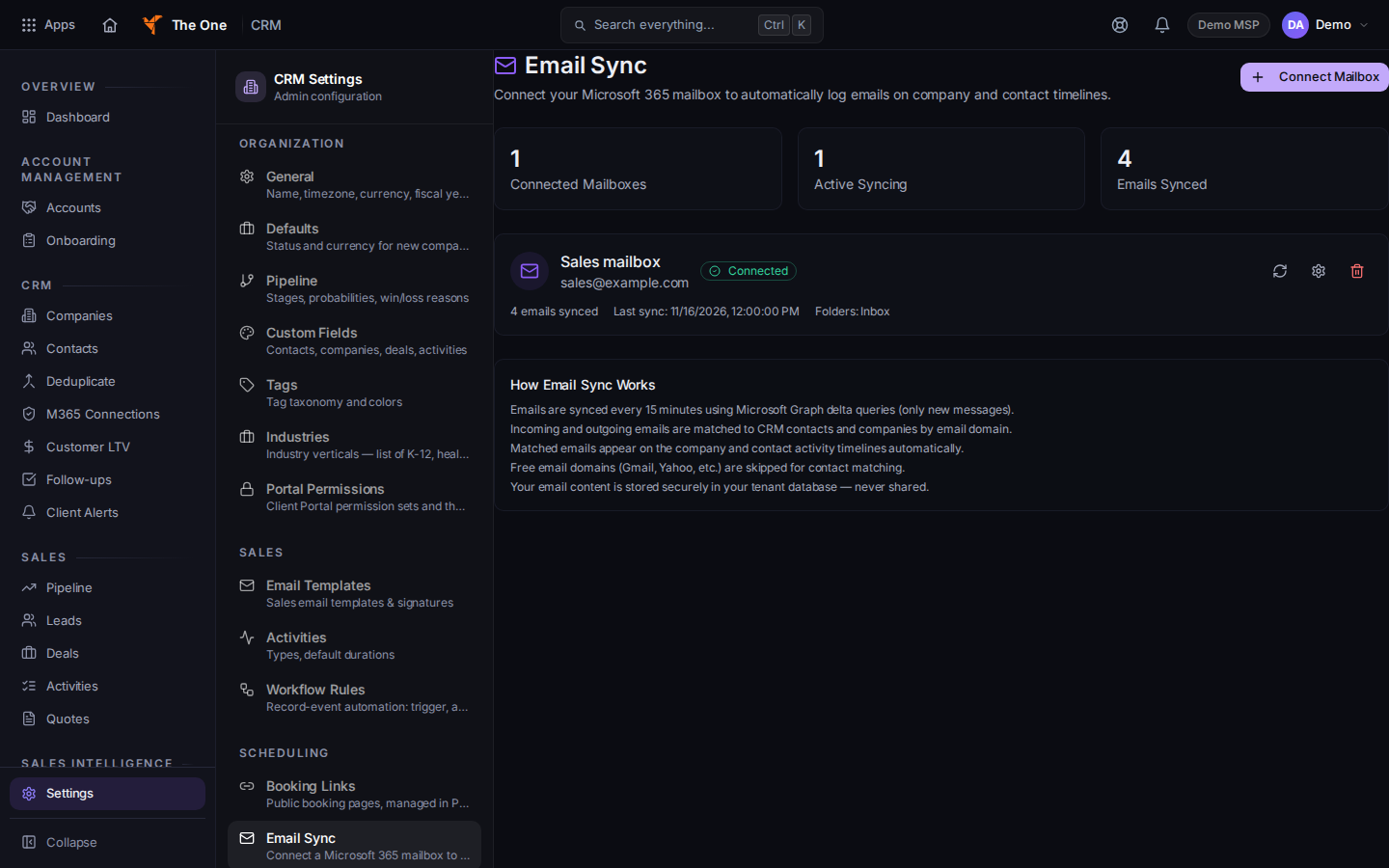
Email Sync, with Connect Mailbox
Sample records for Demo MSP.
- Choose Connect Mailbox. On an empty page the button is Connect Your First Mailbox, under No mailboxes connected.
- Sign in at Microsoft and accept the request. When it works, CRM says Email connected!
- A connected mailbox shows Connected, Syncing, Error, or Disabled.
- Sync now runs a sync. The gear on the row opens Mailbox Settings, including Sync Enabled.
- Disconnect asks Disconnect mailbox? Already-synced emails are kept. Confirm with Disconnect. The page then says Mailbox disconnected.
If it goes wrong#
- Mailbox connection isn't set up yet. Microsoft 365 mailbox connection is not turned on for this service. The page says to contact support. Retrying will not connect it.
- Couldn't start the mailbox connection. Try again in a moment. If you are not an admin or owner, ask one. The page can also say Connection failed or Failed to connect mailbox.
- Sync failed. Choose Sync now again after the mailbox shows Connected.
- Couldn't load mailboxes. Retry on that message.
What's next#
Was this article helpful?