
Open E-Sign from CRM
Open Envelopes, Templates, Documents, and Signing Analytics when your organization has E-Sign.
Applies to Technician Admin
E-Sign management sits inside CRM when your organization has E-Sign. If the organization does not, the E-Sign section is not in the sidebar. Typing the address does not turn the product on.
Sending a document is the same job as in the E-Sign guide. See Send a document for signature.
Open it#
- Open CRM.
- Under E-Sign, choose Envelopes, Templates, Documents, or Signing Analytics.
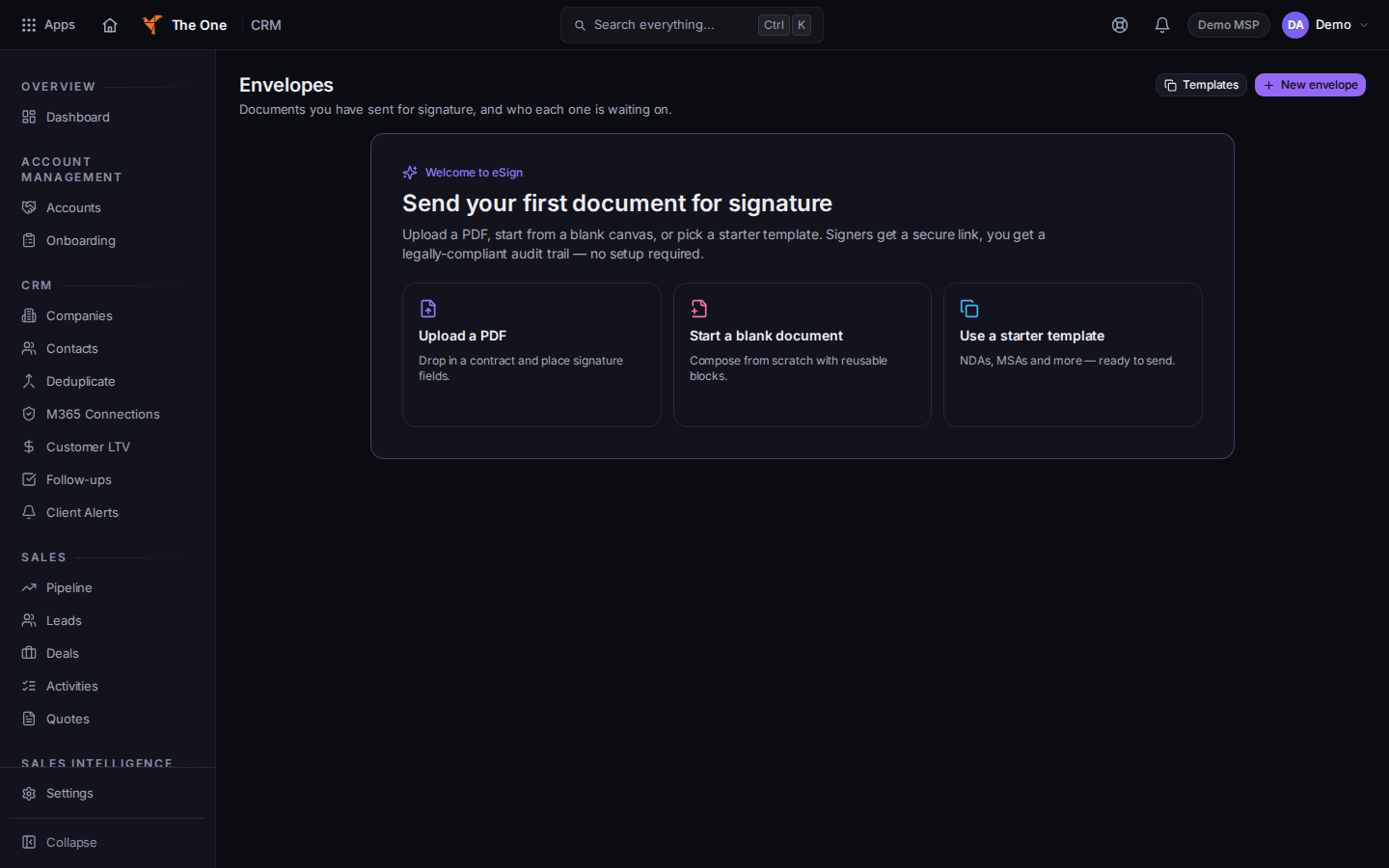
E-Sign envelopes inside CRM
Sample records for Demo MSP.
- If the page says Loading E-Sign… and then refuses, your organization does not have E-Sign. Ask an admin.
A quote is not an envelope. Create the quote first if you need one. See Create a quote.
If it goes wrong#
- E-Sign is missing from the sidebar. The organization does not have that product. CRM itself can still be open.
- You expected a public signing page from a proposal. Proposals stay out of the sidebar until there is data. Use Envelopes for a document you send now.
What's next#
Was this article helpful?