
Start using CRM
On a new organization, import a CSV, add a deal, or connect a mailbox.
Applies to Technician Admin
A new CRM shows Welcome aboard and Set up your CRM until the organization has a company, a contact, a deal, or a synced mailbox.
Use whichever step you actually need. Nothing is scored, and nothing is marked done for you.
Start#
- Open CRM. You land on Dashboard.
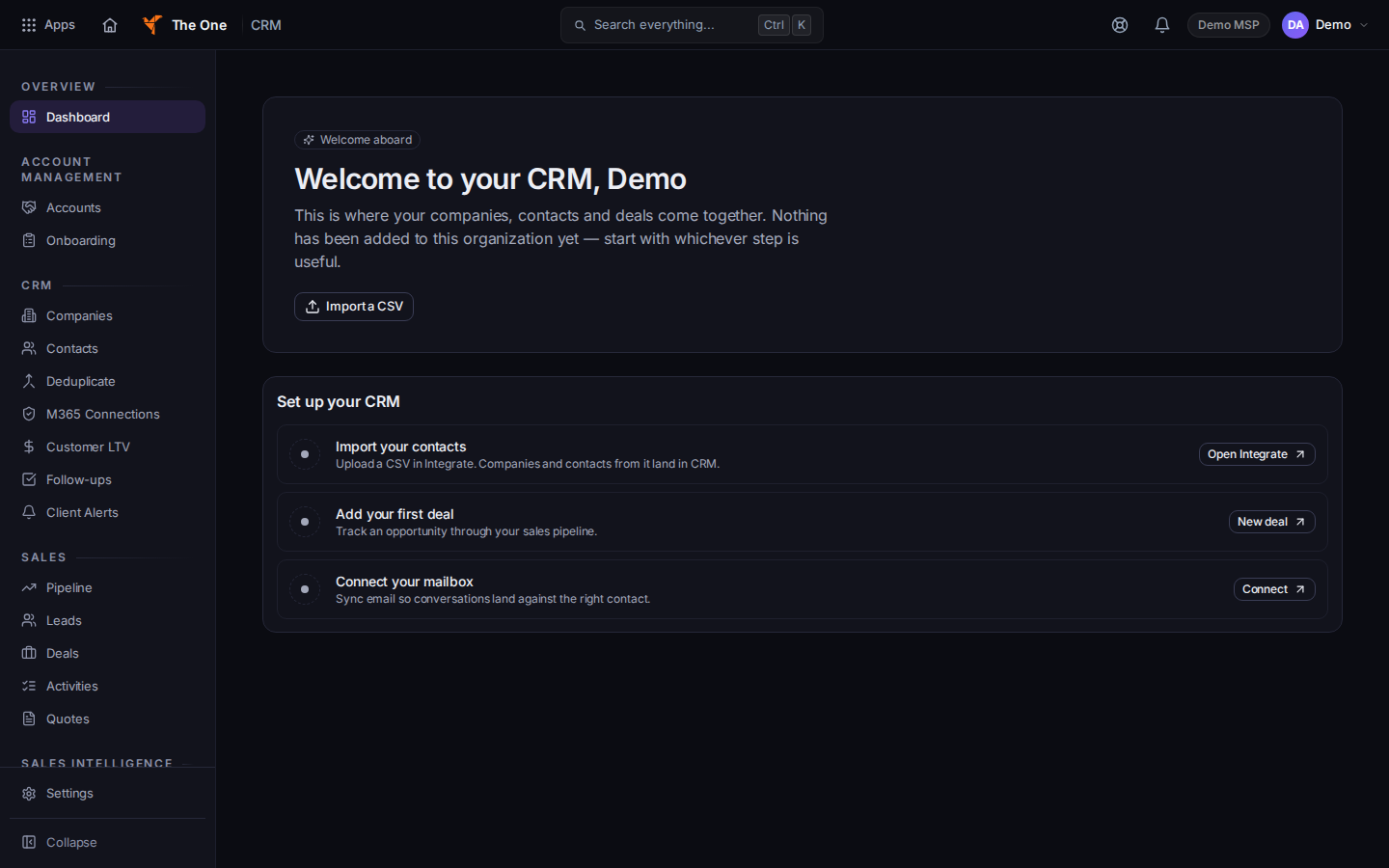
Welcome aboard and Set up your CRM
Sample records for Demo MSP.
- Choose one of these:
- Import a CSV, or Open Integrate on Import your contacts. Companies and contacts from that file land in CRM. See Import companies and contacts.
- New deal on Add your first deal. See Open a deal.
- Connect on Connect your mailbox. See Connect a mailbox.
- When the organization already has records, the dashboard shows Recent companies and Recent deals instead of the welcome.
If it goes wrong#
- Couldn't load dashboard. Choose the retry on that message. If it stays, ask an admin whether CRM is on for your organization.
- You do not see Welcome aboard. The organization already has data. Use Find a company.
What's next#
Was this article helpful?