
Merge duplicate records
Scan for duplicate companies and contacts, then merge a pair your lead has approved.
Applies to Admin Technician
A duplicate company splits tickets, deals, and portal access across two records. Deduplicate finds likely pairs. It does not merge them until you choose Merge.
Merge#
- Open CRM, then Deduplicate. The page title is Deduplication.
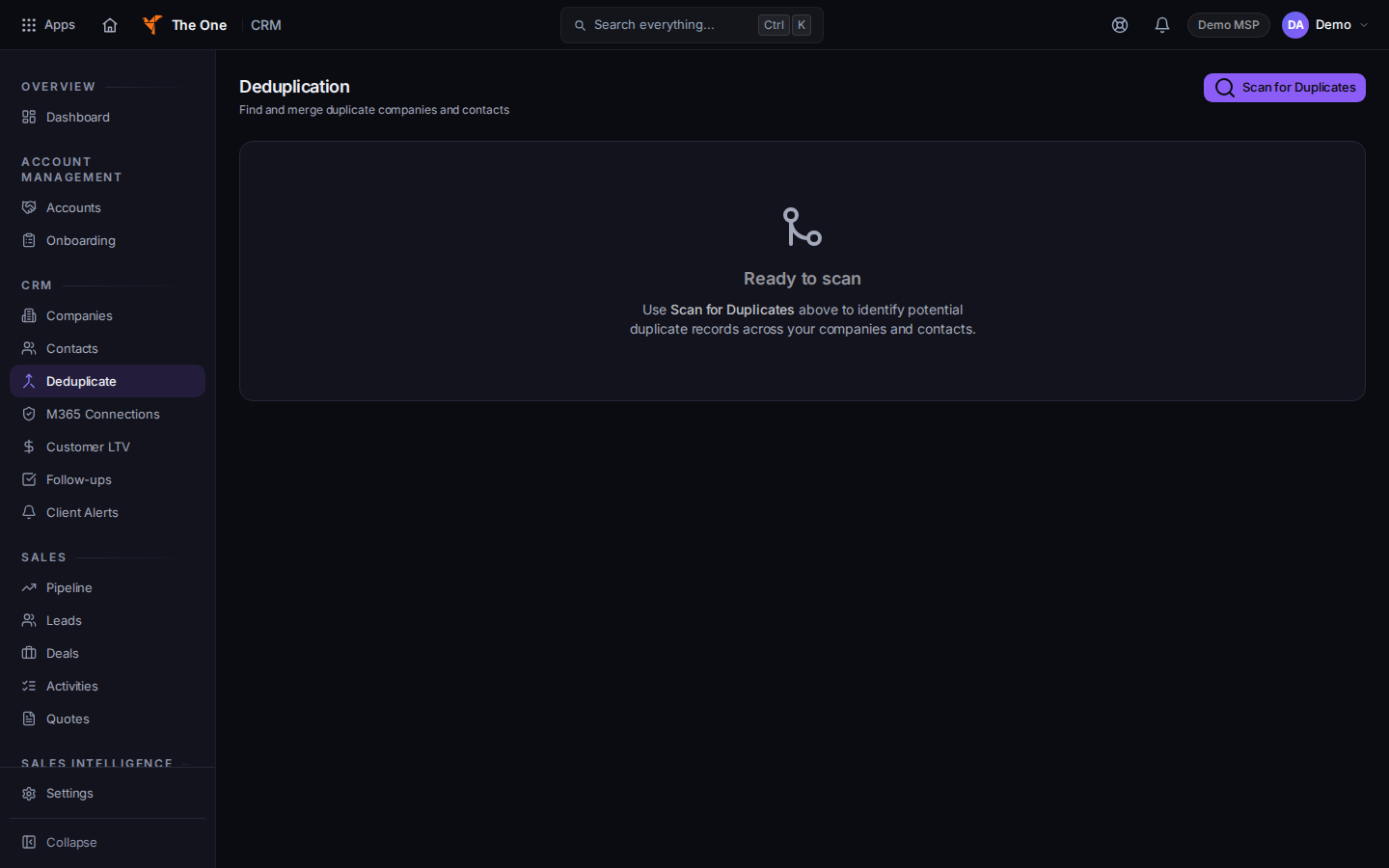
Deduplication, with Scan for Duplicates
Sample records for Demo MSP.
- Choose Scan for Duplicates. While it runs, the button says Scanning.... The empty state says Ready to scan and tells you to use Scan for Duplicates.
- Read each group. Choose Merge on the pair you were told to merge.
- The page says Merged and the count when it finishes. If it refuses, the message is Merge not performed.
If it goes wrong#
- Merge not performed. Nothing was merged. Read the message, then scan again. Do not merge a second pair to force the first.
- You are not sure which row to keep. Stop. Ask your lead. A merge is not undone from this page.
What's next#
Was this article helpful?