
Read a company record
Use the company tabs for people, sales, service, money, sites, and activity.
Applies to Technician Admin
The company page is the one record for that client. PSA, projects, and the portal read it. Change a name or a phone number here, not on a ticket.
Read it#
- Open CRM, then Companies, and open the row.
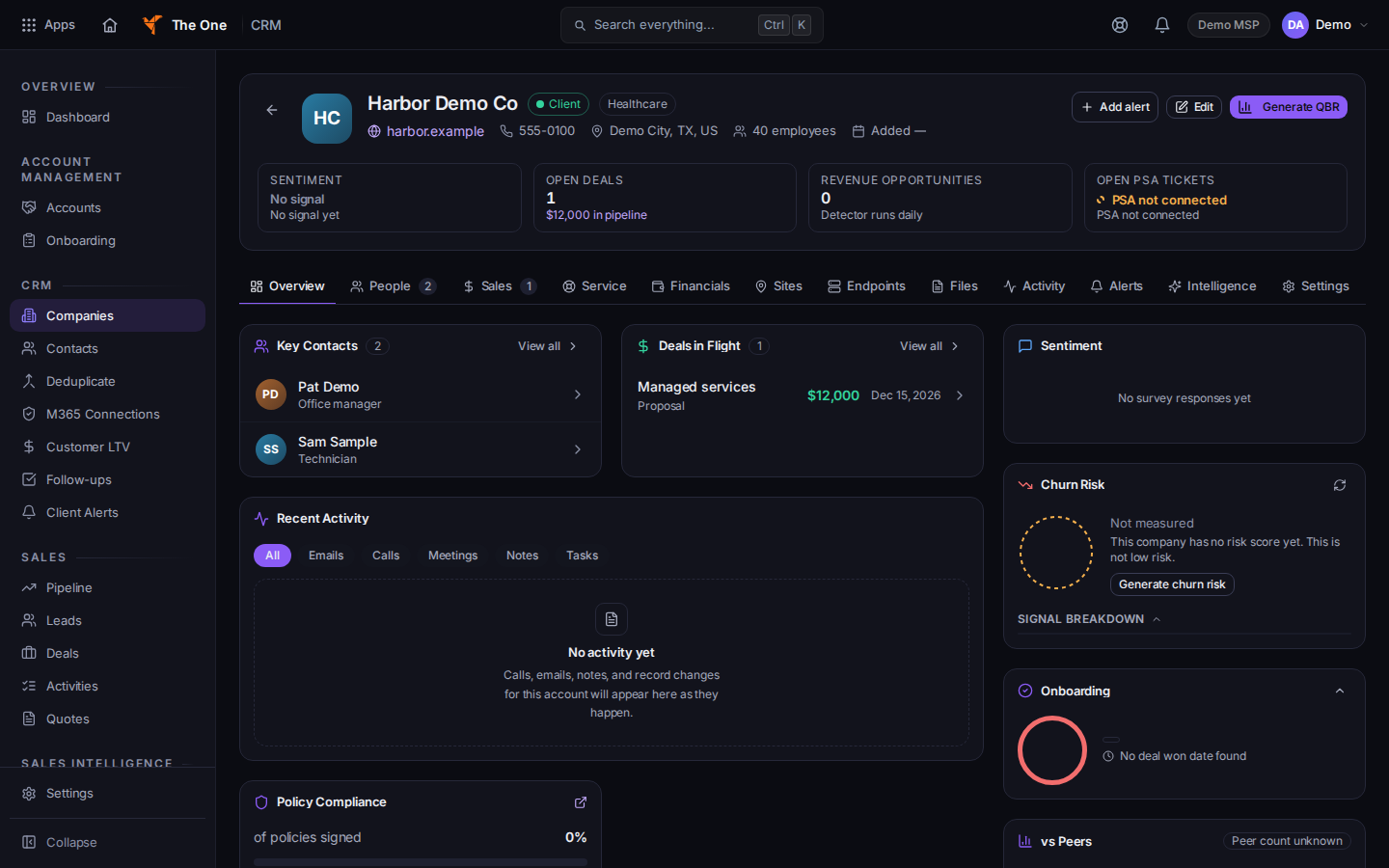
Company tabs, starting with Overview
Sample records for Demo MSP.
- Use the tabs. A hidden tab is not a broken page.
- Overview is the summary.
- People opens on Contacts. Relationships is the map of people. Students appears only when the company is a school.
- Sales opens on Deals. Opportunities is the other view.
- Service holds Tickets, Projects, Assets, Security, Compliance, and Training.
- Financials holds Contracts, Billing & AR, Autopay, and Licenses.
- Sites, Endpoints, and Files are their own tabs.
- Activity holds Unified Timeline, Notes, Activity Log, Communications, and PSA Activity.
- Alerts and Intelligence (Briefing, Sentiment, Benchmark, Strategy) are their own tabs.
- HCP / Portal appears only when this company is a portal client.
- Settings holds General, Groups, and Access & Products.
- A banner on the company tells you whether its contacts can sign in. Only a Client company can. The line is Contacts at this company cannot sign in to the client portal when they cannot.
If it goes wrong#
- A deal is missing from Sales. The deal has no company, or the company on the deal does not resolve. Open the deal and set Company. The deal list marks a deal that is not linked.
- HCP / Portal is missing. The company is not a portal client. Set Type to Client on the company, then look again.
- You edited the name on a ticket. Change it on this record so PSA, billing, and the portal see the same name.
What's next#
Was this article helpful?