
Uninstall the agent
Remove the endpoint agent with the command on Agent Installer, then delete or restore the record if you need to.
Applies to Technician Admin
Uninstall runs on the computer. Agent Installer shows one command per operating system. You do not need a token. The command removes the agent and tells the service to stop treating the computer as online.
A later install with a new token is a new enrollment. Installing again over an agent that is still there keeps the same device.
Remove it#
- Open RMM, then Add device, so you are on Agent Installer.
- Scroll to Uninstall & clean reinstall.
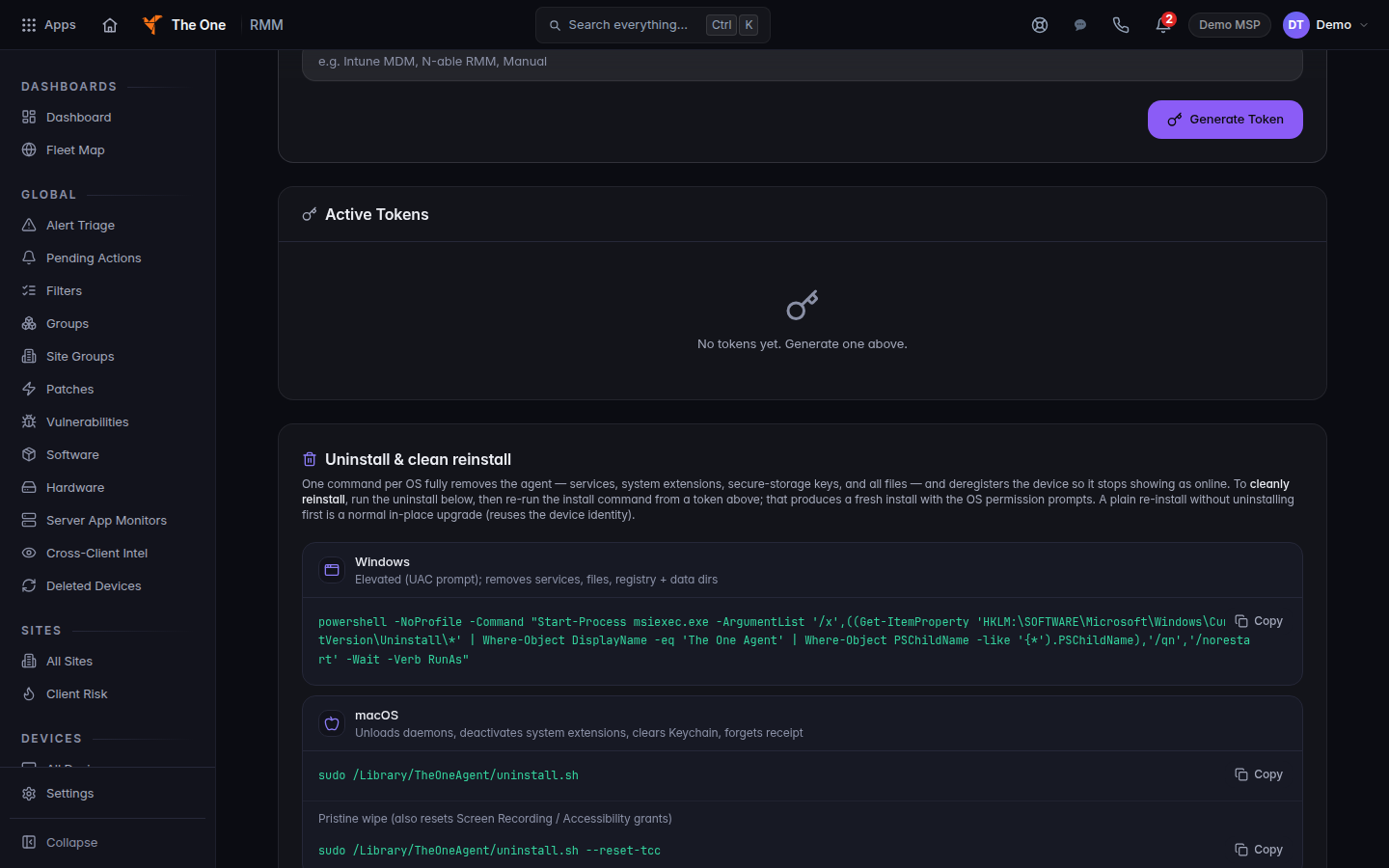
Uninstall and clean reinstall commands
Uninstall and clean reinstall on Agent Installer. Copy the command for that operating system.
- Copy the command for that operating system and run it on the computer.
macOS
sudo /Library/TheOneAgent/uninstall.shPristine wipe (also resets Screen Recording / Accessibility grants) adds --reset-tcc to that command. Use it when the Mac should ask for screen recording and accessibility again on the next install.
Debian or Ubuntu
sudo apt-get purge -y theoneagentRHEL, Rocky, or Alma
sudo dnf remove -y theoneagentThe page also shows sudo rpm -e theoneagent for the same RPM package.
Windows is one PowerShell command on that page. It finds the installed product named The One Agent and removes it. Copy that block. Do not type a product code by hand.
After it is gone#
The computer should stop showing as online. The row can remain in All Devices until an owner or admin deletes it. See Delete a device and restore it.
To put the agent back, mint a new token and run the install command.
If it goes wrong#
- The computer still shows Online. The uninstall did not finish, or the device has not checked in as gone. Run the command again as an administrator, then refresh All Devices.
- A Mac still will not share the screen after reinstall. Run the pristine wipe command, then install again, and accept the permission prompts.
- You only deleted the row in RMM. The software is still on the computer. Run the uninstall command.
What's next#
Was this article helpful?