
Delete a device and restore it
Remove a computer from All Devices. Restore it later from Deleted Devices. This does not uninstall the agent.
Applies to Admin Owner
Delete on a device takes it out of All Devices. The record is kept. You can restore it. Deleting does not remove the agent from the computer. To remove the software, see Uninstall the agent.
Only an owner, an admin, or a platform owner sees Delete.
Delete it#
- Open the device. See Open a device.
- Choose Delete.Screenshot coming
Delete device confirmation
The confirmation dialog is not pictured. Delete is only shown to an owner or an admin, and on the device header next to Remote it did not open this dialog. The list you restore from is in the next section.
- The dialog title is Delete and the device name. Choose Delete device. Cancel leaves the record in place. While it saves, the button reads Deleting….
The success note says the device was removed from RMM and that you can restore it from Deleted Devices.
On All Devices, select rows and choose Delete for more than one. The dialog title is Delete and the count. The same soft-delete applies.
Shut down on that bulk bar is offered and then refused. Do not use it to power a computer off.
Restore it#
- Open RMM, then All Devices, then Deleted. The title is Deleted Devices.
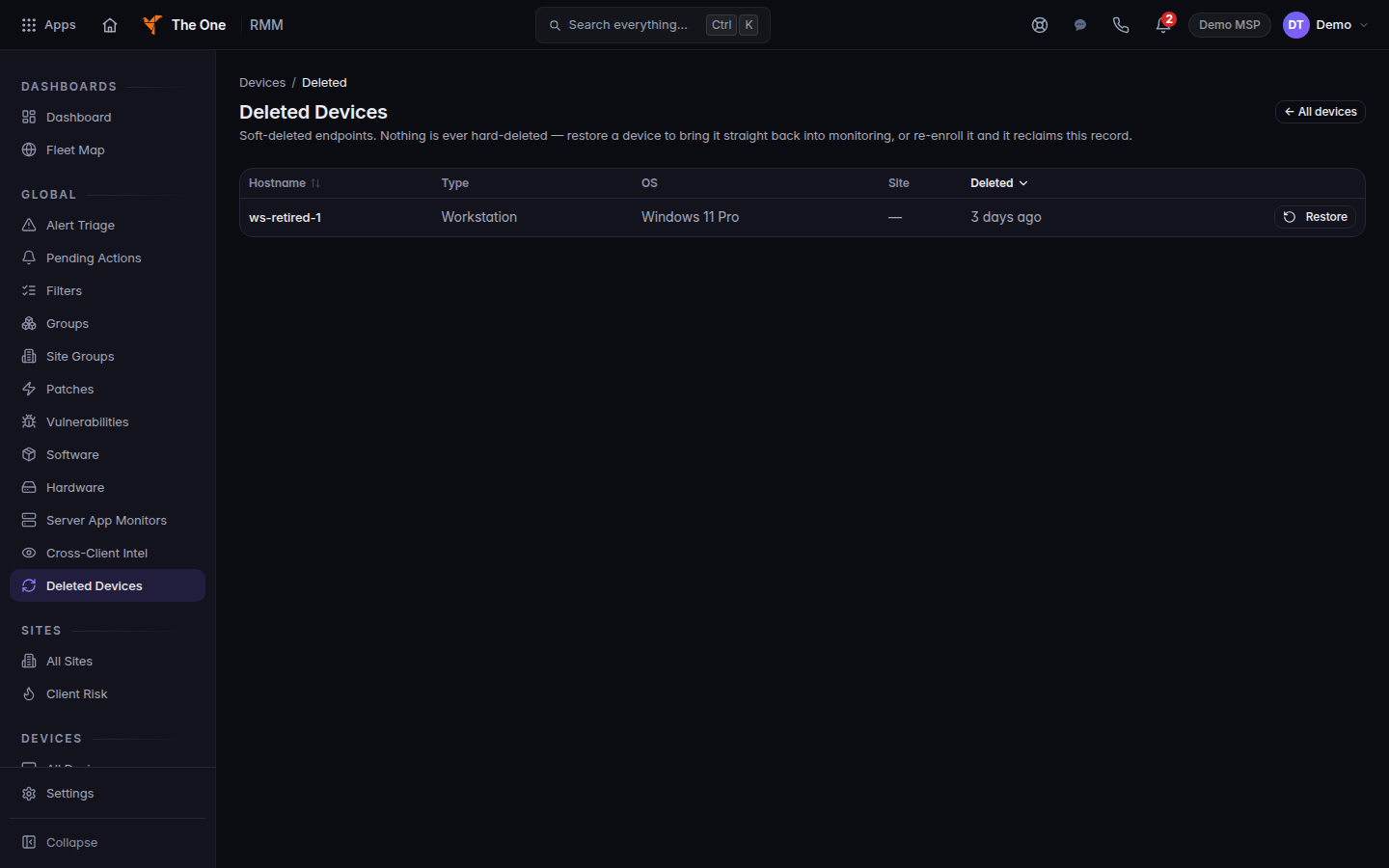
Deleted Devices, with Restore
Deleted Devices, with Restore on the row. This does not uninstall the agent.
- Choose Restore on the row.
- The success note says the device is back in monitoring.
The page says nothing is hard-deleted. A later install of the agent can reclaim the same record.
If it goes wrong#
- Delete is missing. Your role cannot delete devices. See Who can manage devices.
- Delete failed. The record is still there. Read the message and try again.
- Restore failed. The device is still in Deleted Devices. Try Restore again.
- No deleted devices. Nothing is waiting to restore.
- The computer is still checking in. You deleted the record and left the agent installed. Uninstall the agent, or restore the record.
What's next#
Was this article helpful?