
Use the Phone button
Place and answer calls from the Phone panel in the Hub bar.
Applies to Technician Admin
The Phone button in the Hub bar is the staff softphone. It is not the Devices page, and it is not the client portal.
The panel is labeled Phone. The tabs are Dialpad, Recent, and SMS.
If the panel cannot register because no emergency address is on file, fix that before you place calls. See Add an emergency address. THEO cannot place an emergency call from this panel.
Place or answer a call#
- Choose Phone in the Hub bar.
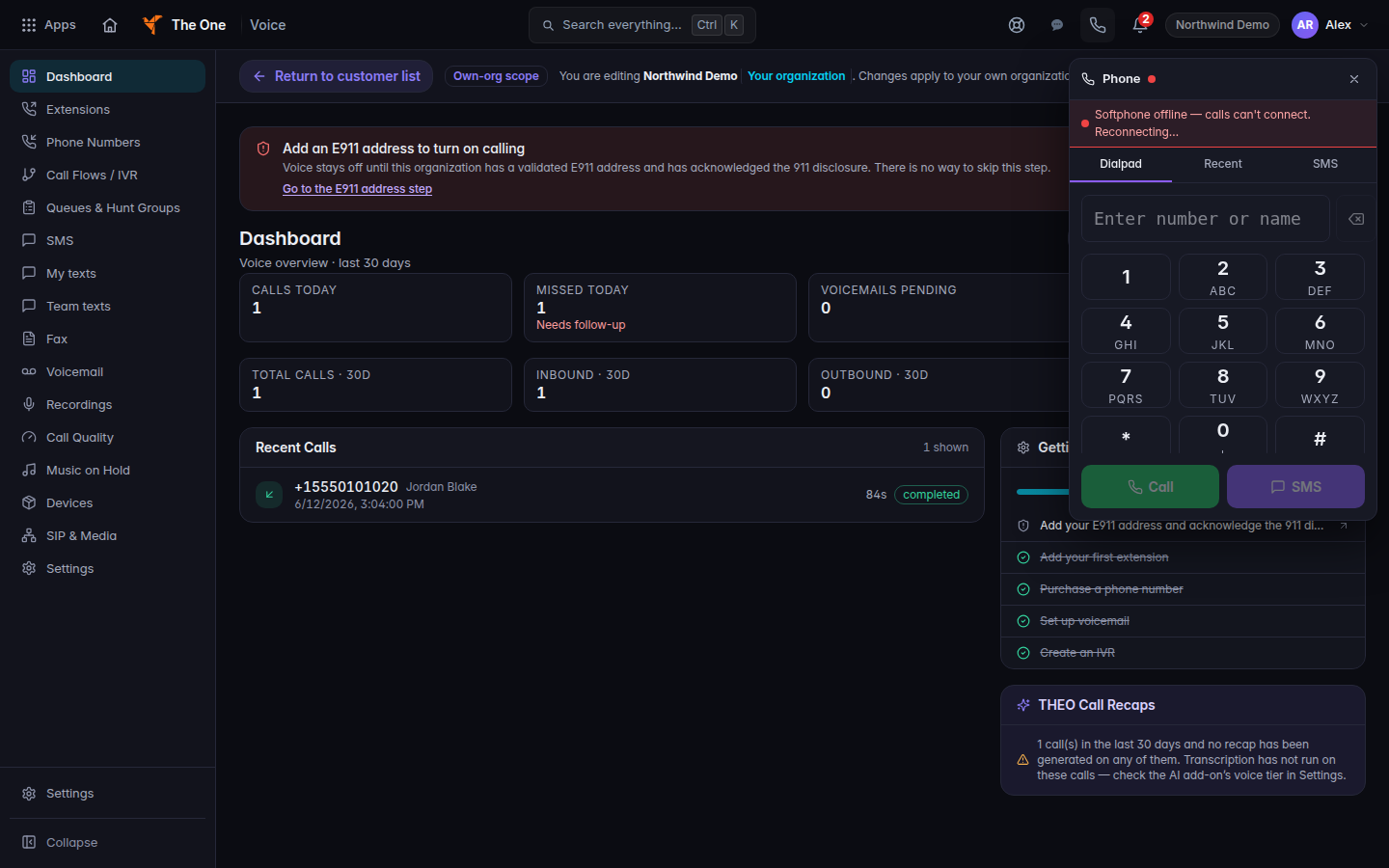
The Phone panel, on the Dialpad tab - On Dialpad, enter the number and choose Call. SMS on that same row opens a text instead of a call.
- On an incoming call, choose Accept or Decline.
- While you are on a call, the controls are Mute or Unmute, Hold or Resume, Transfer, Park, Keypad, and End.
Recent is the short history for this panel. The organization's full list is Read call history.
If it goes wrong#
- Call failed — softphone not connected. The panel is not registered. Wait until it connects, then try Call again.
- The Phone button is missing. Your user has no line, or Voice is off for you. Ask an admin.
- Accept does nothing useful. The call already ended, or the panel lost registration. Look at Recent.
What's next#
Was this article helpful?