
Port a phone number
Submit a port request so a number can move from the current carrier to Voice.
Applies to Admin
Porting moves a number the customer already uses onto Voice. The page title is Number Porting. The description is Transfer your existing phone numbers to Voice.
This page is not in the Voice menu. All Lines / Telco says porting is edited on the customer's Phone Numbers page with Manage. Manage on a number opens routing, not this form. Open Number Porting from that customer's Voice pages. If you cannot see it, your role cannot provision numbers.
Submit the request#
- Open Number Porting for that customer.
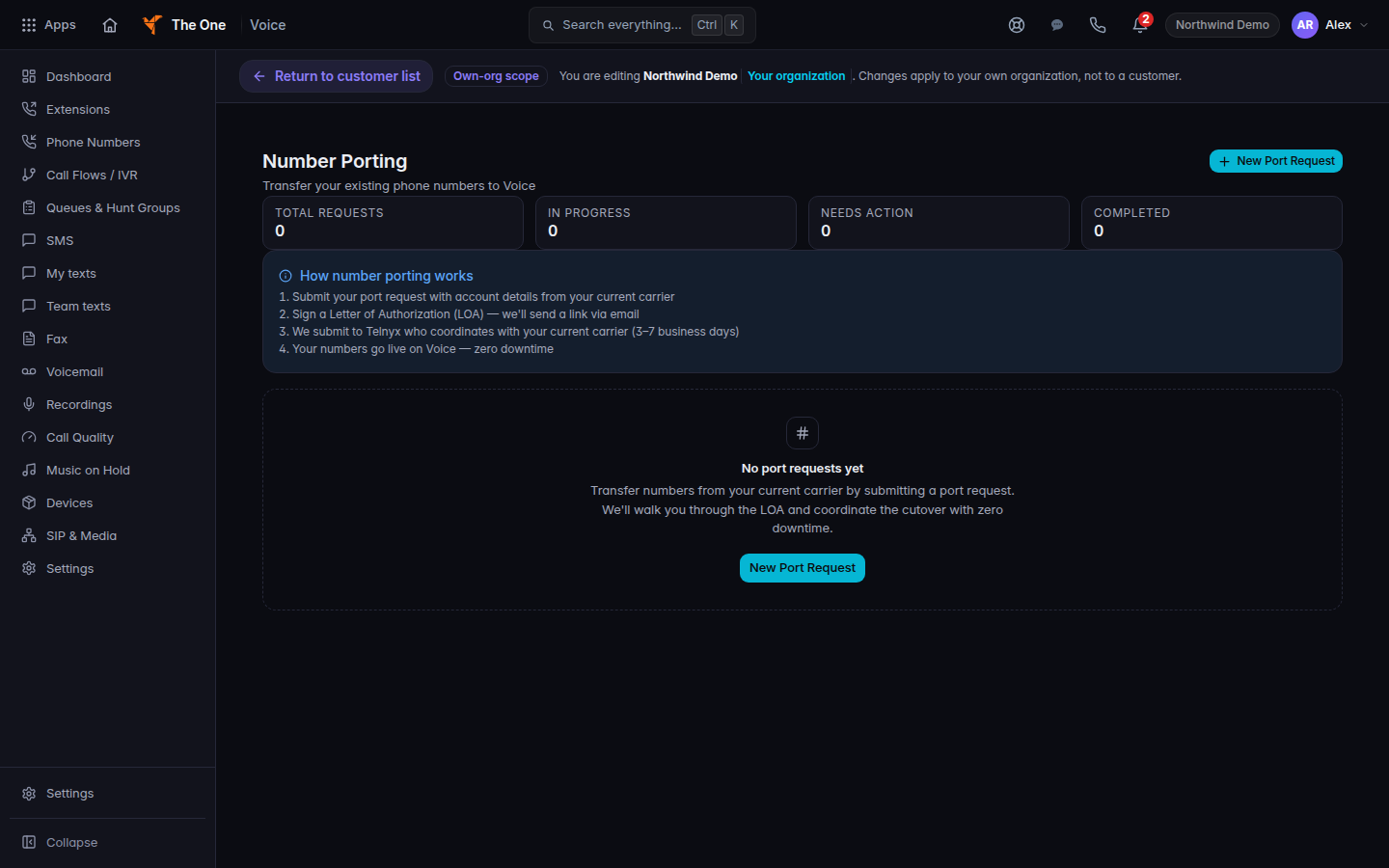
Number Porting, with New Port Request - Choose New Port Request. The dialog title is New port request. The description is Transfer numbers from your current carrier to Voice.
- Fill Numbers to port with one number per line, or separate them with commas.
- Fill Current carrier, Account number, Authorized name, and Service address (street, city, state, and postal code). Account PIN is optional. Desired port date is optional.
- Read the note on the form. It says that after you submit, you need to sign a Letter of Authorization, and that porting typically takes 3–7 business days. That timing is the note on the form.
- Choose Submit request.
An empty list says No port requests yet. How number porting works is the info block on the page.
To stop a request that has not finished, confirm Cancel this port request?. Keep request leaves it. Cancel port request cancels it.
If it goes wrong#
- The page will not open. You are not in a customer, or your role cannot provision numbers. Open the customer from Open Voice, then try again.
- Failed to load port requests. Nothing was submitted. Choose the page again. If it still fails, contact support and name the customer.
- Submit fails. The form keeps the error on the dialog. Fix the field it names. A failed submit is not a port.
What's next#
Was this article helpful?