
Build a call flow
Build the menu callers hear, and save it on Call Flows / IVR.
Applies to Admin
A call flow is the menu and the paths an inbound call follows. The page is Call Flows / IVR. The description is Design how inbound calls are answered and routed.
Where a single number goes during the day, after hours, and on holidays is set on the number, not only in this builder. See Set business hours on a number.
Build the flow#
- Open Call Flows / IVR.
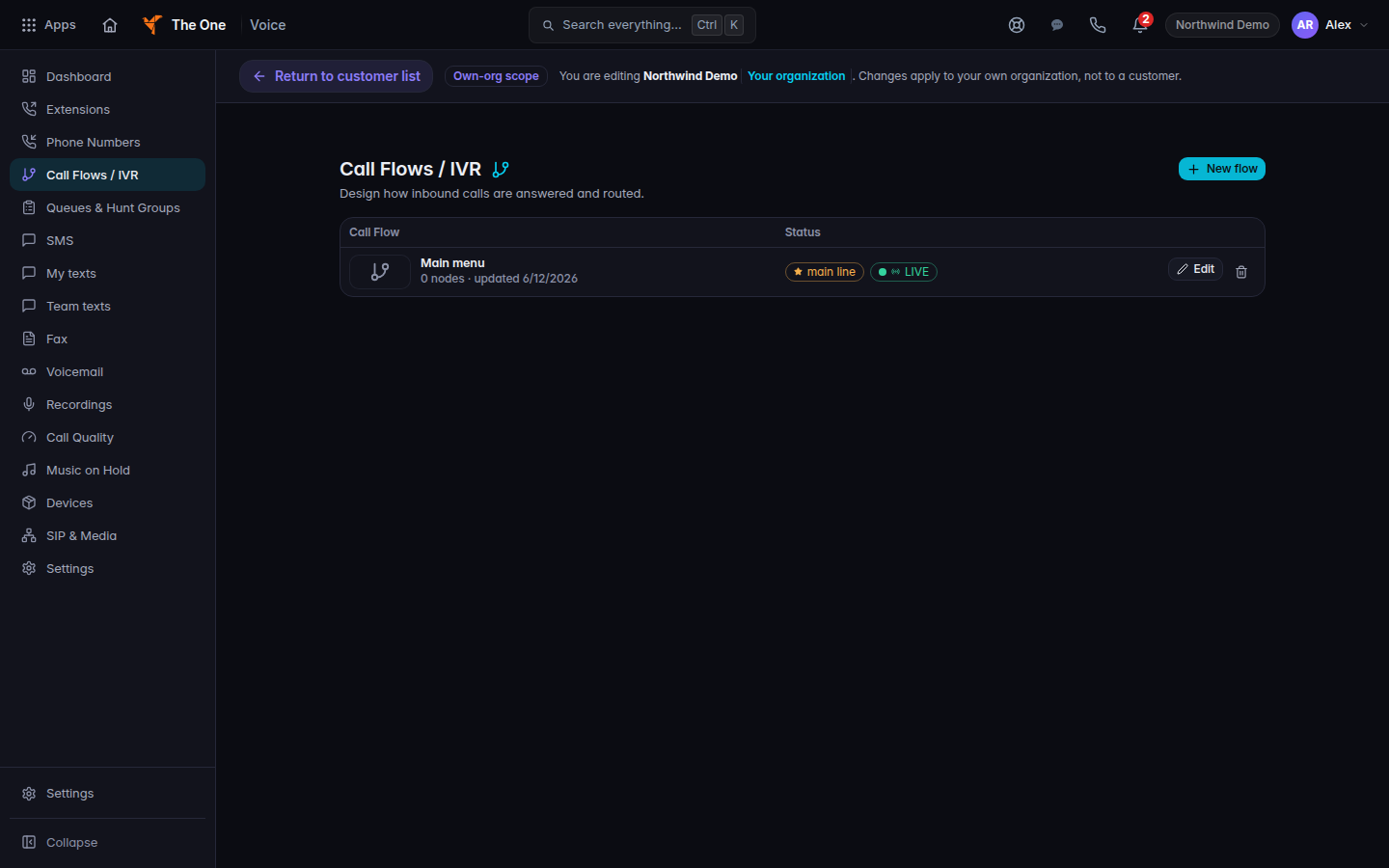
Call Flows / IVR, with New flow - Choose New flow. If there are no flows, the page says No call flows yet. and Start from a template — a working main line takes about a minute. Choose Choose a starting point.
- Lay out the menu. For a prompt you can use Text-to-speech or Audio clip.
- Choose Save. A saved flow shows Saved.
Delete flow removes that flow. Assign the flow to a number from the number's routing, or from the flow, so inbound calls actually use it.
If it goes wrong#
- Save does not stick. Stay on the flow until you see Saved. Leaving before that drops the draft.
- Callers never hear the menu. The number's Inbound call routing still points somewhere else. Open the number and point business hours at this flow.
- Text-to-speech will not preview. Check the prompt text. An empty prompt has nothing to read.
What's next#
Was this article helpful?