
Open Voice
Open the phone system, pick a customer, and start from that customer's menu.
Applies to Admin Technician
Open Voice when you need a client's phone system. The first page is Overview. Per-customer work starts after you pick a customer.
A customer's own admin, with no MSP above them, skips the customer list and lands in their own organization.
Open a customer#
- Open Voice. The first page is Overview.
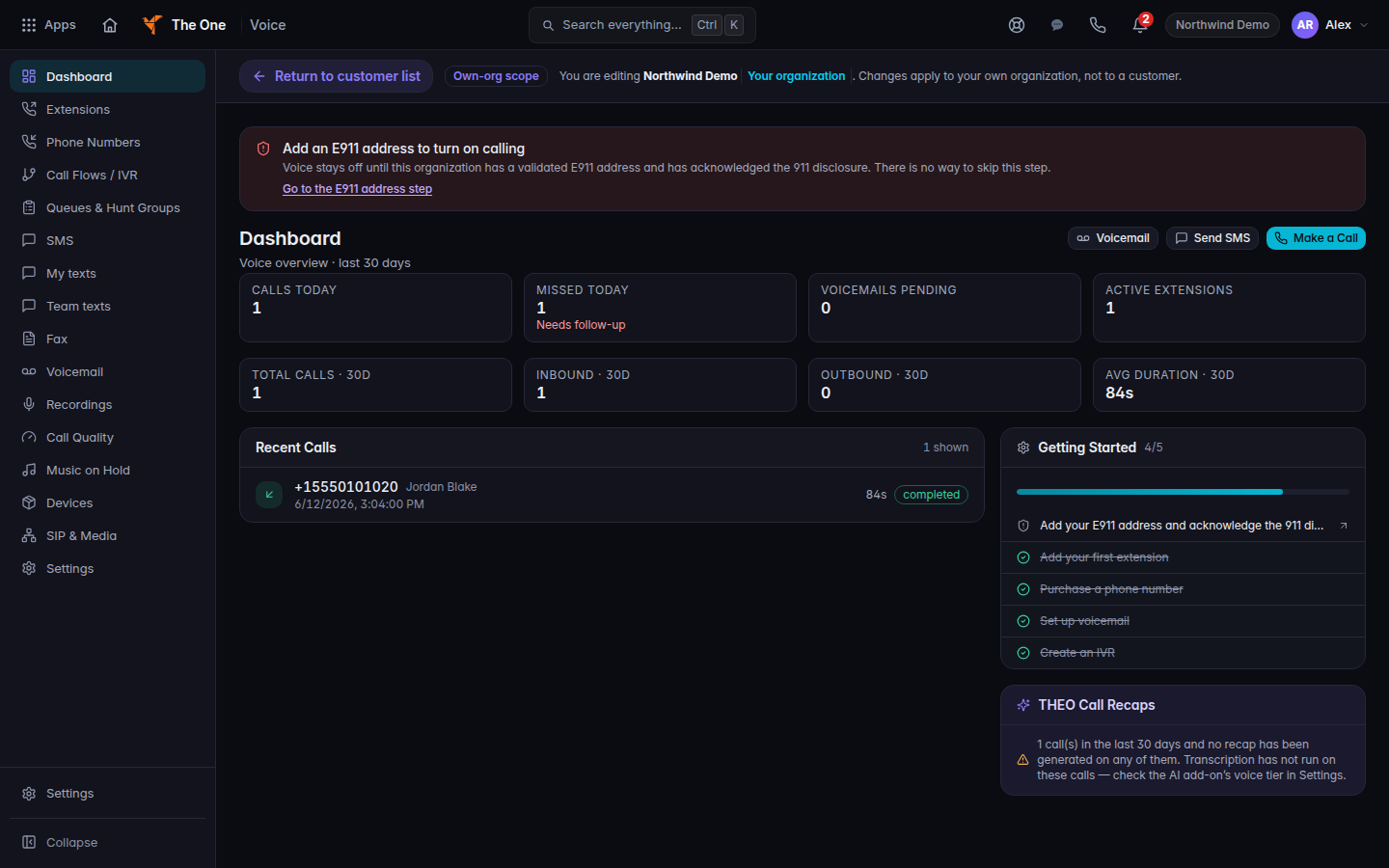
Voice overview, with the customer list control - Choose Customer list, then choose the customer. The bar says to pick a customer before per-customer features unlock.
- Use that customer's menu. Start with Dashboard, Extensions, Phone Numbers, or Call Flows / IVR.
All Lines / Telco is the cross-customer list of numbers. It is for provisioning, assignment, porting oversight, and emergency-address oversight. It is not the page where you edit one customer's routing.
If it goes wrong#
- Voice is missing. Your organization does not include it, or your role cannot open it. Ask an admin.
- The customer list is empty. You may already be inside your own organization. Use the menu you see.
- A page opens and then returns to Dashboard. That address is not a Voice page for this customer. Use the menu.
- Someone asks THEO to call emergency services. THEO cannot do that. Use the phone system the way your lead trained you.
What's next#
Was this article helpful?