
Add a phone number
Search for an available number and add it to the customer you have open.
Applies to Admin
A phone number is the public number people call. Add one when a customer needs a new line. You do this on Phone Numbers, after you have picked the customer.
Porting a number the customer already owns is a different page. See Port a phone number.
Add the number#
- Open Phone Numbers. The page title is Phone Numbers. The description is Provisioned numbers for your organization.
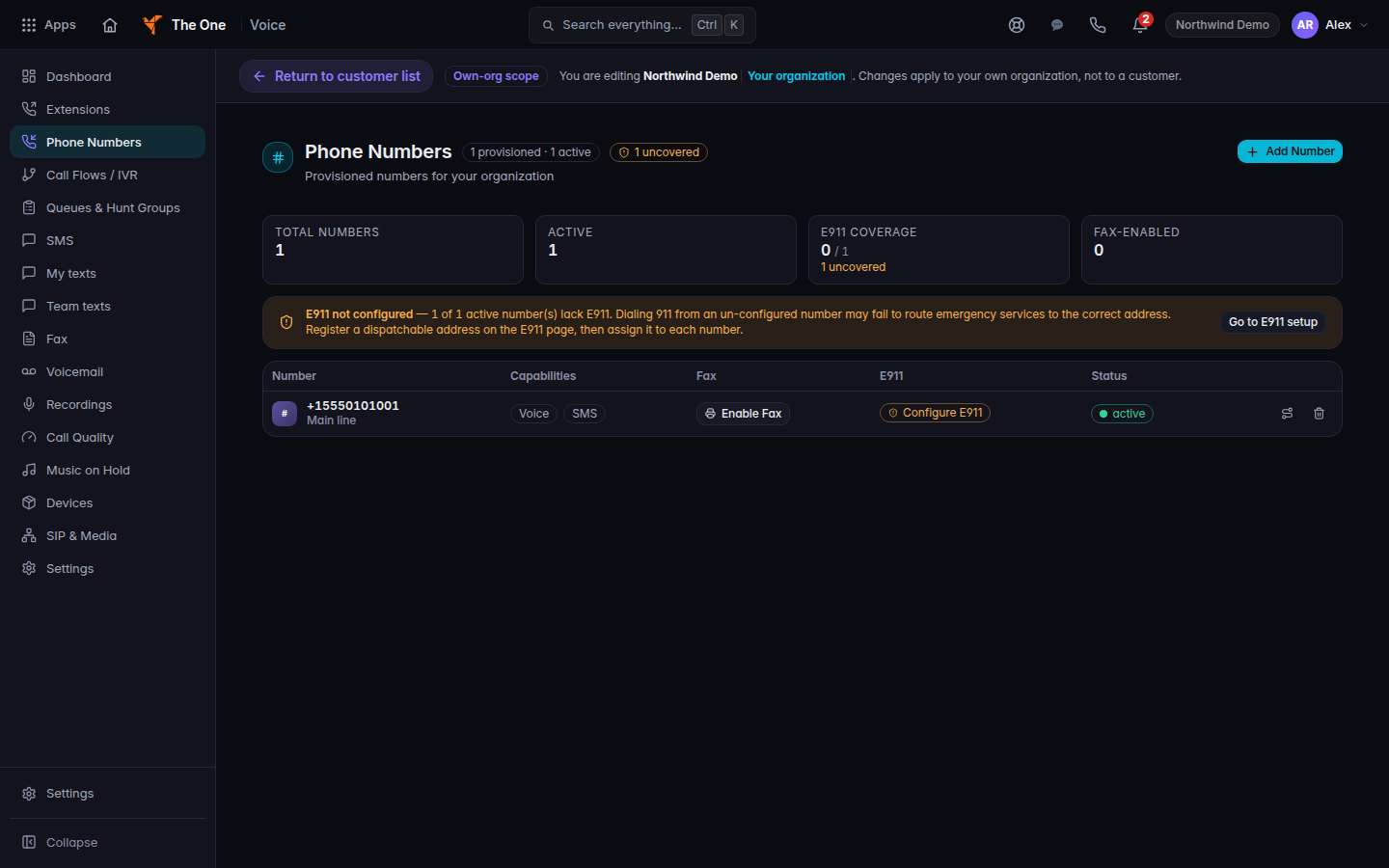
Phone Numbers, with Add Number - Choose Add Number. If the list is empty, the empty state is No numbers provisioned yet. Choose Search & add a number.
- In Search Available Numbers, enter an area code and choose Search.
- On the number you want, choose Get Number. The button reads Purchasing… while it works. A success notice names the number and says it was added.
To remove a number you added, choose release and confirm Release this number?. Keep number leaves it in place. Release number sends it back. Routing, texts, fax, and emergency-address setup on that number are lost.
Choosing a number opens routing. See Set business hours on a number.
If it goes wrong#
- Search returns nothing. Try another area code. A failed search is not a purchased number.
- Get Number fails. Read the notice on the page. The number was not added. Try again, or ask a Voice admin if your role cannot provision numbers.
- You only see All Lines / Telco. That list is every number across customers. Open the customer first, then Phone Numbers.
What's next#
Was this article helpful?