
Read call history
Open Call History from the customer dashboard to see the organization's calls.
Applies to Admin Technician
Call History lists calls for the customer you have open. The subtitle is All calls for your organization. It is not in the Voice menu. The customer Dashboard opens it.
A person's own calls in the client portal are a different list. That portal is not available yet. See Your call history in the portal.
Open the list#
- Open the customer's Dashboard.
- Choose Calls today or Missed today. Calls today opens the list from the start of today. Missed today adds the missed filter.
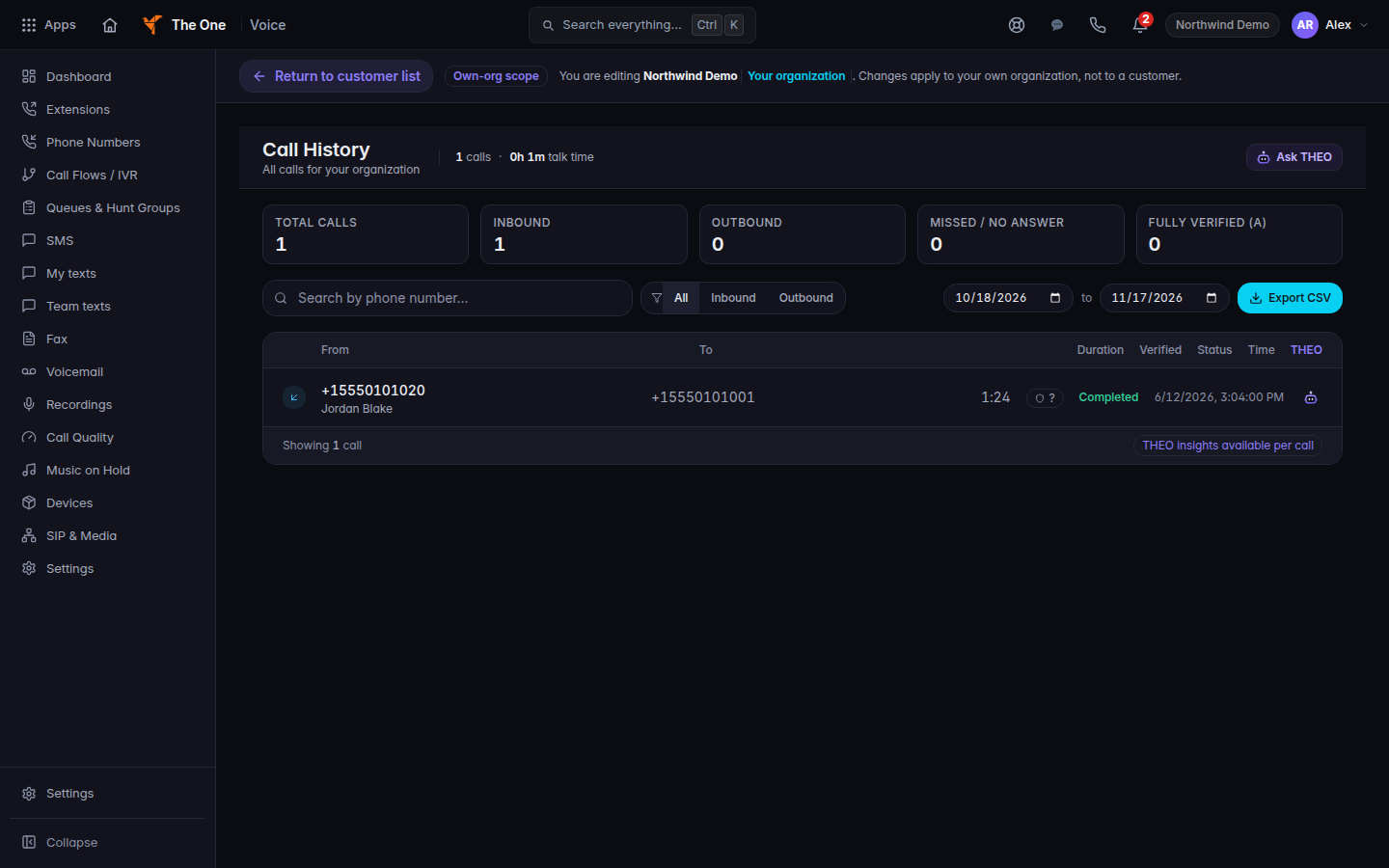
Call History, opened from Calls today - Use Search by phone number… to narrow the list.
- To download, set Export start date and Export end date, then choose Export CSV. The button reads Exporting… while it runs.
Recent Calls on the dashboard is a short list. It does not have a view-all link. Use the tiles to open Call History.
An empty list says No calls found for the period, the search, or the direction filter.
If it goes wrong#
- The tiles do nothing. Your role cannot open call history. Ask a Voice admin.
- Export CSV downloads nothing useful. Widen the dates. An empty range is an empty file.
- You expected one person's line only. This list is the organization. The person's own list is in the portal, when Phone is on for them.
What's next#
Was this article helpful?