
Verify a portal hostname
For owners. Prove you control a hostname, then point DNS so the portal is served there.
Applies to Owner Admin
A custom domain lets clients open the portal on a hostname you control. You prove ownership with a TXT record. The hostname is not reserved, and no certificate is requested, until that record is visible. TLS is provisioned after DNS verifies.
Only the organization owner can add or remove a domain. An admin can view the list and choose Re-verify.
This list is for the client portal, and it is shared by your customers. A hostname you add in Portals is a different screen and can also be used in client portal email links. See Verify a hostname in Portals.
Add and verify#
- Open Client Portal Admin, then Defaults for all customers, then Branding & domain, then Custom Domain.
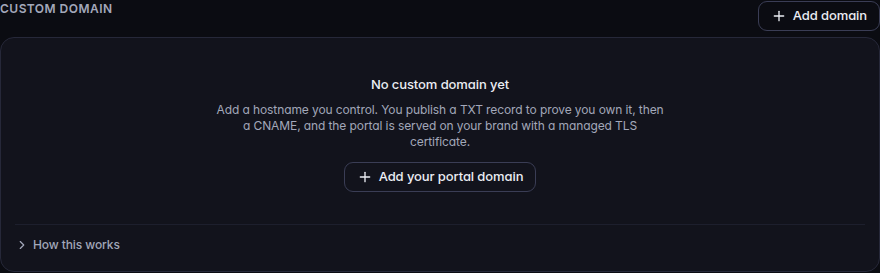
Custom Domain, with Add domain 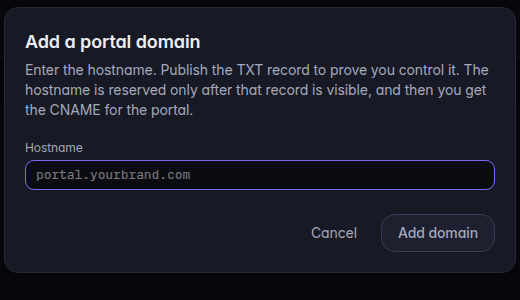
Add a portal domain, with Hostname and Add domain - Choose Add domain or Add your portal domain.
- Enter the hostname. Publish the TXT record the page shows. The labels are TXT name and TXT value. Use Copy so the record is exact.
- Choose Check DNS. While it checks, the button reads Checking….
- After the hostname is reserved, publish the DNS records on the row. The row says Add DNS records below, then Re-verify until it is serving.
- Choose Re-verify. A live hostname says TLS active · serving.
An empty list says No custom domain yet.
If more than one verified domain has no per-customer override, emails and invite links use the oldest. All verified domains can serve the portal. There is no primary-domain setting. Remove the older domain to change which hostname links use.
The apex name and www are two hostnames, not one.
If it goes wrong#
- Only the organization owner can add a portal domain. You are an admin. You can re-verify. Ask the owner to add one.
- Read-only. The same limit, shown when domains already exist.
- Verify failed. Re-verify did not complete. Read the error on the row. A hostname can be blocked for a reason other than a missing TXT record. The row shows that reason when the check returns one.
- Failed to load domains. That is not an empty list. Retry.
- Clients still use the old address. Links use the oldest verified domain. A new hostname can serve the portal before links switch.
What's next#
Was this article helpful?