
Decide what client admins can change
For owners and admins. Turn on their Admin page, and choose which roles they may give.
Applies to Owner Admin
Customer admin is what a customer’s own admins may change. Anything set to No stays with you. Adding and removing people stays with you even when their Admin page is on.
Set the limits#
- Open the customer, then Customer admin.
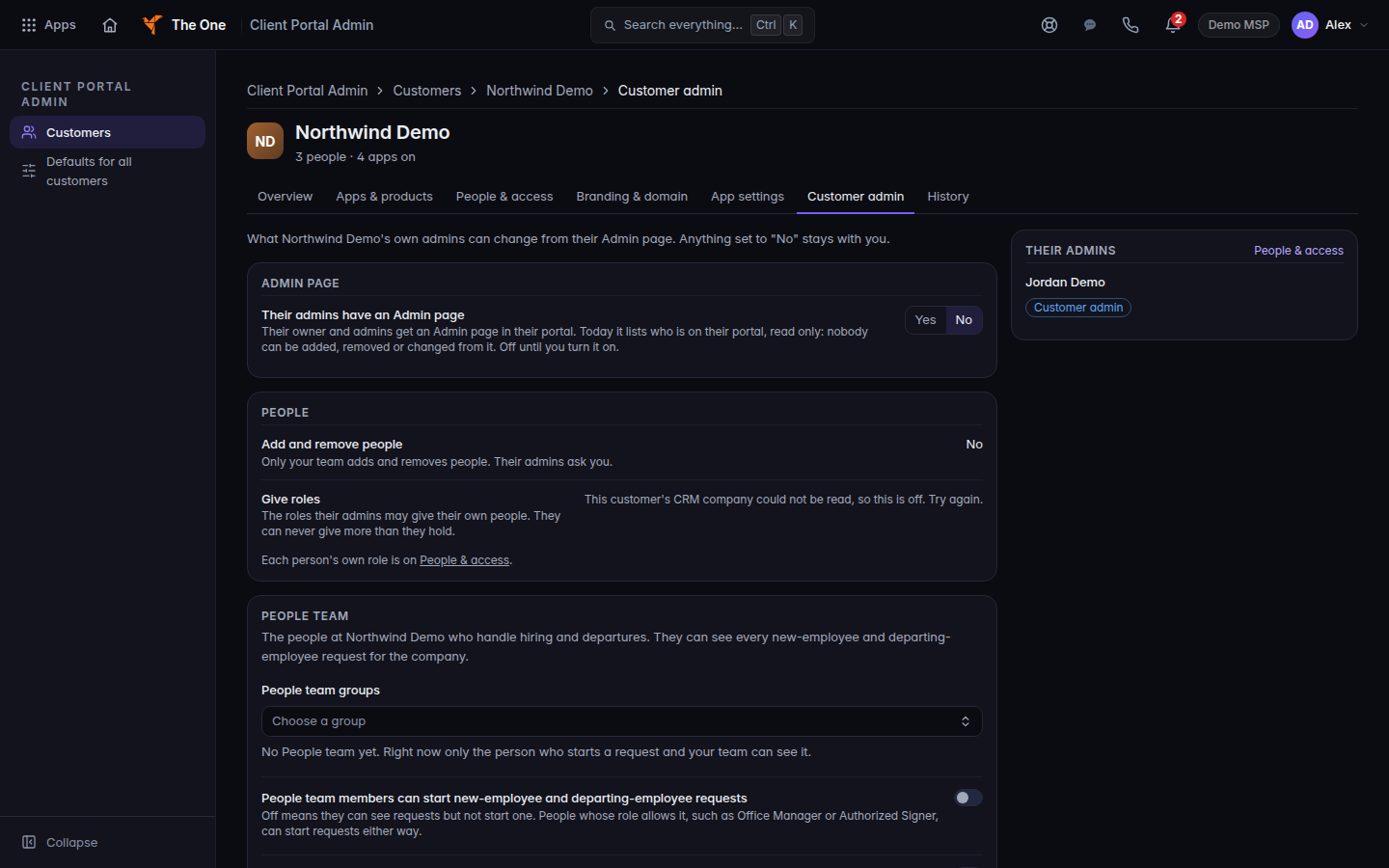
Customer admin, with Admin page and People - Under Admin page, Their admins have an Admin page is No until you turn it on. Choose Yes, then confirm Turn on.
- Read the confirm. Their owner and admins get an Admin page that lists who is on the portal, read only. Nobody can be added, removed, or changed from it. If this customer also has a portal built in Portals, the same switch lets their admins switch that portal’s modules off and set its colors.
- Under People, Add and remove people stays No. The hint is Only your team adds and removes people. Their admins ask you.
- On Give roles, choose Change…, tick the roles they may give, and choose Review change. They can never give more than they hold.
- Change one person's permissions says whether they can add or take away single permissions inside those roles. Under What their admins may change for a person, switch a line off to keep it with you. Keep it with us confirms that. Reset to the roles restores the list.
To let them start new-employee and departing-employee requests, the roles they may give have to include the roles that can start those requests, such as Office Manager or Authorized Signer. If they can give no roles, their Admin page says you manage roles.
If it goes wrong#
- An admin cannot open an Admin page. Their admins have an Admin page is No, or they are not an owner or admin of the customer.
- They expected to add a coworker. That stays on your People & access list. See Add a person to a client portal.
- A person already has a higher role. They keep it. The page counts how many people are above the ceiling.
- The customer also uses Portals. Turning the Admin page on changes what their admins can do there too. Read the confirm before you turn it on. See Open Portals.
What's next#
Was this article helpful?