
Flag your request as urgent
For clients. Choose This is urgent on an open request. Your MSP is notified.
Applies to Client
This is urgent tells your MSP the request cannot wait. It does not by itself change a staff priority name. It flags the request and notifies them.
Your MSP sees those requests in their Customer waiting list.
Flag it#
- Open Support, then Tickets, and open the request.
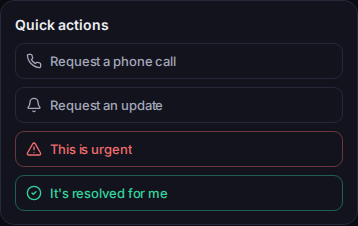
Quick actions, with This is urgent - Under Quick actions, choose This is urgent.
- You should see Flagged as urgent — your support team has been notified.
If you also need to explain why, add a Send reply on the same page.
If it goes wrong#
- This is urgent is missing. The request is resolved or closed. If the problem came back, see Reopen your request.
- We couldn't complete that just now. Nothing has changed on your request — please try again. The flag was not saved. Try again.
What's next#
Was this article helpful?